I’m having the same issue on latest OrcaSlicer in unstable. On my nvidia machine no viewport, on my dell laptop without gpu it works fine. (still crashes when trying to use mainsail through devices tab)
Does anyone has a working method ?
With the following derivation :
{ lib, stdenv, pkgs, appimageTools, gsettings-desktop-schemas, gtk3, fetchurl, ...}:
let
  version = "02.01.01.52";
  appImage = fetchurl {
    url = "https://github.com/bambulab/BambuStudio/releases/download/v${version}/Bambu_Studio_linux_fedora-v${version}.AppImage";
    sha256 = "sha256-huMKtNMW7UqsiyRuielGbF4wjUH1Jwv2tcQIBSqFqhM=";
  };
in
appimageTools.wrapType2 {
  pname = "bambu-studio";
  inherit version;

  src = appImage;

  profile = ''
    export LC_ALL=C.UTF-8
    export XDG_DATA_DIRS="${gsettings-desktop-schemas}/share/gsettings-schemas/${gsettings-desktop-schemas.name}:${gtk3}/share/gsettings-schemas/${gtk3.name}:$XDG_DATA_DIRS"
  '';

  extraPkgs = pkgs: (appimageTools.defaultFhsEnvArgs.multiPkgs pkgs) ++ (with pkgs; [
    # fixes "unexpected error"
    gsettings-desktop-schemas glib gtk3 zlib

    # needed for icons
    adwaita-icon-theme
  ]);
}
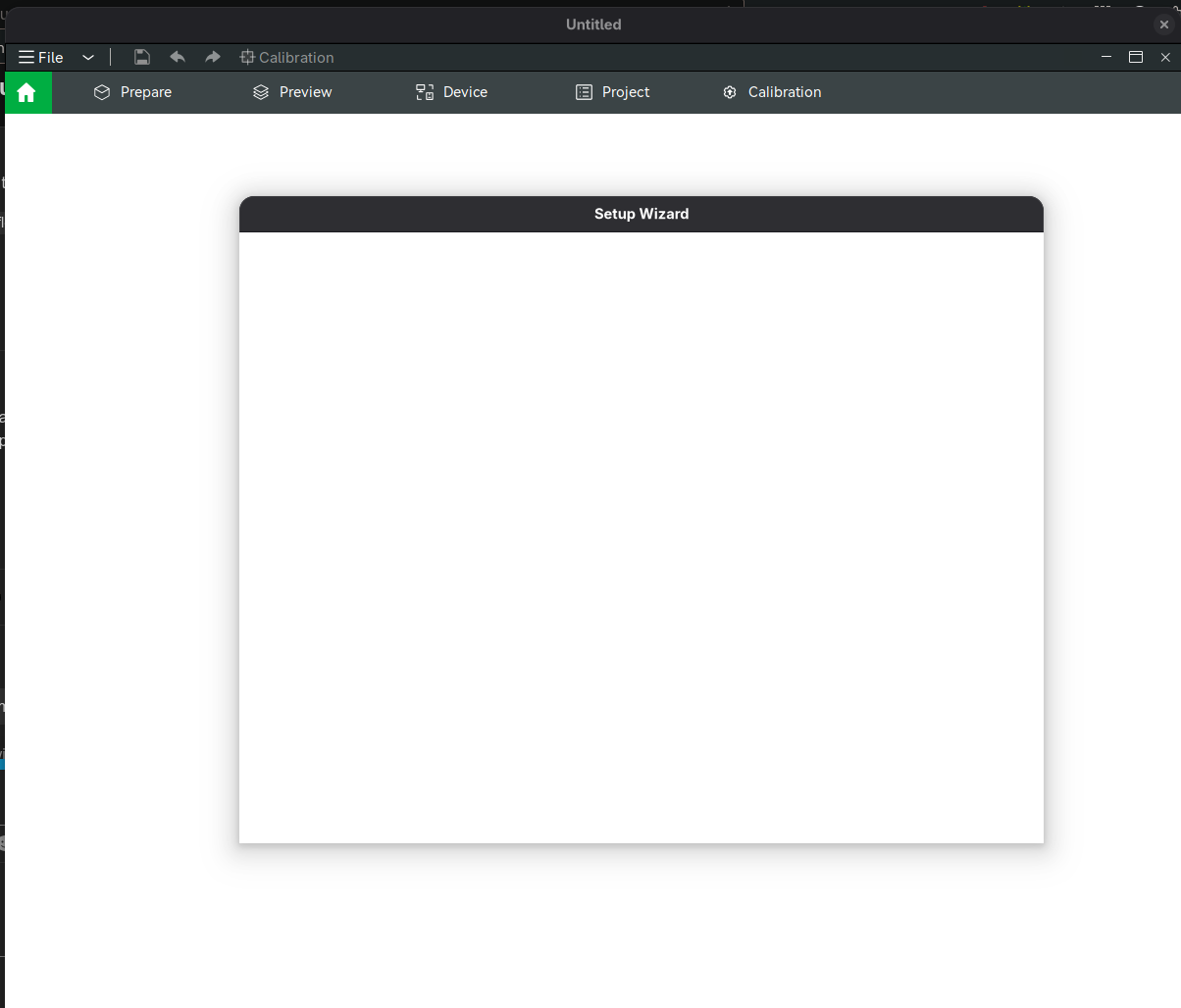
I get a window without content when I do (with or without the environment variables) env WEBKIT_DISABLE_COMPOSITING_MODE=1 WEBKIT_DISABLE_DMABUF_RENDERER=1 ELECTRON_OZONE_PLATFORM_HINT=auto ./result/bin/bambu-studio-appimage
% nix-info -m
 - system: `"x86_64-linux"`
 - host os: `Linux 6.12.41, NixOS, 25.11 (Xantusia), 25.11pre-git`
 - multi-user?: `yes`
 - sandbox: `yes`
 - version: `nix-env (Nix) 2.30.2`
 - channels(root): `"nixos, nixpkgs"`
 - nixpkgs: `/nix/store/nglfj5i11zigpbgvw51n5g699y5gi6r9-nixpkgs/nixpkgs`
Doing nix run github:NixOS/nixpkgs#bambu-studio yield no graphical output and just the following in the console :
[2025-09-23 11:05:29.675186] [0x00007f25e1493900] [trace]   Initializing StaticPrintConfigs
add font of HarmonyOS_Sans_SC_Bold returns 1
add font of HarmonyOS_Sans_SC_Regular returns 1

(bambu-studio:729354): GLib-GObject-CRITICAL **: 11:05:29.725: invalid (NULL) pointer instance

(bambu-studio:729354): GLib-GObject-CRITICAL **: 11:05:29.725: g_signal_handlers_disconnect_matched: assertion 'G_TYPE_CHECK_INSTANCE (instance)' failed
1 Like
I just got my hands on a P2S so I wanted to share how I got the newest version running on Wayland + Nvidia. I use the following overlays:
  modifications = final: prev: {
    unstable =
      prev.unstable
      // {
        bambu-studio = prev.unstable.bambu-studio.overrideAttrs (old: let
          newVersion = "02.03.00.70";
        in {
          version = newVersion;
          src = prev.fetchFromGitHub {
            owner = "bambulab";
            repo = "BambuStudio";
            rev = "v${newVersion}";
            hash = "sha256-2duNeSBi2WvsAUxkzTbKH+SiliNovc7LVICTzgQkrN8=";
          };

          nativeBuildInputs = (old.nativeBuildInputs or []) ++ [prev.cmake prev.pkg-config];

          postPatch =
            (old.postPatch or "")
            + ''
              # Remove cereal-Links (link does not work, havent seen anything breaking from this change).
              # Disclaimera; This patch is AI generated
              grep -RIl "target_link_libraries" . | while read -r f; do
                sed -i \
                  -e 's/\bcereal::cereal\b//g' \
                  -e 's/[[:space:]]\bcereal\b//g' \
                  "$f"
              done
            '';

          postInstall =
            (old.postInstall or "")
            + ''
              wrapProgram $out/bin/bambu-studio --set GBM_BACKEND dri
            '';

          cmakeFlags =
            (old.cmakeFlags or [])
            ++ [
              "-DCMAKE_POLICY_VERSION_MINIMUM=3.5"
            ];
        });
      };
  };

  # When applied, the unstable nixpkgs set (declared in the flake inputs) will
  # be accessible through 'pkgs.unstable'
  unstable-packages = final: _prev: {
    unstable = import inputs.nixpkgs-unstable {
      system = final.system;
      config.allowUnfree = true;
    };
  };
Then I add it using environment.systemPackages = with pkgs; [unstable.bambu-studio].
Depending on the setup, you might have a different way of using overlays. The important part is the override of the current unstable version.
My issue is on Intel only and once I try to sign in the whole application crashes, the flatpak seems to work fine though.
On my side, I had two distinct machines that I was able to successfully install Bambu Studio.
- One in my workshop with NVIDIA GTX 970, X11, i3 window-manager
- One in my office with Hyprland, AMD Radeon RX 6000 series (amdgpu driver, open source)
X11, i3wm, Nvidia setup:
{ config, lib, pkgs, ... }:

let
  cfg = config.bambuStudio;

  # AppImage wrapper with full dependencies from discourse thread
  # Using Ubuntu AppImage (better compatibility than Fedora on NixOS)
  bambu-studio = pkgs.appimageTools.wrapType2 rec {
    pname = "bambu-studio";
    version = "02.04.00.70";

    src = pkgs.fetchurl {
      url = "https://github.com/bambulab/BambuStudio/releases/download/v${version}/Bambu_Studio_ubuntu-24.04_PR-8834.AppImage";
      hash = "sha256-JrwH3MsE3y5GKx4Do3ZlCSAcRuJzEqFYRPb11/3x3r0=";
    };

    # Set environment variables for SSL, GIO, and webkit rendering
    profile = ''
      export SSL_CERT_FILE="${pkgs.cacert}/etc/ssl/certs/ca-bundle.crt"
      export GIO_MODULE_DIR="${pkgs.glib-networking}/lib/gio/modules/"
      export WEBKIT_DISABLE_DMABUF_RENDERER=1
      export __GLX_VENDOR_LIBRARY_NAME=nvidia
      export MESA_LOADER_DRIVER_OVERRIDE=nvidia
    '';

    extraPkgs = pkgs: with pkgs; [
      cacert
      curl
      glib
      glib-networking
      gst_all_1.gst-plugins-bad
      gst_all_1.gst-plugins-base
      gst_all_1.gst-plugins-good
      webkitgtk_4_1  # Provides libwebkit2gtk-4.1.so.0
    ];
  };
in
{
  options.bambuStudio = {
    enable = lib.mkEnableOption "Bambu Studio AppImage";
  };

  config = lib.mkIf cfg.enable {
    environment.systemPackages = [ bambu-studio ];
  };
}
Worth mentionning I installed proprietary drivers for nvidia
    # NVIDIA GPU drivers for 3D rendering (Bambu Studio AppImage, etc.)
    services.xserver.videoDrivers = [ "nvidia" ];
    hardware.graphics = {
      enable = true;
      enable32Bit = true; # For 32-bit apps
      extraPackages = with pkgs; [
        nvidia-vaapi-driver # Hardware video acceleration (VA-API)
      ];
    };
    hardware.nvidia = {
      modesetting.enable = true;
      open = false; # Use proprietary driver
      nvidiaSettings = true; # Enable nvidia-settings
    };
Hyprland, AMD Graphics card:
Flatpak just works, albeit slow to load compared to nvidia setup.
  services.flatpak = {
    enable = true;
    packages = [
      { appId = "com.bambulab.BambuStudio"; origin = "flathub"; }
    ];
  };
2 Likes
I realised on my NVIDIA setup, I did not have the app available in rofi, so I modified my previous code to this:
{ config, lib, pkgs, ... }:

let
  cfg = config.bambuStudio;

  version = "02.04.00.70";

  # Fetch the AppImage once
  appimageSource = pkgs.fetchurl {
    url = "https://github.com/bambulab/BambuStudio/releases/download/v${version}/Bambu_Studio_ubuntu-24.04_PR-8834.AppImage";
    hash = "sha256-JrwH3MsE3y5GKx4Do3ZlCSAcRuJzEqFYRPb11/3x3r0=";
  };

  # Extract AppImage contents for desktop file and icon
  appimageContents = pkgs.appimageTools.extractType2 {
    pname = "bambu-studio";
    inherit version;
    src = appimageSource;
  };

  # AppImage wrapper with full dependencies from discourse thread
  # Using Ubuntu AppImage (better compatibility than Fedora on NixOS)
  bambu-studio = pkgs.appimageTools.wrapType2 rec {
    pname = "bambu-studio";
    inherit version;

    src = appimageSource;

    # Set environment variables for SSL, GIO, and webkit rendering
    profile = ''
      export SSL_CERT_FILE="${pkgs.cacert}/etc/ssl/certs/ca-bundle.crt"
      export GIO_MODULE_DIR="${pkgs.glib-networking}/lib/gio/modules/"
      export WEBKIT_DISABLE_DMABUF_RENDERER=1
      export __GLX_VENDOR_LIBRARY_NAME=nvidia
      export MESA_LOADER_DRIVER_OVERRIDE=nvidia
    '';

    extraPkgs = pkgs: with pkgs; [
      cacert
      curl
      glib
      glib-networking
      gst_all_1.gst-plugins-bad
      gst_all_1.gst-plugins-base
      gst_all_1.gst-plugins-good
      webkitgtk_4_1  # Provides libwebkit2gtk-4.1.so.0
    ];

    # Install desktop entry and icon for rofi/application launchers
    extraInstallCommands = ''
      # Install desktop file
      install -Dm644 ${appimageContents}/BambuStudio.desktop $out/share/applications/BambuStudio.desktop
      substituteInPlace $out/share/applications/BambuStudio.desktop \
        --replace 'Exec=AppRun' 'Exec=bambu-studio' \
        --replace 'Icon=BambuStudio' 'Icon=bambu-studio'

      # Install icon
      mkdir -p $out/share/pixmaps
      cp ${appimageContents}/resources/images/BambuStudioLogo.png $out/share/pixmaps/bambu-studio.png 2>/dev/null || \
      cp ${appimageContents}/.DirIcon $out/share/pixmaps/bambu-studio.png 2>/dev/null || true
    '';
  };
in
{
  options.bambuStudio = {
    enable = lib.mkEnableOption "Bambu Studio AppImage";
  };

  config = lib.mkIf cfg.enable {
    environment.systemPackages = [ bambu-studio ];
  };
}
2 Likes
Thanks for sharing! Are you able to login and use the software with a printer?
For the Flatpak Nix code how did you get the packages option? I only see package and that is for the version of flatpak itself not an application using the flatpak tech:
https://search.nixos.org/options?channel=25.11&query=services.flatpak.
For me the window works but I cannot seem to log in. Always complains that logging in failed, whether I try via google or with credentials. It just doesn’t seem to be able to pass the token. Using Nvidia and hyprland.
After trying the zink method with the nixpkgs version for a while, I decided to give up on that and instead use the appImage. It does fix the display issue, but unfortunately there’s still a crash when exiting Bambu Studio, and maybe when doing other operations, related to std::locale. The appimage does not have this issue.
Here’s the package definition I decided to use:
        bambu-studio = prev.appimageTools.wrapType2 rec {
          name = "BambuStudio";
          pname = "bambu-studio";
          version = "02.04.00.70";
          ubuntu_version = "24.04_PR-8834";

          src = prev.fetchurl {
            url = "https://github.com/bambulab/BambuStudio/releases/download/v${version}/Bambu_Studio_ubuntu-${ubuntu_version}.AppImage";
            sha256 = "sha256:26bc07dccb04df2e462b1e03a3766509201c46e27312a15844f6f5d7fdf1debd";
          };

          profile = ''
            export SSL_CERT_FILE="${prev.cacert}/etc/ssl/certs/ca-bundle.crt"
            export GIO_MODULE_DIR="${prev.glib-networking}/lib/gio/modules/"
          '';

          extraPkgs =
            pkgs: with pkgs; [
              cacert
              glib
              glib-networking
              gst_all_1.gst-plugins-bad
              gst_all_1.gst-plugins-base
              gst_all_1.gst-plugins-good
              webkitgtk_4_1
            ];
        };
You may also need to clear the language key in ~/.config/BambuStudio/BambuStudio.conf as, for me and others, the nixpkgs version of Bambu Studio leaves it set to en, which the appimage version interprets as en_GB. This fails and requests that I compile that locale. Clearing the key makes it return to a default, which on my system was en_US. I tried setting this to a different value to see if it would prevent the std::locale crash in the Bambu networking library, but it didn’t work for me. I’m suspect there’s some sort of locale library missing in the environment given to bambu-studio which is what’s causing the error, however.