I guess I forgot to mention it, sorry…
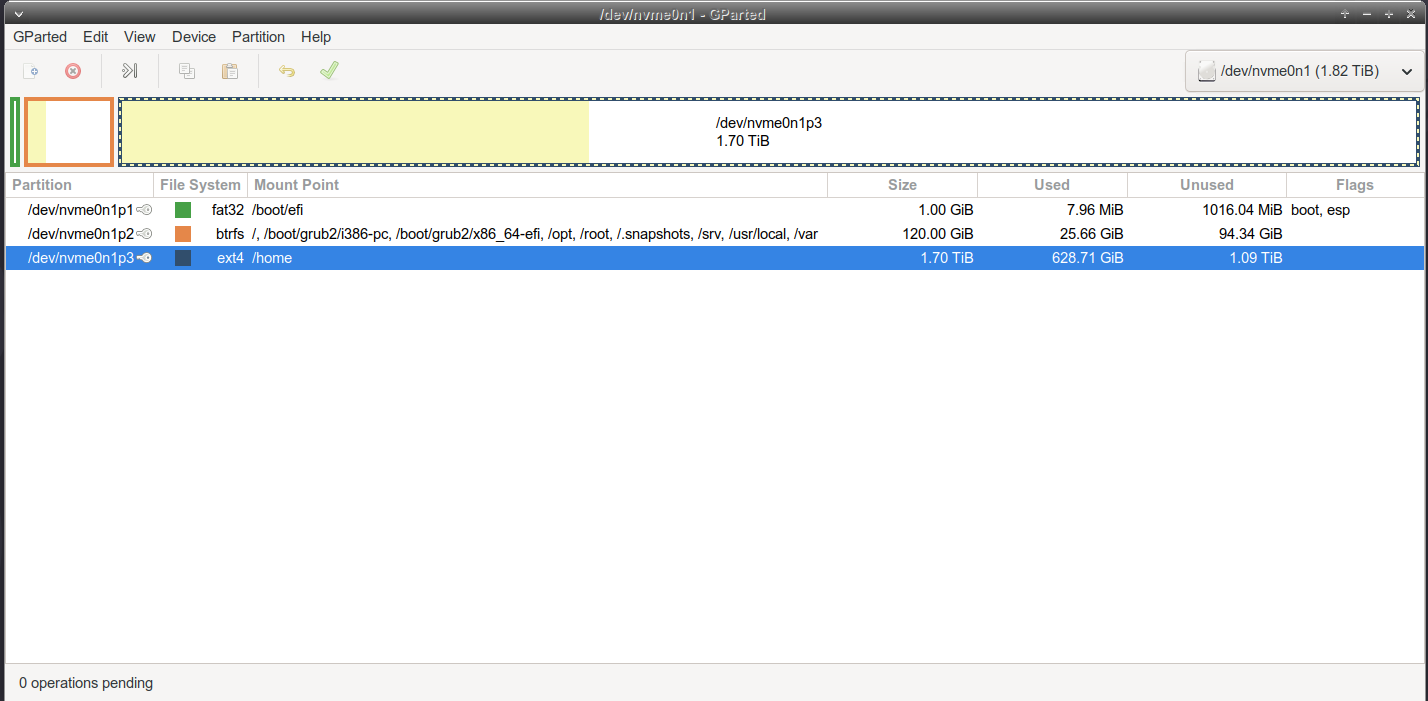
But my final/ultimate move you could say is moving the home partition on an entirely separate drive, in case I ever mess up something. That way, I can wipe my os as many times I want without worrying about touching the home partition by accident. Also, I always used ext4 for the home partition because I don’t really need to snapshot anything there (maybe some config file, but I could just use git for that), and I would just rather backup to another internal/external drive.
One thing I haven’t seen mentioned here is the recommendation to install nix on your system and move parts of your workflow to it (devshells). That’s what I did before I installed NixOS.
Part of the joy of the declarative system configuration with NixOS, is that you can “start from scratch” again whenever you want, and use your old config as a guide for precisely what features you enabled last time.
So it’s really painless to go through a couple iterations of “how should I manage my setup”:
Channels (no flakes)
flakes or some other lock file management mentioned in earlier posts
erase your darlings, tmpfs for /
I’ve gone through this sequence, and each step gains you something, while there are also small costs (things that “used to work” don’t until you figure it out) between the steps.
NixOS lends itself to trying all possibilities out, so I’d recommend you start as simple as possible.
As a data point I’m a programmer, I started using computers when I was 10, I’ve gone through Dos, Windows 3.11, 95, Ubuntu, PopOS, NixOS. My initial goal with NixOS was to ensure minimal downtime for reproducing my dev and general work environment under hardware failure. My second goal was to have a minimally inadequate and broken laptop / desktop environment, under Linux. Out of what I’ve used, NixOS excels at both of these; it’s the best distro I know in this regard.
As far as the learning curve goes, I think it’s brutal.
Part of my experience might be coming from trying to learn multiple things at once: linux basics, the linux desktop basics, a new language, NixOS, module system, flakes, Home Manager, devenv, dev shells. And after all that, all the implications of “whatever machines you have lying around-as-code”.
Would you enjoy your machine configurations becoming an actual software project, with all it entails (and with no tests of your own, probably)? Then NixOS is for you.
If you’re a programmer you should be fine.
The wins are immense despite the learning curve, you’ll learn lots of things apart from NixOS and Nix. For me, it’s been worthy. I think it also depends on how much you like to tinker with things.
For example, there are a lot of install guides, but this playlist also includes packaging and networking guides. This other video introduced me to configuring nix store optimization, garbage collection, and automated updates: