# Virtual or Fake Webcam to blur/replace background
**URL:** https://discourse.nixos.org/t/virtual-or-fake-webcam-to-blur-replace-background/31714
**Category:** Help
**Created:** [August 14, 2023, 9:08am UTC](https://discourse.nixos.org/t/virtual-or-fake-webcam-to-blur-replace-background/31714 "2023-08-14T09:08:54Z")
**Posts on this page:** 10
**Page:** 1
### Author:  [@nixme](https://discourse.nixos.org/u/nixme)
#### Post date: [August 14, 2023, 9:08am UTC](https://discourse.nixos.org/t/virtual-or-fake-webcam-to-blur-replace-background/31714/1 "2023-08-14T09:08:55Z")
Hello,
Has anyone tried to use something else than OBS (something simpler) on NixOS to get a virtual (fake) webcam with blur/replaced background?
I found this: [GitHub - fangfufu/Linux-Fake-Background-Webcam: Faking your webcam background under GNU/Linux, now supports background blurring, animated background, colour map effect, hologram effect and on-demand processing.](https://github.com/fangfufu/Linux-Fake-Background-Webcam)
But seems rather complicated even on Ubuntu so I’m thinking that this won’t “just” work on NixOS…
Thank you.
---
### Author:  [@TLATER](https://discourse.nixos.org/u/TLATER)
#### Post date: [August 14, 2023, 10:23am UTC](https://discourse.nixos.org/t/virtual-or-fake-webcam-to-blur-replace-background/31714/2 "2023-08-14T10:23:07Z")
Akvcam appears to be packaged for NixOS, at least, and all the heavy lifting in that project looks to be done by opencv, which is also packaged for NixOS. I didn’t see any unsavory fhs-reliant code at a glance either.
The only potential pain in the arse will be that akvcam config. I don’t know anything about it, perhaps using `environment.etc` will be necessary.
Of course, getting any opencv+python thing to work is always a royal pain, but plenty of people have done so with NixOS. I’d say give packaging this a try (and consider writing a module for the akvcam config), and shout if you get stuck.
---
### Author:  [@nixme](https://discourse.nixos.org/u/nixme)
#### Post date: [August 14, 2023, 12:12pm UTC](https://discourse.nixos.org/t/virtual-or-fake-webcam-to-blur-replace-background/31714/3 "2023-08-14T12:12:36Z")
I haven’t packaged anything yet except copying shell script to `$out` so I probably should start with something simpler… But I’ll try and see what happens.
Thank you @TLATER
---
### Author:  [@seabass](https://discourse.nixos.org/u/seabass)
#### Post date: [August 14, 2023, 8:03pm UTC](https://discourse.nixos.org/t/virtual-or-fake-webcam-to-blur-replace-background/31714/4 "2023-08-14T20:03:39Z")
> Has anyone tried to use something else than OBS (something simpler) on NixOS to get a virtual (fake) webcam with blur/replaced background?
I haven’t tried it on NixOS, but I have used OBS with the virtual camera feature to do this. It’s pretty simple to create a ‘Scene’ in OBS containing a chroma key removal for your camera, which replaces the background with some other image or colour. I did not continue using it because the lighting in my room was too poor, meaning that my shadow confused the chroma keying. It worked very well in broad daylight though. There was the apparent limitation that only 720p resolution worked when using online videoconferencing - this I imaigne was a browser/website issue and not an OBS one.
OBS now contains the virtual camera feature, so you shouldn’t need to install any plugins to make this work. It does not however contain any ‘intelligent’ background removal; you’ll need to ensure that the background is distinctive yourself with something like a green sheet (or in my case, a very large light green blackout blind).
---
### Author:  [@TLATER](https://discourse.nixos.org/u/TLATER)
#### Post date: [August 14, 2023, 8:33pm UTC](https://discourse.nixos.org/t/virtual-or-fake-webcam-to-blur-replace-background/31714/5 "2023-08-14T20:33:42Z")
I can vouch for OBS too, but @nixme _was_ asking for non-OBS solutions 😉
---
### Author:  [@seabass](https://discourse.nixos.org/u/seabass)
#### Post date: [August 14, 2023, 11:26pm UTC](https://discourse.nixos.org/t/virtual-or-fake-webcam-to-blur-replace-background/31714/6 "2023-08-14T23:26:05Z")
> I can vouch for OBS too, but @nixme _was_ asking for non-OBS solutions 😉
Oops! I was so excited to help I must have enabled my ‘selective vision’ mode!
---
### Author:  [@chrism](https://discourse.nixos.org/u/chrism)
#### Post date: [August 15, 2023, 3:14am UTC](https://discourse.nixos.org/t/virtual-or-fake-webcam-to-blur-replace-background/31714/7 "2023-08-15T03:14:18Z")
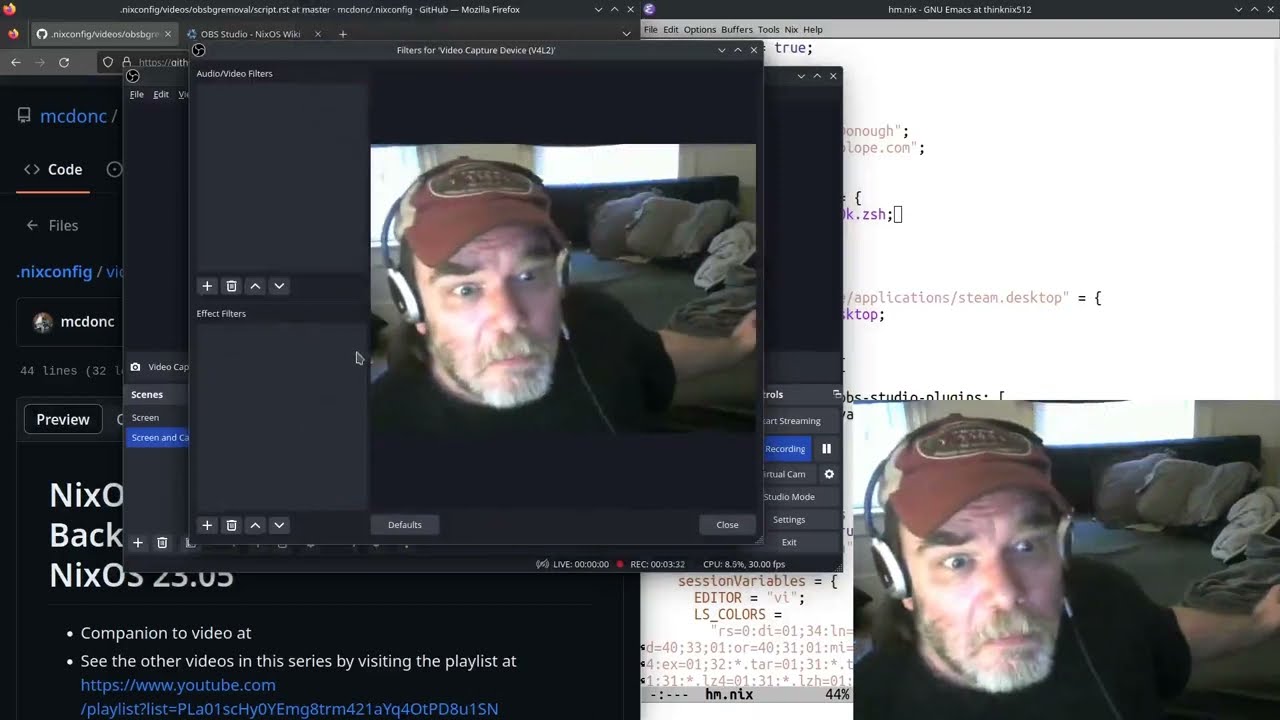
OBS does indeed these days have a proper background blur plugin named obs-backgroundremoval.
[ ](https://www.youtube.com/watch?v=cUv1GaSYM6Y)
WIth that and a virtual webcam via OBS the results aren’t too bad. It does use a heck of a lot of CPU and there is no GPU support under Linux.
---
### Author:  [@nixme](https://discourse.nixos.org/u/nixme)
#### Post date: [August 15, 2023, 6:27am UTC](https://discourse.nixos.org/t/virtual-or-fake-webcam-to-blur-replace-background/31714/8 "2023-08-15T06:27:28Z")
Thank you all. I’ll most likely go with OBS since packaging that craziness from Github is too much for my current Nix beginner level.
And @chrism - Thank you so much for the video and the code below. Does it work OKish in a dark room?
```nix
programs.obs-studio = {
enable = true;
plugins = with pkgs.obs-studio-plugins; [
obs-backgroundremoval
];
```
---
### Author:  [@nixme](https://discourse.nixos.org/u/nixme)
#### Post date: [August 15, 2023, 3:59pm UTC](https://discourse.nixos.org/t/virtual-or-fake-webcam-to-blur-replace-background/31714/9 "2023-08-15T15:59:51Z")
I looked at @chrism [dot files](https://github.com/mcdonc/.nixconfig) on Github (thank you so much for that) and I added `v4l2loopback` `boot.extraModulePackages` so I can create a virtual camera via OBS.
I also added `"v4l2loopback"` into `boot.kernelModules` since my user can’t use sudo and therefore it can’t easily `modprobe v4l2loopback`.
But…
Is it possible in NixOS to do the following at boot?
```auto
modprobe v4l2loopback video_nr=10 card_label=Video-Loopback exclusive_caps=1
```
In Ubuntu I would:
```auto
# /etc/modprobe.d/v4l2loopback.conf
options v4l2loopback video_nr=10 card_label=Video-Loopback exclusive_caps=1
```
But I’m not sure how to do that in NixOS…
Thank you.
---
### Author:  [@nixme](https://discourse.nixos.org/u/nixme)
#### Post date: [August 16, 2023, 9:45am UTC](https://discourse.nixos.org/t/virtual-or-fake-webcam-to-blur-replace-background/31714/10 "2023-08-16T09:45:36Z")
> [@nixme](#):
>
> `/etc/modprobe.d/`
I figured out ;-). It’s `boot.extraModprobeConfig`. Thank you.