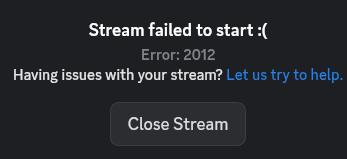
Is the Nixpkgs build for Discord broken? If my friend is sharing their screen in Discord, and I want to watch them, I can click on the “watch stream” button, and the stream loads for a bit, and then fails wit an “Error 2012”. Is there anyway I can work around this? I’m running the latest version of NixOS Unstable.
Discord is a closed-source app, so there is no nixpkgs build of discord. I would imagine this is a system config issue, or an issue with the discord app itself.
I had a similar issue last night. It looks like this PR is meant to fix it, though I haven’t tested:
How long will I have to wait until this change hits Unstable and I can get it myself with a system update?
The answer varies, but as it just got merged, I would expect three to five days. You can check on this page:
I would also just try disabling hardware acceleration - in my experience it works fine on NixOS, but there have been people who found that it did not for them. If it works without hardware accel, it’s case by case on whether getting hardware accel to work is a personal configuration bug, a module bug, or an upstream bug (driver or discord). I’d always start with the assumption that it’s a personal config bug though.
I also don’t know that hardware accel is that important for discord video, in which case just living with non-accelerated video (if that does fix it) is a viable path of least resistance
I did try without Hardware Acceleration, and it just slowed my Discord to a crawl, while also not fixing my Discord video issues!
oh no! well clearly that isn’t a practical solution for you then.
One thing you can try is to jump around to various versions of the app on various nixpkgs-unstable commits.
The invocation to get a nix-shell with discord might look something like this:
NIXPKGS_ALLOW_UNFREE=1 nix-shell -E 'let pkgs = import (builtins.fetchTarball {url='https://releases.nixos.org/nixos/unstable/nixos-26.11pre1069856.d6524aaca2ff/nixexprs.tar.zst';}) {}; in pkgs.mkShell {nativeBuildInputs=[pkgs.discord];}'
where you sub in various nixexprs.tar.zst or .xz. See releases.nixos.org to brownse for different commits or else Nix Package Versions to get some ideas of commits to try.
That really isn’t a very productive way to go about it. If you’re certain it’s a regression, bisecting will be waaay more efficient, especially if you filter for commits with changes to discourse.
If the PR is to be believed, this is discord auto-updating libraries anyway, so all versions will be affected.
Personally I’d recommend just using the website. Then you get the codecs from your browser, which is properly built with the nixpkgs infrastructure (assuming you use a sensible browser of course) and integrated with the rest of the system.
You can live without a mute shortcut for a few days - and write a script to create your own in the long term, because using a normal browser version of anything electron based will always be better in every way.
  hardware.graphics = {
    enable = true;
    # enable32Bit = true;
    extraPackages = with pkgs; [
      intel-media-driver
      vpl-gpu-rt
    ];
  };
  environment.sessionVariables = {
    NIXOS_OZONE_WL = "1";
    LIBVA_DRIVER_NAME = "iHD";
  };
adding intel-media-driver fixes the problem for me
update: it doesnt work again
missed that, thanks!
eh? If the OP knows how to do that sure. Otherwise 2-3 invocations of my suggestion pretty quickly tests whether or not a different version could have helped and is generally easier for people who aren’t already familiar with how to or sometimes even what to bisect. I feel like there’s a huge range of technical comfort in people posting for support, so I’m often trying to give the most quickly usable advice based on a heuristic judgment of what the poster might find tenable as a test/solution.
In any case, appreciate you. 
Actually in any case we both missed the obvious quick fix/test. If the PR really does fix OP’s issue, then they can test by cloning the master branch (PR already merged) locally and testing the package.
git clone https://github.com/NixOS/nixpkgs.git
NIXPKGS_ALLOW_UNFREE=1 NIX_PATH="nixpkgs=/path/to/nixpkgs/clone" nix-shell -p discord
Since discord isn’t really “built” by nix it’s also super fast to test.
If going down this path, do a shallow clone, --depth=1, a full clone of nixpkgs is very large.
Better yet, this, then you do not need a work-tree.
NIXPKGS_ALLOW_UNFREE=1 nix-shell -I nixpkgs=https://github.com/NixOS/nixpkgs/archive/master.tar.gz -p discord
That command fails with this error:
error: getting status of '/home/sophia/discord': No such file or directory
I think they meant to use -p discord instead of just discord
With -A I get this error:
error: getting status of '/home/sophia/default.nix': No such file or directory
Apologies, a typo, it should be -p discord, not just discord.
I can get the newest version of Discord with that fixed command. I’ll test it out later, when I have more time.
I mean, yeah, but now you’re stuck with using the shell for a few days. I suppose that also works, in my mind the website is easier.
yep, plenty of ways to mitigate. difference is the nix-shell invocation helps them diagnose now whether or not the PR really describes/fixes their issue or if they may need to address something other than the package definition