I broke the NixOs bootloader while trying to install Systemd-Boot on another disk on my computer containing an Arch Linux installation.
No matter which entries I use, I get Arch.
To be clear, I overwrote the NixOs entry with an Arch entry.
How to chroot or repair the NixOs entry?
3 Likes
I make this mistake all the time!
Usually I fix it by running the nixos installer from a USB stick, mounting my NixOS partition at /mnt, mounting my boot partition at /mnt/boot, and then optionally (see below) doing
sudo nixos-generate-config --root /mnt
and then
sudo nixos-install
or
sudo nixos-install --install-bootloader
(I think those two are actually the same in these circumstances)
nixos-generate-config won’t overwrite your configuration.nix (although it WILL overwrite your hardware-configuration.nix, so skip that step if you think you might have made any changes to hardware-configuration.nix), and nixos-install is idempotent so it’s (almost!) impossible to break your existing system.
There are other ways to achieve the same thing, including, as you mention, chrooting, but I find my way the easiest to remember, which is a boon when I’m mad at myself for stuffing up the bootloader 
There’s no reason to run nixos-generate-config if you already have a config.
Just boot live image, mount all your partitions relative to /mnt and then nixos-install again.
As a faster alternative to nixos-install: after mounting everything relative to /mnt, you can nixos-enter then run
NIXOS_INSTALL_BOOTLOADER=1 /run/current-system/bin/switch-to-configuration boot
which should work.
2 Likes
For most people maybe not, but when I end up in this situation I’ve often done something that’s changed UUIDs that are mentioned in my hardware-configuration.nix .
I prefer to use labels for this very reason, as it’s easier to maintain consistency with those.
Or if I must use a UUID for some reason, I’d set the UUID manually in the config.
I’am in “Emergency mode”
building Nix...
building the system configuration...
Failed to connect to system scope bus via local transport: No such file or directory
efiSysMountPoint = '/boot' is not a mounted partition. Is the path configured correctly?
Traceback (most recent call last):
  File "/nix/store/5xv8g58iy3cwl9kk6ca2df26sy9zqdhv-systemd-boot/bin/systemd-boot", line 435, in <module>
    main()
  File "/nix/store/5xv8g58iy3cwl9kk6ca2df26sy9zqdhv-systemd-boot/bin/systemd-boot", line 415, in main
    run([CHECK_MOUNTPOINTS])
  File "/nix/store/5xv8g58iy3cwl9kk6ca2df26sy9zqdhv-systemd-boot/bin/systemd-boot", line 58, in run
    return subprocess.run(cmd, check=True, text=True, stdout=stdout)
           ^^^^^^^^^^^^^^^^^^^^^^^^^^^^^^^^^^^^^^^^^^^^^^^^^^^^^^^^^
  File "/nix/store/lhpwdis5hkyljz1d200bj1s6g51ljq9k-python3-3.12.8/lib/python3.12/subprocess.py", line 571, in run
    raise CalledProcessError(retcode, process.args,
subprocess.CalledProcessError: Command '['/nix/store/a2hs6kw6znn1l618a2dwn49qczd2ri07-check-mountpoints']' returned non-zero exit status 1.
Failed to install bootloader
warning: error(s) occurred while switching to the new configuration
Did you actually boot on the rescue image? You should download the NixOS ISO then burn it to an USB key then plug it in the computer then boot your computer and choose to boot on the USB key.
1 Like
Yes, I booted from the rescue image. Otherwise, I wouldn’t have been able to access “Emergency Mode.”
At startup I have Systemd-Boot with my generations.
I’m not sure how the installer can get broken like that.
Sorry for stating the obvious but when you’re booting you see a screen similar to this one with a grub menu entry for the installer? I think there should be 4 grub entries in the latest installer.
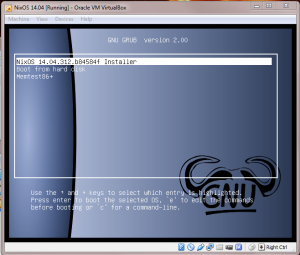
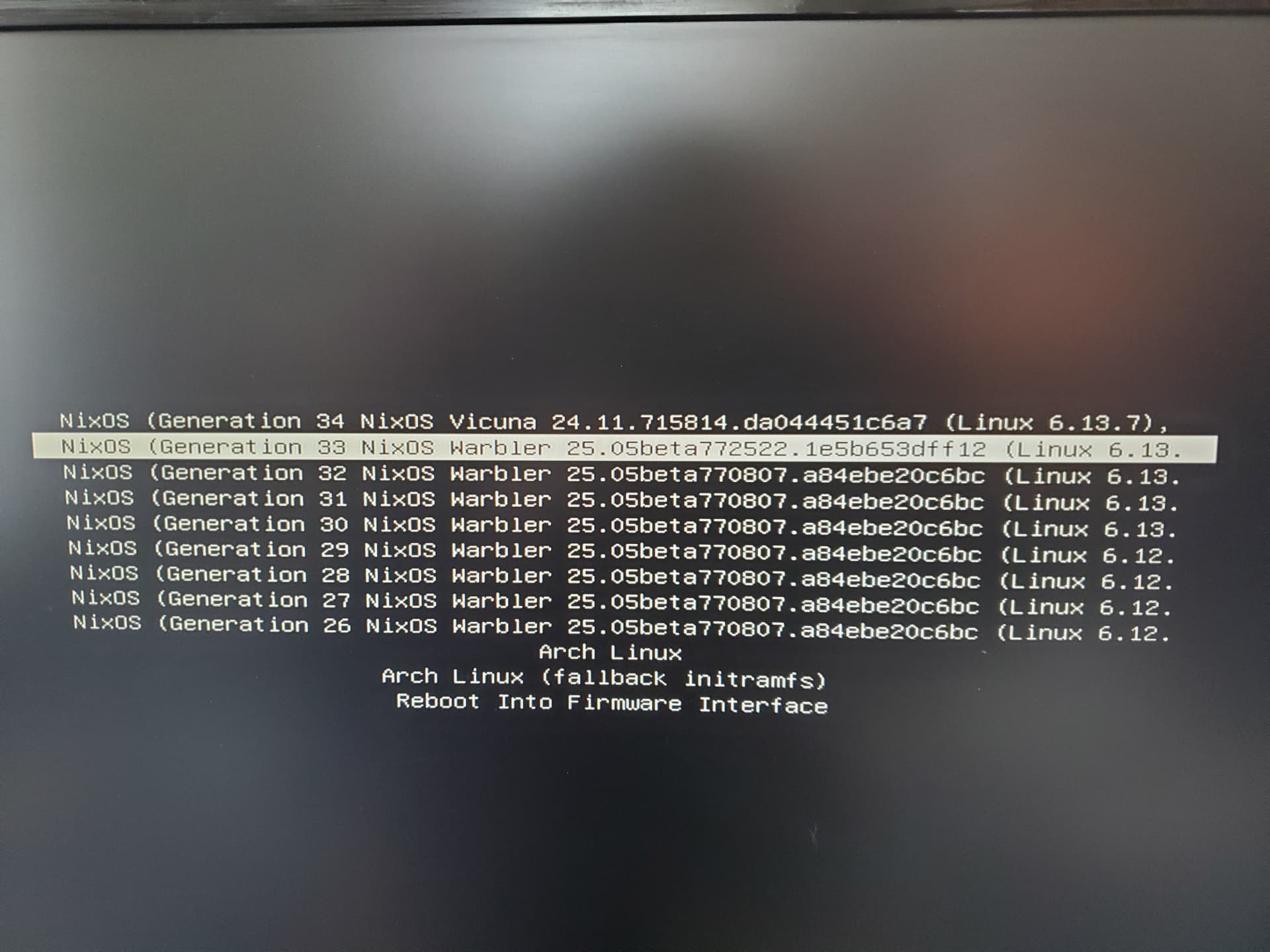
Aaah so this means you’re not booting on the USB key/installer.
From the screen you’re on select the bottom entry “Reboot Into Hardware Firmware” and then the instructions vary from motherboard to motherboard but you’ll need to find a menu where you can change the boot order, save it and reboot once more. Then you should see a screen similar to what I posted.
I don’t want Grub. I have Arch and Nixos entries in the Systemd-Boot home screen.
However, both systems boot in Emergency Mode, and /boot won’t mount.
NixOs:
[ TIME ] Timed out waiting for device /dev/disk/by-uuid/BBA0-0A43.
[ DEPEND ] Dependency failed for /boot.
ArchLinux:
[ TIME ] Timed out waiting for device /dev/disk/by-uuid/6722-0A6C.
[ DEPEND ] Dependency failed for /boot.
No one’s telling you to use grub. (In fact, I would recommend you don’t use grub whenever possible.)
All they are saying is, the live image / installer ISO uses grub, because it needs to be compatible with a wider range of systems.
So if you’re getting a systemd-boot bootloader, that’s the easy way to tell that you are not booting into the installer, you’re booting your current system.
You need to go into your firmware settings or access the firmware boot menu somehow to ensure that you are booting into the installer.
2 Likes
Ok sorry, I didn’t understand that.
I only used the minimal ISO image