Sometimes I spend a lot of time with searching / testing apps, and I fell into thought about optimizations of it.
My base flow is:
search on net → search on NixOS Search → copy-paste install command → run app
So I tried to remove / optimize copy-paste and run steps.
I add button “Launch” to every package in results list. On button click selected package starts.
Here is the example.
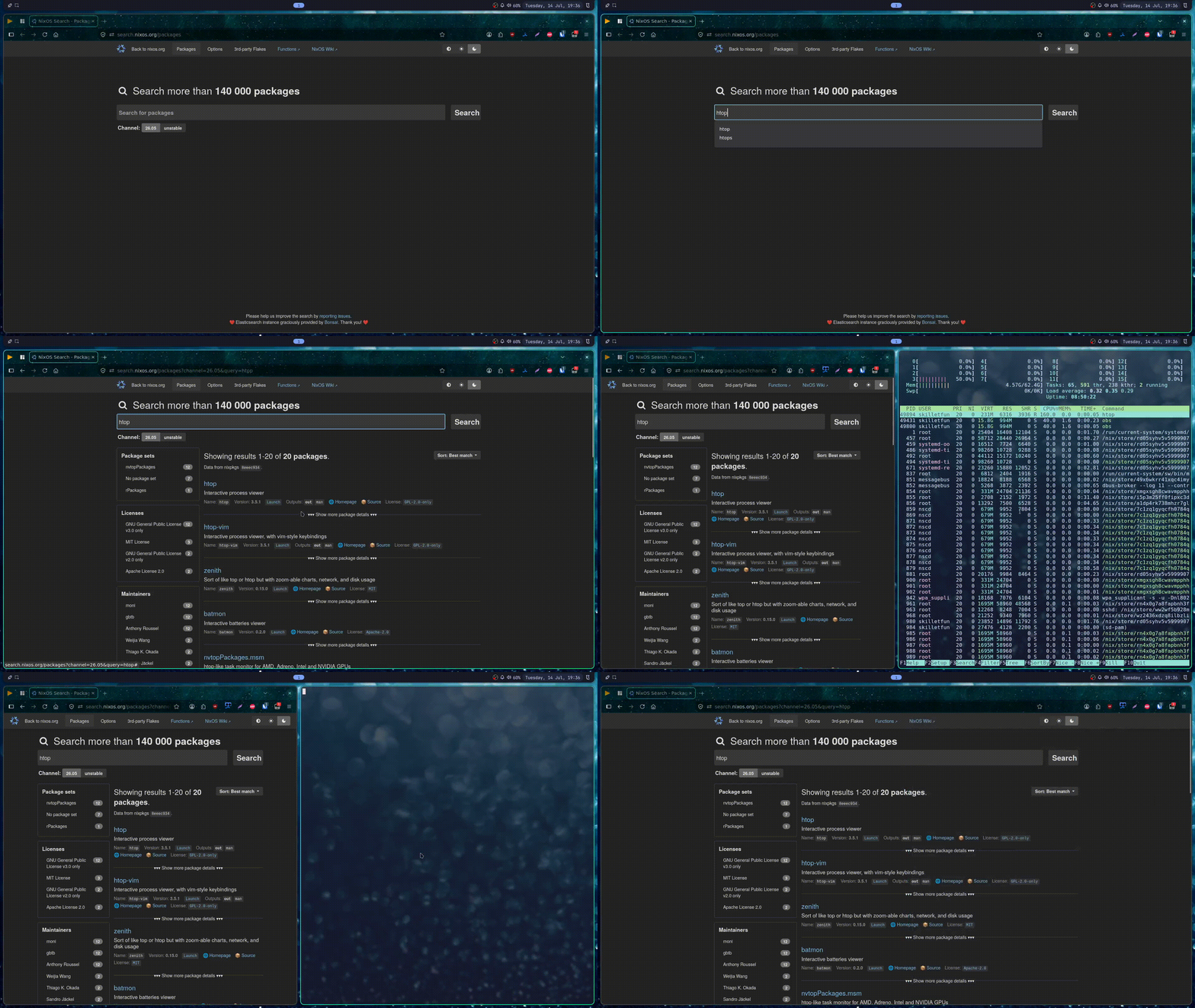
I use Tampermonkey browser extension to inject my custom script on webpage.
Script checks if specific elements are appeared on page and inject button (technically, <a> tag).
Buttons have href built with template nixpkgs://<install_name>&<run_name>.
nixpkgs - custom mime type, tell about it later.
Here is the script
// ==UserScript==
// @name         Inject Button to search.nixos.org/packages site
// @namespace    http://tampermonkey.net/
// @version      2026-07-14
// @description  Inject button to package element to launch package with nix-shell
// @author       skilletfun
// @match        https://search.nixos.org/packages*
// @icon         https://www.google.com/s2/favicons?sz=64&domain=nixos.org
// @grant        none
// ==/UserScript==

(function() {
    'use strict';

    const proto = "nixpkgs";

    function injectLink(element) {
        const ul = element.querySelector('ul');
        if (!ul) return;

        const lis = ul.querySelectorAll('li');
        if (lis.length < 2) return;

        const installPkg = element.querySelector('span').textContent;
        const runPkg = element.querySelector('code').textContent;

        const newLi = document.createElement('li');
        const newCode = document.createElement('code');
        const link = document.createElement('a');
        link.textContent = 'Launch';
        link.href = `${proto}://${installPkg}&${runPkg}`;

        newCode.appendChild(link);
        newLi.appendChild(newCode);

        ul.insertBefore(newLi, lis[2]);
    }

    const observer = new MutationObserver((mutations) => {
        mutations.forEach((mutation) => {
            mutation.addedNodes.forEach((node) => {
                // If it's an element node
                if (node.nodeType === 1) {
                    if (node.classList && node.classList.contains('package')) {
                        injectLink(node);
                    }
                }

                if (node.querySelectorAll) {
                    node.querySelectorAll('.package').forEach((el) => {
                        injectLink(el);
                    });
                }
            });
        });
    });

    observer.observe(document.body, {
        childList: true,
        subtree: true
    });
})();
Browser cannot directly exec bash scripts by obvious reasons, so script wrapped with .desktop file (generated with home-manager). And I define custom mime type, named nixpkgs, so now any urls started with nixpkgs:// like nixpkgs://foo?bar=baz are handled and passed to my script.
Here is xdg.nix file imported in home-manager config
{ config, pkgs, ... }:

{
  xdg.desktopEntries.pkgQuickLaunch = {
    name = "Nixpkgs";
    comment = "Launch provided package with nix-shell";
    terminal = false;
    exec = "script.sh %u";
    type = "Application";
    mimeType = [ "x-scheme-handler/nixpkgs" ];
    noDisplay = true;
  };

  xdg.mimeApps = {
    enable = true;
    defaultApplications = {
      "x-scheme-handler/nixpkgs" = [ "pkgQuickLaunch.desktop" ];
    };
  };

  xdg.configFile."mimeapps.list".force = true;
}
Here is bash script. It gets data from browser, extract package names, install and run it.
#!/bin/sh
input=$1

fixed="${input/nixpkgs:\/\/}"
installPkg="$(echo "$fixed" | cut -d'&' -f1)"
runPkg="$(echo "$fixed" | cut -d'&' -f2)"

kitty nix-shell -p "$installPkg" --run "$runPkg"
I make it more for fun / learning, not as kinda serious project.
Hope it will be interesting for someone 
