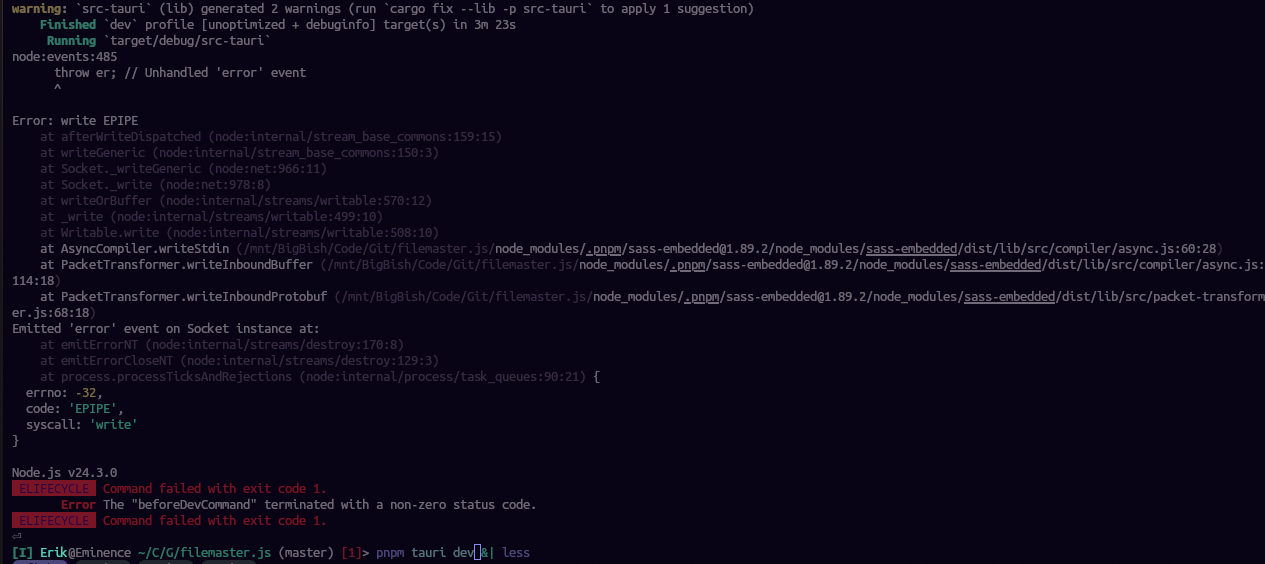
Hi guys, I have a node project which breaks when I run the development server and the issue seems to be sass-embedded , but I don’t know why it happens. I’m using direnv and flakes to build the dev environment and here’s how it looks like:
{
  description = "A very basic flake";

  inputs = {
    nixpkgs.url = "github:nixos/nixpkgs?ref=nixos-unstable";

    rust-overlay = {
      url = "github:oxalica/rust-overlay";
      inputs.nixpkgs.follows = "nixpkgs";
    };
  };

  outputs = { self, nixpkgs, rust-overlay }: let
    system = "x86_64-linux";

    overlays = [ (import rust-overlay) ];

    pkgs = import nixpkgs {
      inherit system overlays;
    };

    rustBin = pkgs.pkgsBuildHost.rust-bin;
    rustPkg = rustBin.fromRustupToolchainFile
      ./rust-toolchain.toml;

  in {
    devShell.${system} = with pkgs; mkShell {
      nativeBuildInputs = [
        pkg-config
        gobject-introspection
        rustPkg
        cargo-tauri
        cargo-outdated

        pnpm
        nodejs-slim_24
        typescript-language-server
      ];

      buildInputs = [
        dart-sass
        webkitgtk_4_1
        openssl
        pango
        libsoup_3
        librsvg
        harfbuzz
        gtk3
        glib
        gdk-pixbuf
        cairo
        atkmm
        at-spi2-atk

        xdo
        xdotool
      ];

      SASS_EMBEDDED_BIN_PATH = "${pkgs.dart-sass}/bin/sass";
    };
  };
}
But when I try to run it I get Error: write EPIPE error, and I have this same issue with other projects that also depend on sass-embedded I’m attaching a picture with the error in question