Hi,
Sorry in advance for the wall of text; I’m trying to offer as much information upfront as possible.
I’ve been running NixOS alongside Windows 10 on my PC since August 2025 with things running relatively smoothly, given that this is my first time running a Linux distro as my main OS.
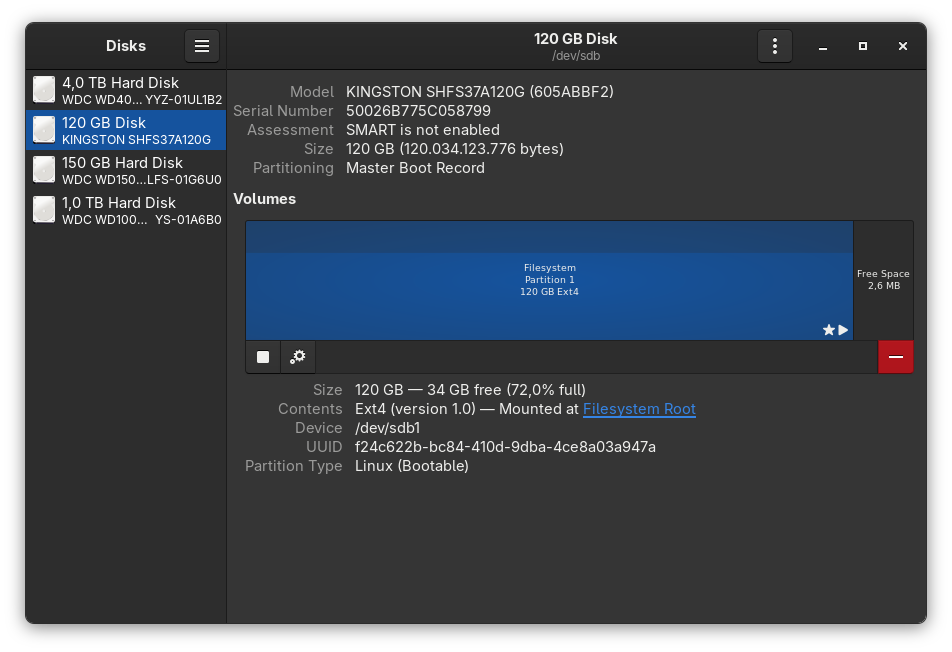
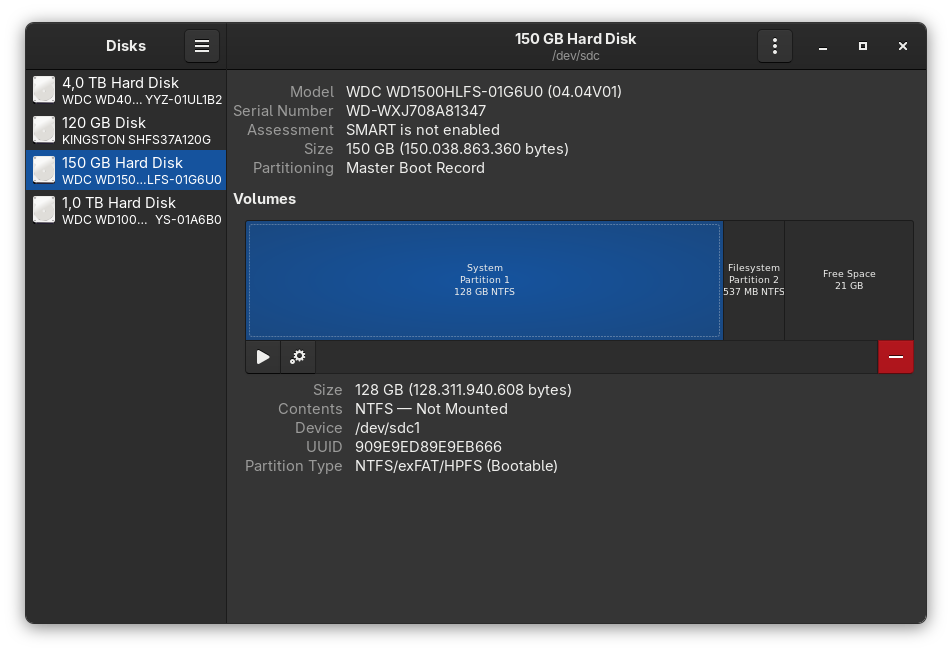
They’re installed on a system that I built in 2008; the motherboard is a Gigabyte GA-X58-UD5, with no UEFI support. Each OS is installed on its own separate disk, where there’s only one partition. NixOS is installed on an SSD, on an EXT4 partition, GRUB being the bootloader.
As for the NixOS installation, it’s on 26.11pre, using the nixos-unstable channel.
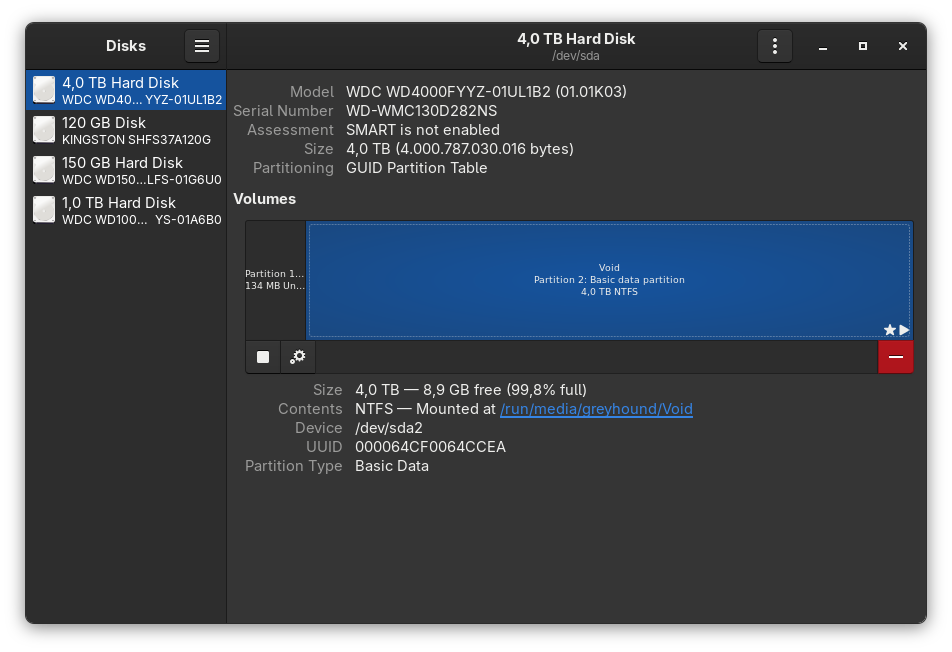
I ran sudo nixos-rebuild switch --upgrade-all and everything seemed to run fine except for the last part of the output which states that it failed to install the bootloader. This is the first time I’ve had this issue and I haven’t found this exact issue elsewhere, so I’m posting here hoping that someone might help find a solution.
Running sudo nixos-rebuild switch ends in the same bootloader error
/nix/store/2ygh3qwdxsxk6b069y1m7hmkcxfh11kd-grub-2.12/sbin/grub-install: warning: this GPT partition label contains no BIOS Boot Partition; embedding won't be possible.
/nix/store/2ygh3qwdxsxk6b069y1m7hmkcxfh11kd-grub-2.12/sbin/grub-install: error: embedding is not possible, but this is required for cross-disk install.
/nix/store/3hf1jjy43a0x96lqxwh01405w2aqmvdr-install-grub.pl: installation of GRUB on /dev/sda failed: Inappropriate ioctl for device
Failed to install bootloader
Command 'systemd-run -E LOCALE_ARCHIVE -E NIXOS_INSTALL_BOOTLOADER -E NIXOS_NO_CHECK --collect --no-ask-password --pipe --quiet --service-type=exec --unit=nixos-rebuild-switch-to-configuration /nix/store/0kybfybkzhkqalz0j161qnhpydpjl33z-nixos-system-nixos-26.11pre1040357.e2587caef70c/bin/switch-to-configuration switch' returned non-zero exit status 1.
Below is the full sudo nixos-rebuild switch output
building the system configuration...
Checking switch inhibitors... done
updating GRUB 2 menu...
Warning: os-prober will be executed to detect other bootable partitions.
Its output will be used to detect bootable binaries on them and create new boot entries.
lsblk: /dev/mapper/no*[0-9]: No such file or directory
lsblk: /dev/mapper/raid*[0-9]: No such file or directory
lsblk: /dev/mapper/disks*[0-9]: No such file or directory
Found Windows 11 on /dev/sdc1
installing the GRUB 2 boot loader on /dev/sda...
Installing for i386-pc platform.
/nix/store/2ygh3qwdxsxk6b069y1m7hmkcxfh11kd-grub-2.12/sbin/grub-install: warning: this GPT partition label contains no BIOS Boot Partition; embedding won't be possible.
/nix/store/2ygh3qwdxsxk6b069y1m7hmkcxfh11kd-grub-2.12/sbin/grub-install: error: embedding is not possible, but this is required for cross-disk install.
/nix/store/3hf1jjy43a0x96lqxwh01405w2aqmvdr-install-grub.pl: installation of GRUB on /dev/sda failed: Inappropriate ioctl for device
Failed to install bootloader
Command 'systemd-run -E LOCALE_ARCHIVE -E NIXOS_INSTALL_BOOTLOADER -E NIXOS_NO_CHECK --collect --no-ask-password --pipe --quiet --service-type=exec --unit=nixos-rebuild-switch-to-configuration /nix/store/0kybfybkzhkqalz0j161qnhpydpjl33z-nixos-system-nixos-26.11pre1040357.e2587caef70c/bin/switch-to-configuration switch' returned non-zero exit status 1.
I don’t use flakes or home-manager. My entire installation is managed in configuration.nix
I’m including below the relevant bits. If more information is needed, I will paste it.
  imports =
    [ # Include the results of the hardware scan.
      ./hardware-configuration.nix
    ];

  # Bootloader.
  boot.loader.grub.enable = true;
  boot.loader.grub.device = "/dev/sda";
  boot.loader.grub.useOSProber = true;

  # Use latest kernel.
  boot.kernelPackages = pkgs.linuxPackages_latest;

  # Enable NTFS support at boot
  boot.supportedFilesystems = [ "ntfs" ];

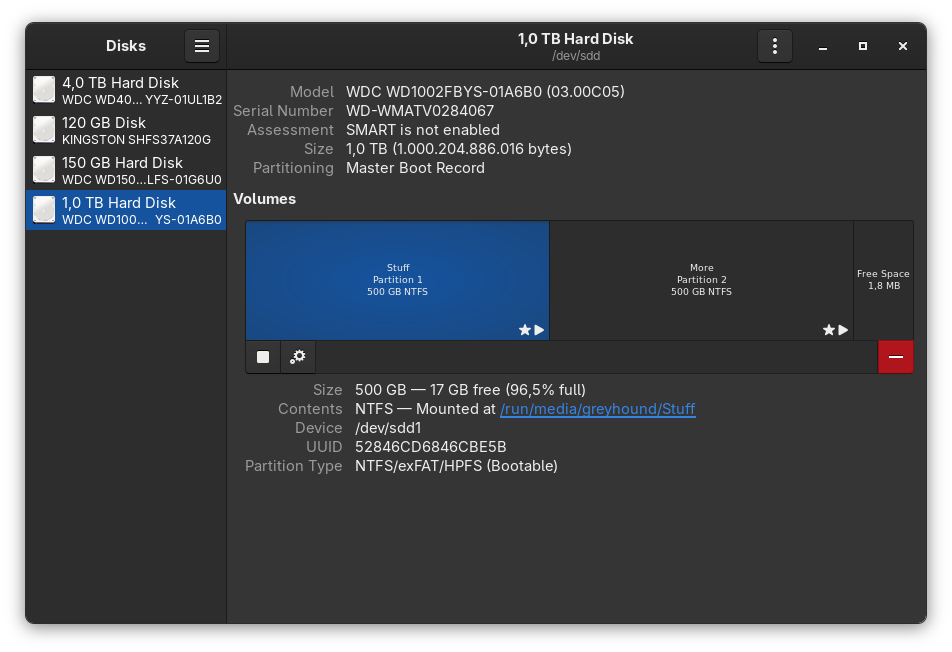
  fileSystems."/run/media/greyhound/Stuff" =
  { device = "/dev/disk/by-uuid/52846CD6846CBE5B";
    fsType = "ntfs-3g";
    options = [ "rw" "uid=1000" "nofail" "x-gvfs-show"];
  };

  fileSystems."/run/media/greyhound/More" =
  { device = "/dev/disk/by-uuid/3220739120735B35";
    fsType = "ntfs-3g";
    options = [ "rw" "uid=1000" "nofail" "x-gvfs-show"];
  };

  fileSystems."/run/media/greyhound/Void" =
  { device = "/dev/disk/by-uuid/000064CF0064CCEA";
    fsType = "ntfs-3g";
    options = [ "rw" "uid=1000" "nofail" "x-gvfs-show"];
  };

  swapDevices = [ {
    device = "/var/lib/swapfile";
    size = 16*1024;
  } ];

  nix.optimise.automatic = true;
  nix.optimise.dates = [ "03:45" ];

  nix.gc = {
    automatic = true;
    dates = "weekly";
    options = "--delete-older-than 7d";
  };

  system.autoUpgrade.enable = true;
  system.autoUpgrade.allowReboot = true;
  system.autoUpgrade.channel = "https://channels.nixos.org/nixos-unstable";

  # This value determines the NixOS release from which the default
  # settings for stateful data, like file locations and database versions
  # on your system were taken. It‘s perfectly fine and recommended to leave
  # this value at the release version of the first install of this system.
  # Before changing this value read the documentation for this option
  # (e.g. man configuration.nix or on https://nixos.org/nixos/options.html).
  system.stateVersion = "25.05"; # Did you read the comment?
Below is the hardware.nix file
imports =

    [ (modulesPath + "/installer/scan/not-detected.nix")

    ];


boot.initrd.availableKernelModules = [ "uhci_hcd" "ehci_pci" "ata_piix" "ahci" "pata_jmicron" "firewire_ohci" "uas" "usbhid" "sd_mod" ];

boot.initrd.kernelModules = [ ];

boot.kernelModules = [ "kvm-intel" ];

boot.extraModulePackages = [ ];


fileSystems."/" =

    { device = "/dev/disk/by-uuid/f24c622b-bc84-410d-9dba-4ce8a03a947a";

fsType = "ext4";

    };


swapDevices = [ ];


# Enables DHCP on each ethernet and wireless interface. In case of scripted networking

# (the default) this is the recommended approach. When using systemd-networkd it's

# still possible to use this option, but it's recommended to use it in conjunction

# with explicit per-interface declarations with `networking.interfaces.<interface>.useDHCP`.

networking.useDHCP = lib.mkDefault true;

# networking.interfaces.enp4s0.useDHCP = lib.mkDefault true;

# networking.interfaces.enp5s0.useDHCP = lib.mkDefault true;


nixpkgs.hostPlatform = lib.mkDefault "x86_64-linux";

hardware.cpu.intel.updateMicrocode = lib.mkDefault config.hardware.enableRedistributableFirmware;

}
I would greatly appreciate any help towards getting this solved. As of now, I’m afraid that shutting down the system might end in not being able to boot it up again as I ran a sudo nh clean all before the upgrade-all command due to limited disk space.
Thank you!
Edit:
Fixed by using MaxHearnden’s suggestion to set the GRUB device using the disk ID instead of the disk name.
This, of course, does not solve the GPT issue but, in my case, I just needed the GRUB device to point to my NixOS device which uses MBR instead.
It would seem that the disk name had changed at some point and that led to /dev/sda no longer pointing to the correct disk.
Thank you!