How can I get it? It’s supposed to be there. Tried linuxPackages.ddcci-driver. 26.05 updated on 2026.07.25.
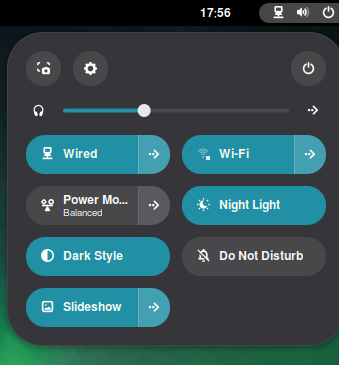
Shot in the dark here as I don’t know your system.
With newer kernels the module does not set everything up automatically. Some manual steps or udev rules are required.
I found this useful at the time: https://gitlab.com/ddcci-driver-linux/ddcci-driver-linux/-/work_items/7#note_2356003420
Maybe it will apply to you?
Yea, I’ve got the same udev rules in my config, minus the one about the video group (since GNOME can use backlight devices without that). But it’s pretty unreliable, because IIUC i2c is just kind of an unreliable bus, so you’re supposed to retry sending commands when something doesn’t work, which ddcci-driver doesn’t do; and a lot of monitors seem to need you to do a lot of retries in order for DDC/CI to work. I wrote some patches to make it do retries myself that I’ve been using for over a year now, which has “worked great” in the sense that it has worked and that’s been great  I’ve got it so it does enough retries to automatically register the backlight device for my monitor, albeit after like 20 seconds of retrying the “identification” step; after that it seems to be able to do brightness controls instantly without retries. But my patches are pretty badly implemented so I haven’t tried to upstream them (and I wouldn’t want others running my terrible code in their kernel space).
2 Likes
Gnome 50 changed the name from media keys to keybindings so I had to change mine in gnome 50 and its been fine.
I use kanata keyboard remapper to control gnome entirely from my keyboard - my brightness matches the symbols on my laptops f3 and f4
home-manager to load my customisations - dconf load
the setting I did manually in the terminal and once set is saved in your dconf.ini file
export your changes with dconf dump and below are the manually commands I ran in the terminal to get it working before export
gsettings set org.gnome.shell.keybindings screen-brightness-up ['<Ctrl><Super>Up']
gsettings set org.gnome.shell.keybindings screen-brightness-down ['<Ctrl><Super>Down']
My repo is here so you can check out the modules and gnome setup hope this helps: GitHub - stefan-hacks/nixit: This repository contains a complete, reproducible NixOS configuration for a GNOME-based development workstation. · GitHub