How to make SDDM theme option work?

Hello, I am making my own NixOS configuration. I find that the option services.displayManager.sddm.theme seems not work. How to change the theme?

Here is my configuration.nix

  services = {
    displayManager = {
      defaultSession = "hyprland";
      sddm = {
        enable = true;
        theme = "maya";
        wayland = {
          enable = true;
        };
        settings = {
          Wayland = {
            CompositorCommand = "Hyprland -c ${./src/hyprland.conf}";
          };
        };
      };
    };
  };

Thanks.

Where did you get the theme name “maya” from? I don’t think there’s such an sddm theme in nixpkgs.

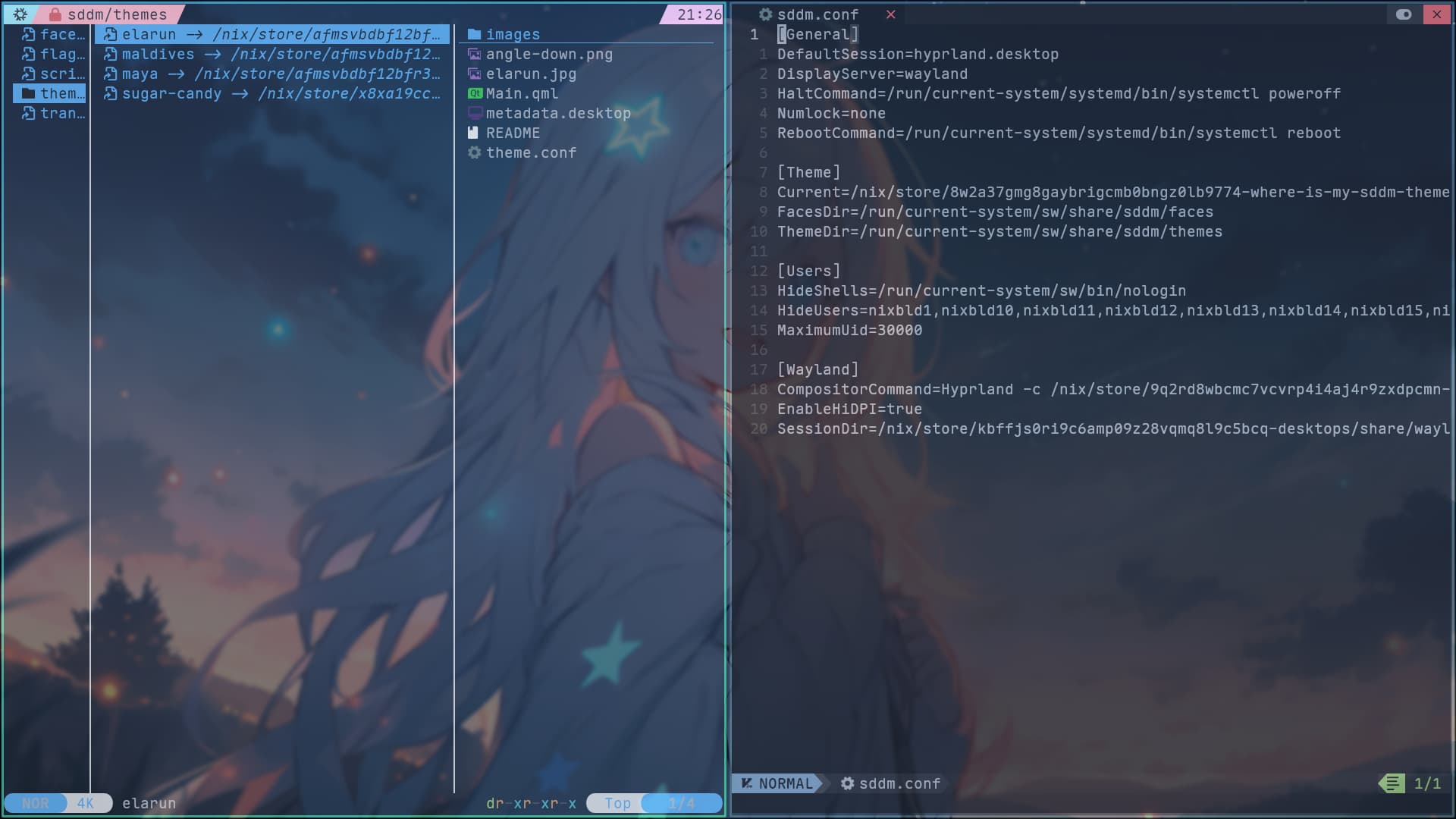
It locates in /run/current-system/sw/share/sddm/themes. The sddm should provide 3 default themes like elarun,maldivesandmaya. I think that is not the key.

Those are not default themes… nor are they packaged in nixpkgs. You could try to package them if you want.

Still, those three themes both locates in/run/current-system/sw/share/sddm/themesand even though I just write down such code:

  services = {
    displayManager = {
      defaultSession = "hyprland";
      sddm = {
        enable = true;
        theme = "${
          pkgs.where-is-my-sddm-theme.override { variants = [ "qt5" ]; }
        }/share/sddm/themes/where_is_my_sddm_theme_qt5";
        wayland = {
          enable = true;
        };
        settings = {
          Wayland = {
            CompositorCommand = "Hyprland -c ${./src/hyprland.conf}";
          };
        };
      };
    };
  };

It still nothing happens.

Here is where the three themes locates:

Thanks for reply, but what the config of theme is not matter. Can you set the true sddm theme?

I have

environment.systemPackages = with pkgs; [
    where-is-my-sddm-theme
];
services.displayManager.sddm.theme = "where_is_my_sddm_theme";

Which works for setting the sddm theme.
Looking at nixpkgs/nixos/modules/services/display-managers/sddm.nix at fa83fd837f3098e3e678e6cf017b2b36102c7211 · NixOS/nixpkgs · GitHub suggests that setting

services.displayManager.sddm.theme = "maya";

should work.

On my system ls /run/current-system/sw/share/sddm/themes also outputs elarun maldives maya. Those three are indeed default themes link.

where-is-my-sddm-theme can work well. But I only found it can work well. With using journalctl -b|grep sddm I found the reason why they can’t work. The output:

âť® journalctl -b|grep sddm                    
Jan 30 10:36:39 NixOS sddm[1227]: Initializing...
Jan 30 10:36:39 NixOS sddm[1227]: Starting...
Jan 30 10:36:39 NixOS sddm[1227]: Logind interface found
Jan 30 10:36:39 NixOS sddm[1227]: Adding new display...
Jan 30 10:36:39 NixOS sddm[1227]: Loaded empty theme configuration
Jan 30 10:36:39 NixOS sddm[1227]: Using VT 1
Jan 30 10:36:39 NixOS sddm[1227]: Display server started.
Jan 30 10:36:39 NixOS sddm[1227]: Socket server starting...
Jan 30 10:36:39 NixOS sddm[1227]: Socket server started.
Jan 30 10:36:39 NixOS sddm[1227]: Loading theme configuration from "/run/current-system/sw/share/sddm/themes/sugar-dark/theme.conf"
Jan 30 10:36:39 NixOS sddm[1227]: The theme at "/run/current-system/sw/share/sddm/themes/sugar-dark" requires missing "/nix/store/afmsvbdbf12bfr3gymgcww6ws5d6qdd8-sddm-wrapped/bin/sddm-greeter" . Using fallback theme.

How to fix the missing sddm-greeter ?

Could be because that theme uses qt5 and the installed version of sddm default only provides a qt6 greeter? Where-is-my-sddm theme also has a qt6 version and would therefore work. Previously, a qt5 version of sddm was available in nixpkgs, but it looks like it was dropped in pr.

Related: link

But I don’t want to use other theme. Are there any other way to fix it?

Looks like the fork at link supports qt6. You could either wait until someone fixes the package in nixpkgs or override the theme package locally to use that fork. There are many threads on here on how to accomplish that.
Recommended reading: link.

1 Like