Title.
Here is a screenshot:
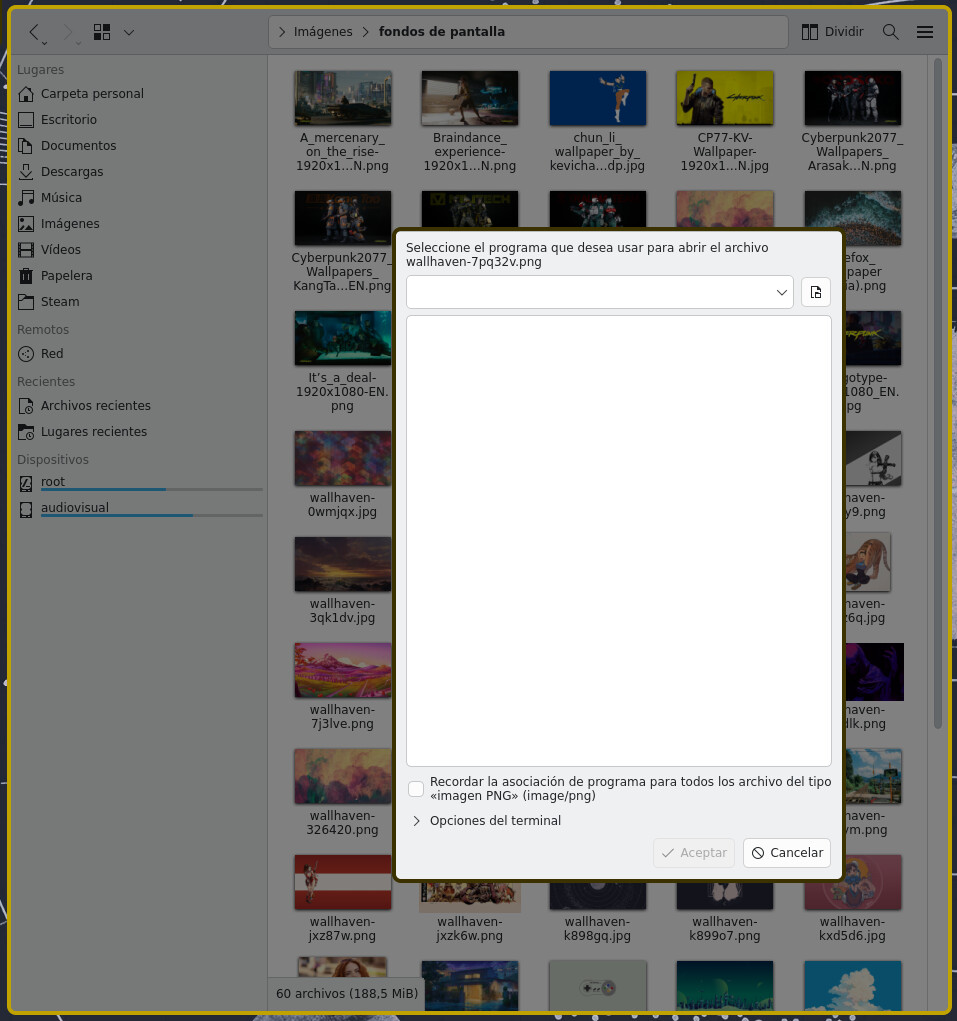
for some reason, Dolphin does not know I want to open this image with a program for seeing images!
➜  xdg-mime query default image/png
org.kde.gwenview.desktop
What’s going on?
Title.
Here is a screenshot:
for some reason, Dolphin does not know I want to open this image with a program for seeing images!
➜ xdg-mime query default image/png
org.kde.gwenview.desktop
What’s going on?
Are you sure dolphin uses xdg-open? There’s a lot of resource handlers… Default applications - ArchWiki
And how did you install dolphin?
I have the same problem.
This seems to be a duplicate of kdePackages.dolphin: File associations do not work on window managers other than Plasma 6 · Issue #409986 · NixOS/nixpkgs · GitHub.
What fixed it for me:
    # https://github.com/NixOS/nixpkgs/issues/409986
    environment.etc."xdg/menus/applications.menu".source =
      "${pkgs.kdePackages.plasma-workspace}/etc/xdg/menus/plasma-applications.menu";
    environment.systemPackages = [
      pkgs.kdePackages.dolphin
      pkgs.kdePackages.dolphin-plugins
      pkgs.kdePackages.baloo-widgets
      pkgs.kdePackages.baloo
    ];
rm -rf ~/.cache/ksyscoca*kbuildsyscoca6Edit: I found more context on this issue on the Arch wiki.
what’s kbuildsyscoca6? I don’t have that installed on my system nor is available in NixOS’ repos
It is part of kdePackages.kservice
btw, I had to reinstall NixOS to get rid of disk encryption, and with that, this problem was also no more.
Typo? Seems to be kbuildsycoca6 for me.