I cannot get wifi to work on a fresh nixos install.
- Hardware: Dell Latitude E7250.
- Ethernet connection works out-of-the-box.
- Desktop Env: Budgie
> configuration.nix (extract)

users.users.xa = {
    isNormalUser = true;
    description = "xa";
    shell = pkgs.fish;
    extraGroups = [ "networkmanager" "wheel" ];
      packages = with pkgs; [
    ];
};

nixpkgs.config.allowUnfree = true;
networking.networkmanager.enable = true;
networking.wireless.enable = false;
# The wiki seems to say that network manager can handle wifi. I also tried to enable wireless instead of network manager and just lost ethernet connectivity, without gaining wireless.
> hardware.nix (extract)

boot.initrd.availableKernelModules = [ "xhci_pci" "ehci_pci" "ahci" "usb_storage" "sd_mod" "sdhci_pci" ];
boot.initrd.kernelModules = [ ];
boot.kernelModules = [ "kvm-intel" ];
boot.kernelPackages = pkgs.linuxPackages_latest;
boot.extraModulePackages = [ ];
hardware.enableAllFirmware = true;
Here is some debugging info
> lspci

00:00.0 Host bridge: Intel Corporation Broadwell-U Host Bridge -OPI (rev 09)
00:02.0 VGA compatible controller: Intel Corporation HD Graphics 5500 (rev 09)
00:03.0 Audio device: Intel Corporation Broadwell-U Audio Controller (rev 09)
00:04.0 Signal processing controller: Intel Corporation Broadwell-U Processor Thermal Subsystem (rev 09)
00:14.0 USB controller: Intel Corporation Wildcat Point-LP USB xHCI Controller (rev 03)
00:16.0 Communication controller: Intel Corporation Wildcat Point-LP MEI Controller #1 (rev 03)
00:19.0 Ethernet controller: Intel Corporation Ethernet Connection (3) I218-LM (rev 03)
00:1b.0 Audio device: Intel Corporation Wildcat Point-LP High Definition Audio Controller (rev 03)
00:1c.0 PCI bridge: Intel Corporation Wildcat Point-LP PCI Express Root Port #1 (rev e3)
00:1c.3 PCI bridge: Intel Corporation Wildcat Point-LP PCI Express Root Port #4 (rev e3)
00:1d.0 USB controller: Intel Corporation Wildcat Point-LP USB EHCI Controller (rev 03)
00:1f.0 ISA bridge: Intel Corporation Wildcat Point-LP LPC Controller (rev 03)
00:1f.2 RAID bus controller: Intel Corporation 82801 Mobile SATA Controller [RAID mode] (rev 03)
00:1f.3 SMBus: Intel Corporation Wildcat Point-LP SMBus Controller (rev 03)
01:00.0 SD Host controller: O2 Micro, Inc. SD/MMC Card Reader Controller (rev 01)
02:00.0 Network controller: Intel Corporation Wireless 7265 (rev 59)  <---
> rfkill list

0: hci0: Bluetooth
        Soft blocked: no
        Hard blocked: no
1: phy0: Wireless LAN
        Soft blocked: no
        Hard blocked: yes
2: dell-wifi: Wireless LAN
        Soft blocked: no
        Hard blocked: no
3: dell-bluetooth: Bluetooth
        Soft blocked: no
        Hard blocked: no
The phy0 is marked as hard blocked but:
- I cannot find any physical switch
- I checked the BIOS option and wireless is on
- Fn+PrtScr (airplane mode) only affect the soft block value
> nmcli --get-values GENERAL.DEVICE,GENERAL.TYPE device show
eno1
ethernet

lo
loopback

cdc-wdm0
gsm

wlp2s0
wifi
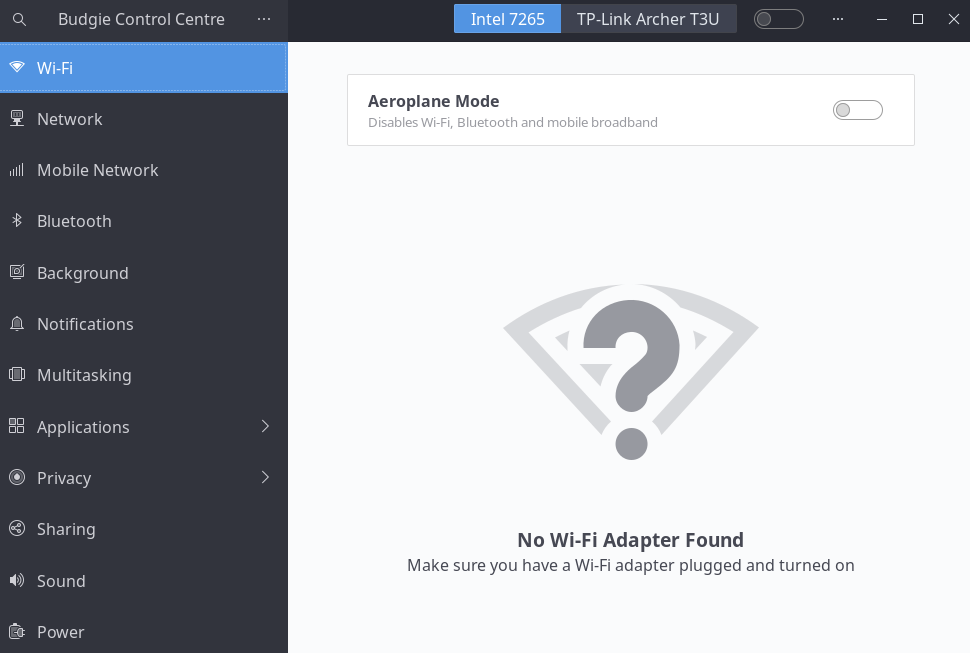
nmcli shows wlp2s0 as unavailable and disabled.
> nmcli
eno1: connected to Wired connection 1
        "Intel I218-LM"
        ethernet (e1000e), 84:7B:*** hw, mtu 1500
        ip4 default, ip6 default
        ...

lo: connected (externally) to lo
        "lo"
        loopback (unknown), 00:00:00:00:00:00, sw, mtu 65536
        ...

lo: connected (externally) to lo
        "lo"
        loopback (unknown), 00:00:00:00:00:00, sw, mtu 65536
        inet4 127.0.0.1/8
        inet6 ::1/128

cdc-wdm0: unavailable
        "cdc-wdm0"
        gsm (cdc_mbim), hw

wlp2s0: unavailable
        "Intel 7265"
        wifi (iwlwifi), BA:74:***, sw disabled, hw disabled, hw, mtu 1500

DNS configuration:
        servers: 192.168.1.1
If I plug a little TP-Link dongle, I can have a non-hard blocked wireless lan
> rfkill list

1: phy0: Wireless LAN
        Soft blocked: no
        Hard blocked: yes
2: dell-wifi: Wireless LAN
        Soft blocked: no
        Hard blocked: no
3: dell-bluetooth: Bluetooth
        Soft blocked: no
        Hard blocked: no
4: hci0: Bluetooth
        Soft blocked: no
        Hard blocked: no
5: phy2: Wireless LAN  <----------
        Soft blocked: no
        Hard blocked: no
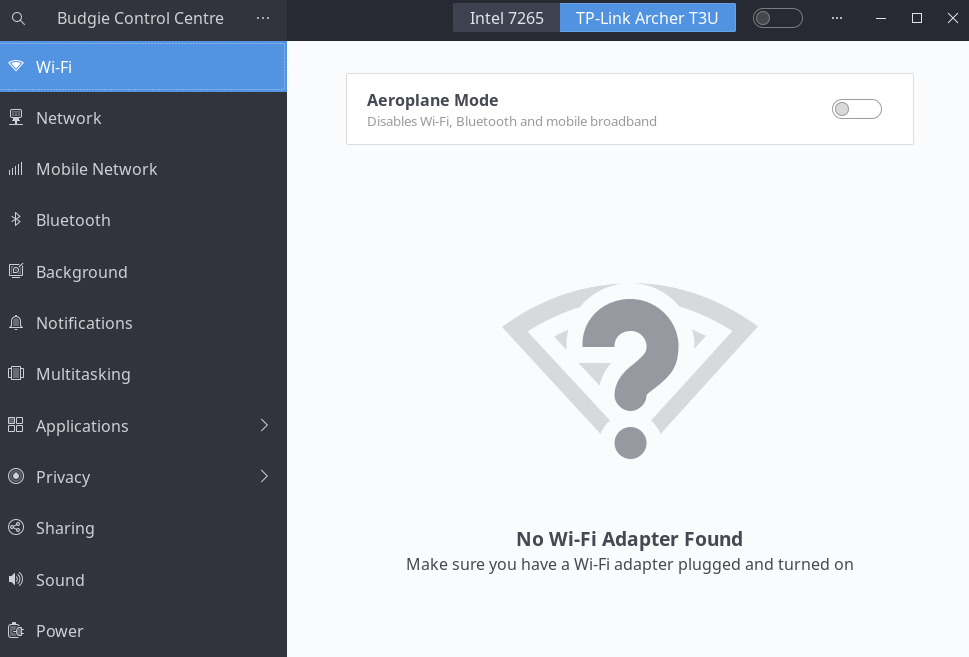
But it also gets marked as unavailable
> nmcli

wlp0s20u2: unavailable
        "TP-Link Archer T3U"
        wifi (rtw_8822bu), D2:13:***, sw disabled, hw disabled, hw, mtu 1500
Thanks a lot for any idea on how to move forward!