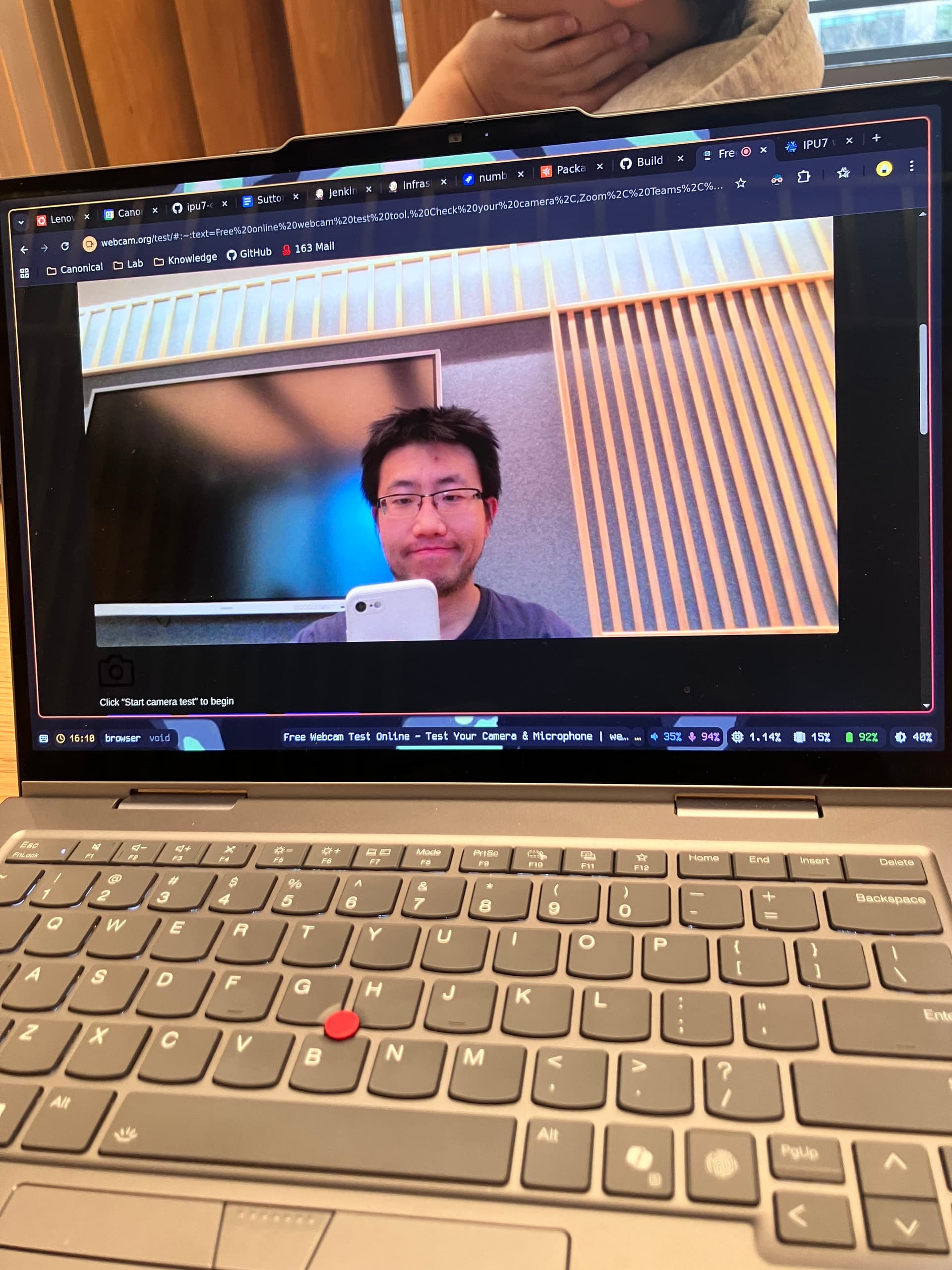
IPU7 webcam support

This weekend I decided to check how far I could go on the path to having NixOS support to my webcam. I found out that my laptop needs ipu7 drivers, and that nixpkgs already has ipu6 support in place, so I started adapting all related files in the hope it would be sufficient. It was not :slight_smile:.

You can find my changes here: Comparing NixOS:master...DiogoDoreto:unstable-ipu7-webcam · NixOS/nixpkgs · GitHub

It all compiles and the kernel seems to recognize my camera without errors, but I’m still getting no image from it.

Right now I do not know how to keep investigating the issue. If anyone has any further ideas to share I would gladly continue moving this forward.

$ sudo dmesg | grep ipu7
[    2.814351] intel-ipu7 0000:00:05.0: enabling device (0000 -> 0002)
[    2.814364] intel-ipu7 0000:00:05.0: Device 0x645d (rev: 0x4)
[    2.814365] intel-ipu7 0000:00:05.0: IPU7 PCI BAR0 base 0x000000204e000000 BAR2 base 0x0000002051d82000
[    2.814412] intel-ipu7 0000:00:05.0: IPU7 PCI BAR0 mapped at 00000000aebde3a8
[    2.820418] intel-ipu7 0000:00:05.0: IPU7 SKU 0 in secure mode mask 0x0
[    2.821663] intel-ipu7 0000:00:05.0: firmware cpd file: intel/ipu/ipu7_fw.bin
[    2.823122] intel-ipu7 0000:00:05.0: FW binary0 info:
[    2.823125] intel-ipu7 0000:00:05.0: Name:  psys
[    2.823126] intel-ipu7 0000:00:05.0: Version:  1.1.9.240627135220
[    2.823127] intel-ipu7 0000:00:05.0: Timestamp:  build_id:331942702
[    2.823127] intel-ipu7 0000:00:05.0: Commit:  commit_id:d84f5c35
[    2.823128] intel-ipu7 0000:00:05.0: FW binary1 info:
[    2.823129] intel-ipu7 0000:00:05.0: Name:  isys
[    2.823129] intel-ipu7 0000:00:05.0: Version:  1.1.9.240627135318
[    2.823130] intel-ipu7 0000:00:05.0: Timestamp:  build_id:3823931988
[    2.823130] intel-ipu7 0000:00:05.0: Commit:  commit_id:d84f5c35
[    2.827619] intel-ipu7 0000:00:05.0: Found supported sensor OVTI08F4:00
[    2.827663] intel-ipu7 0000:00:05.0: Connected 1 cameras
[    2.829238] intel-ipu7 0000:00:05.0: Sending BOOT_LOAD to CSE
[    2.892332] intel-ipu7 0000:00:05.0: Sending AUTHENTICATE_RUN to CSE
[    2.921443] intel-ipu7 0000:00:05.0: CSE authenticate_run done
[    3.338324] intel_ipu7_psys.psys intel_ipu7.psys.40: IPU psys probe done.
[12330.468735] intel-ipu7 0000:00:05.0: IPU7 in secure mode
2 Likes

Hi @diogodoreto , I guess you are using X1 2-in-1 Gen10, right? If so, you also need to update your BIOS to N4BET63W (1.33) or later to get MIPI working.

The latest BIOS got demoted on lvfs stable, so you have to enable lvfs-testing to install it.

1 Like

Thanks for that info. I updated my system to firmware version 1.20, which comes with BIOS version 1.40 (I found the details here: LVFS: ThinkPad X1 Carbon 13th / X1 2-in-1 10th )

But even after that it does not seem to work. Did you set any extra option in your configuration too?

I spent quite a lot of time in investigating this, and finally made it work (linux 6.18.4).

Here is my nixpkgs commit for enabling this:

The most crucial part is this flag for icamersrc.

  configureFlags = [
    "--enable-gstdrmformat=yes"
  ];

also needs this patch to compile against linux 6.18+.

PR: ipu7: init by pseudocc · Pull Request #479283 · NixOS/nixpkgs · GitHub

2 Likes

I am also currently working on ipu7 webcam support for my surface pro 11 intel. I have the cameras working, but I dont understand how to set the settings for the IPU7, specifically how to create my own camera bins for auto white balance etc. support. The intel/ipu7-camera-bins repo doesn not contain the files for both the IMX681 and OV13858 sensors of surface pro 11. I am currenlty running it through libcamera with software processing, but it would be great if i could make the IPU work as well.

I was able to reverse engineer some of the info. I also tried to use the aiqb and bin files that come with the windows firmware, but they are for a different version of the ipu7 firmware and i cant get them to work.

You seem to have more information and better understanding of the issue, on of your commits mentions this link: https://edc.intel.com/content/www/us/en/secure/design/confidential/products/platforms/details/lunar-lake-mx/core-ultra-200v-series-processors-datasheet-volume-1-of-2/camera-integrated-isp/ which probably contains some valuable information, but i dont have access to it.

Would you be able to share some info on whether what I am trying to do is even possible, or whether I am missing some piece of proprieatary intel software, to generate the camera files?