I’m using KDE Plasma as my DE, and I have Dolphin on by default. I’m using NixOS Stable 25.11
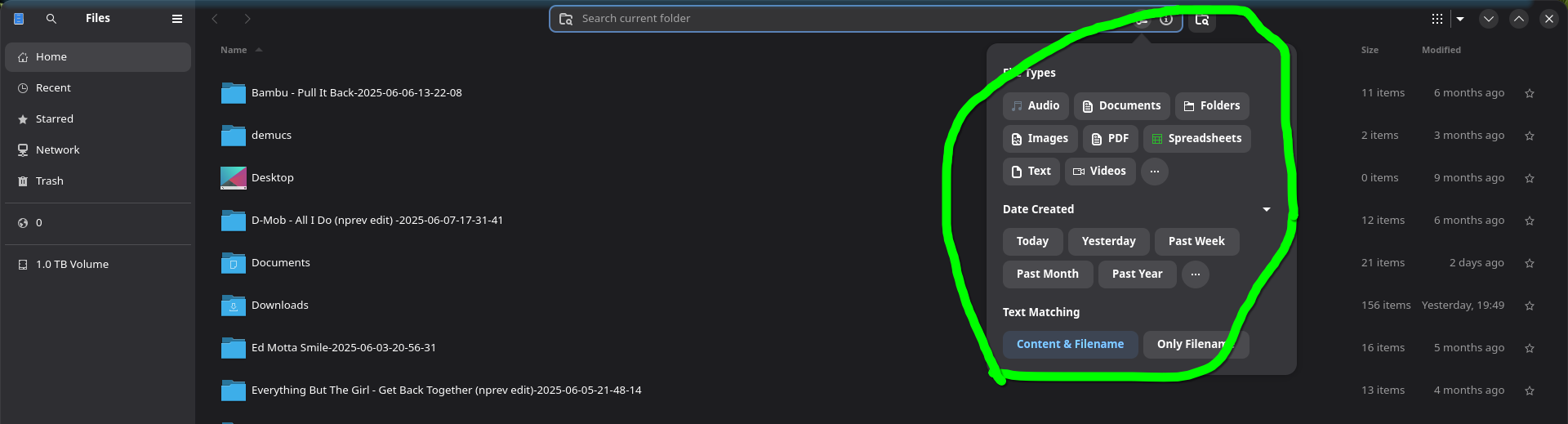
While using default KDE Dolphin (what came with the DE), and it’s search function, I believe the “more options” tool should be here, and it would allow me to search for “types of files” (I’m trying to search for only “audio files”)
It’s equivalent to Nautilus’ search:
Any idea why it’s missing? How can I fix this?
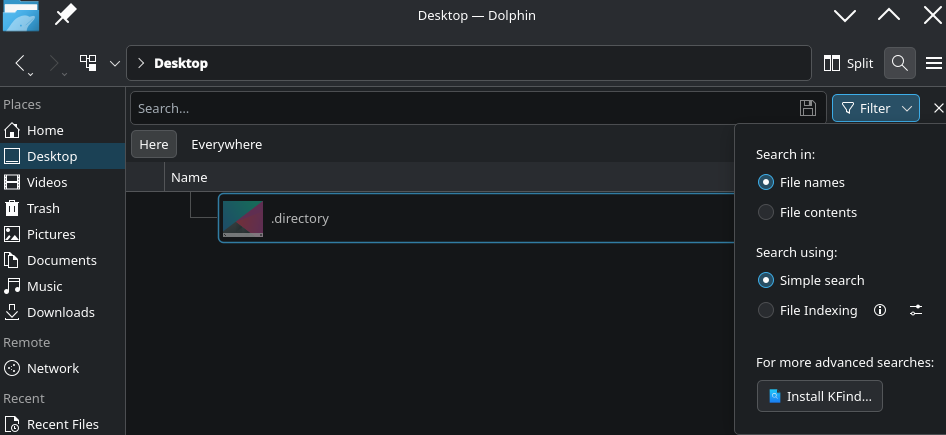
I see a filter button on the top right?
Filter and kfind doesn’t help me find items based on type, as Nautilus does in my screenshot.
From the KDE Manual: Quick Tips
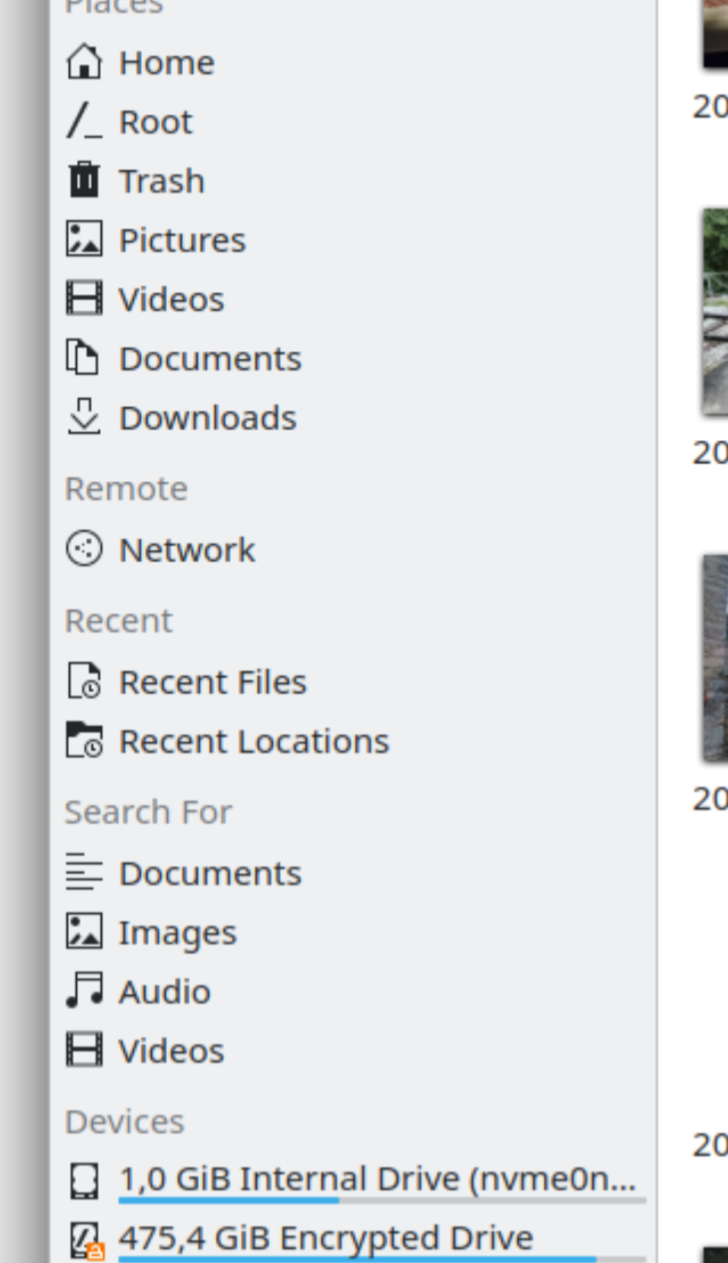
Those docs are from kde5. Try checking the left sidebar, per screenshots from Dolphin - KDE Applications
1 Like
Those docs are from kde5.
Ah, thanks for pointing that out.
Hm, I don’t have that either, the “Search for” section in my left sidebar…
Odd. Okay I tried running dolphin myself, and found this option under Filter. Set “Search using” to “File Indexing”, which then shows some file-type filters. I’ve no idea how to configure file indexing.
Wow, this also worked for me, and I was able to search based on file-types after setting the filter.
Thanks!