I’m on fresh install of Nixos with KDE plasma and mouse acceleration seems to be broken. In KDE settings there is a checkbox that seems to have no impact on whether it’s on or off.
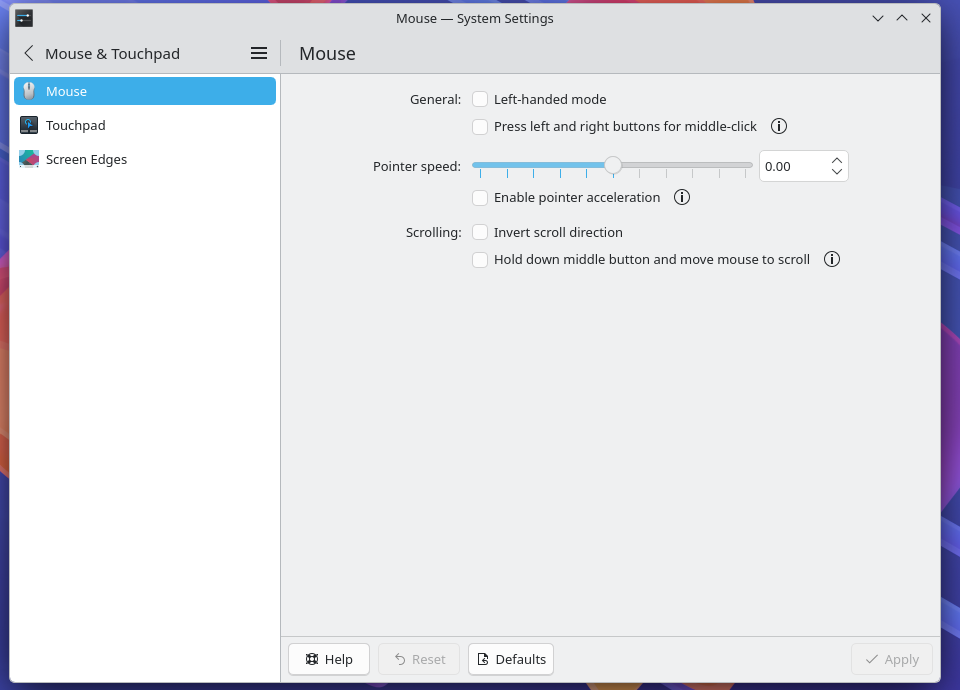
I’ve also tried adding services.libinput.mouse.accelProfile = “flat” to my configuration.nix and after nixos-rebuild switch it did nothing. Adding 50-mouse-acceleration.conf to /etc/X11/xorg.conf.d/ from Mouse acceleration - ArchWiki did’nt help either.
Strangely enough, xinput shows that enabled accel profile is 0, 1, 0 which should be flat
xinput list-props 9
Device ‘Logitech G102 LIGHTSYNC Gaming Mouse’:
Device Enabled (171): 1
Coordinate Transformation Matrix (173): 1.000000, 0.000000, 0.000000, 0.000000, 1.000000, 0.000000, 0.000000, 0.000000, 1.0000
00
libinput Natural Scrolling Enabled (305): 0
libinput Natural Scrolling Enabled Default (306): 0
libinput Scroll Methods Available (307): 0, 0, 1
libinput Scroll Method Enabled (308): 0, 0, 0
libinput Scroll Method Enabled Default (309): 0, 0, 0
libinput Button Scrolling Button (310): 2
libinput Button Scrolling Button Default (311): 2
libinput Button Scrolling Button Lock Enabled (312): 0
libinput Button Scrolling Button Lock Enabled Default (313): 0
libinput Middle Emulation Enabled (314): 0
libinput Middle Emulation Enabled Default (315): 0
libinput Rotation Angle (288): 0.000000
libinput Rotation Angle Default (289): 0.000000
libinput Accel Speed (316): 0.000000
libinput Accel Speed Default (317): 0.000000
libinput Accel Profiles Available (318): 1, 1, 1
libinput Accel Profile Enabled (319): 0, 1, 0
libinput Accel Profile Enabled Default (320): 1, 0, 0
libinput Accel Custom Fallback Points (321):
libinput Accel Custom Fallback Step (322): 0.000000
libinput Accel Custom Motion Points (323):
libinput Accel Custom Motion Step (324): 0.000000
libinput Accel Custom Scroll Points (325):
libinput Accel Custom Scroll Step (326): 0.000000
libinput Left Handed Enabled (327): 0
libinput Left Handed Enabled Default (328): 0
libinput Send Events Modes Available (290): 1, 0
libinput Send Events Mode Enabled (291): 0, 0
libinput Send Events Mode Enabled Default (292): 0, 0
Device Node (293): “/dev/input/event17”
Device Product ID (294): 1133, 49309
libinput Drag Lock Buttons (329):
libinput Horizontal Scroll Enabled (330): 1
libinput Scrolling Pixel Distance (331): 15
libinput Scrolling Pixel Distance Default (332): 15
libinput High Resolution Wheel Scroll Enabled (333): 1
but libinput list-devices shows that profile is actually set to adaptive
sudo libinput list-devices
Device: Logitech G102 LIGHTSYNC Gaming Mouse
Kernel: /dev/input/event17
Id: usb:046d:c09d
Group: 4
Seat: seat0, default
Capabilities: pointer
Tap-to-click: n/a
Tap-and-drag: n/a
Tap button map: n/a
Tap drag lock: n/a
Left-handed: disabled
Nat.scrolling: disabled
Middle emulation: disabled
Calibration: n/a
Scroll methods: button
Scroll button: BTN_MIDDLE
Scroll button lock: disabled
Click methods: none
Clickfinger button map: n/a
Disable-w-typing: n/a
Disable-w-trackpointing: n/a
Accel profiles: flat *adaptive custom
Rotation: 0.0
Area rectangle: n/a
Before that I’ve tried mininal nixos installation, and with no desktop environment(I’ve installed dwm) I experienced the same issue.
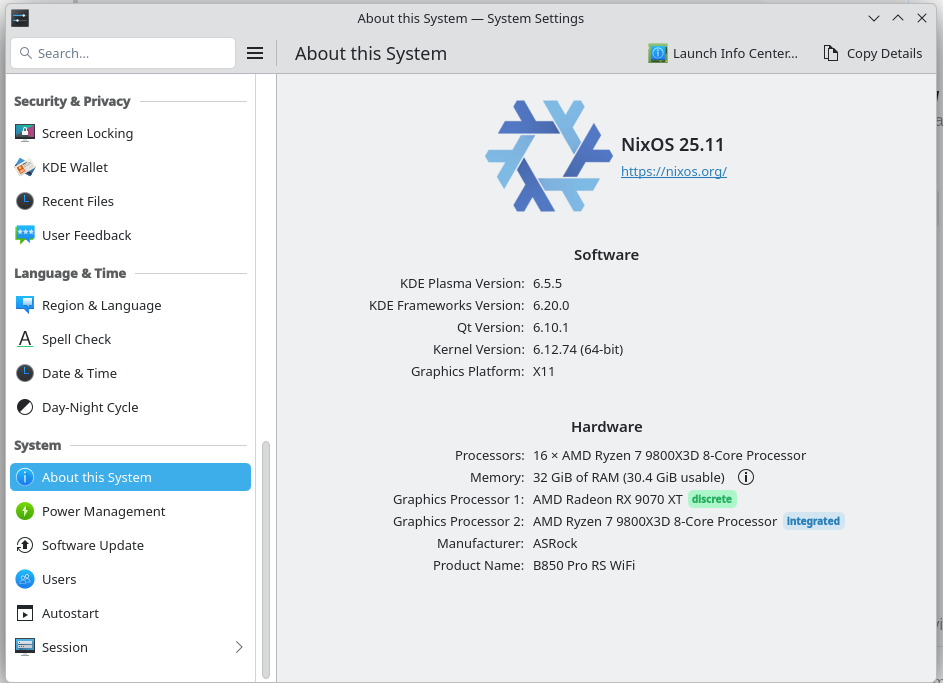
I’m pretty new to nixos and it’s really confusing. I prefer hidpi mouse settings and with acceleration it’s unusable. Also wayland is not an option for me, because I want to use my pc for gaming.