I have recently started using a Thinkpad X1 Carbon Gen13 with Sway and while it works I have noticed that my options in terms of display resolution are limited. Only the native resolution of 2880x1800 is avaliable which is quite tiny.
I’m not new to the Nix language having setup a few derivations in the past however I’m quite new to the intricacies of kernel driver and such-
I believe what I am missing is essentially the correct graphics definitions/drivers (pardon if this is not the correct term) and after some searching I found that Ubuntu users do seem to have it better after pulling this package
I am running a X1 Carbon 12th gen with what’s likely the same OLED display, and it looks like I also only have 1 resolution available. I am on unstable and have the latest kernel in use.
$ hyprctl monitors all
Monitor eDP-1 (ID 0):
        2880x1800@120.00000 at 0x0
        description: Samsung Display Corp. 0x419F
        availableModes: 2880x1800@120.00Hz 2880x1800@60.00Hz
Anyway, the answer here is scaling. Most display panels don’t look great when run at anything other than their non-native resolution. In sway (and other Wayland compositors) monitors can be configured to use a scaling factor. I use 1.3 or 1.6 on my built-in display, depending on whether it’s docked or not.
Yeah. I have tried that. It solves the resolution issue but sadly I have had issues with scaling. More specifically, what I believe after some trial and error is that Firefox brings the laptop to a crawl, sometimes crashing completely and requiring a reboot and at the moment I believe it might have to do with scaling (though unconfirmed at the moment)
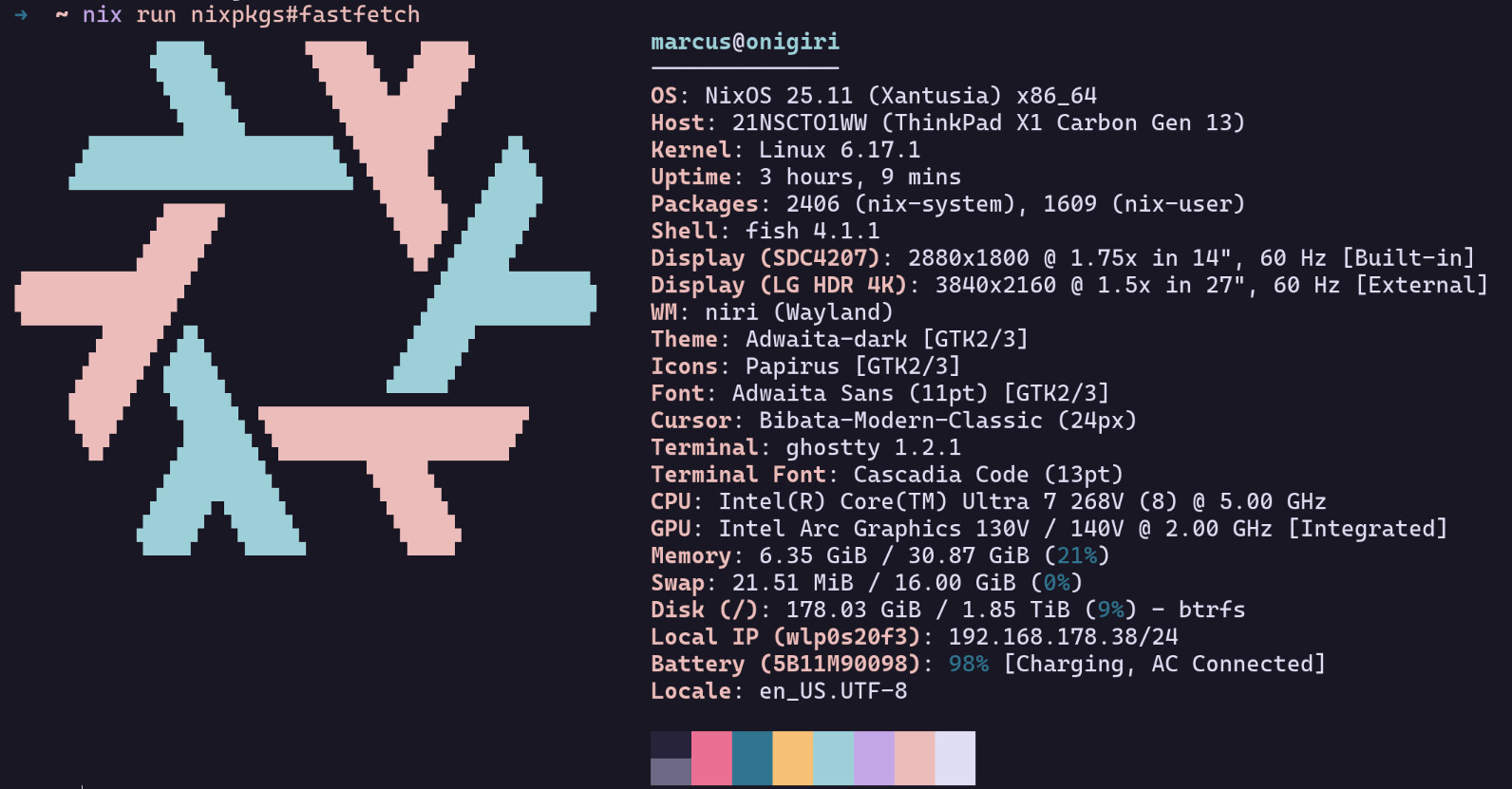
I don’t think my comment will help you but anyway. I am also using a X1 Gen 13, running wayland with the Niri compositor (which I really love). This is my actual settings:
Output "Samsung Display Corp. ATNA40HQ02-0  Unknown" (eDP-1)
  Current mode: 2880x1800 @ 60.000 Hz (preferred)
  Variable refresh rate: supported, disabled
  Physical size: 300x190 mm
  Logical position: 2560, 0
  Logical size: 1645x1028
  Scale: 1.75
  Transform: normal
  Available modes:
    2880x1800@60.000 (current, preferred)
    2880x1800@120.000
I am so happy with this laptop because everything works out of the box (sounds like an advertisement). The only issue I have, is that wake from sleep brings up the screen brightness to max. So everytime I unlock or boot the laptop, I have to bring down the brightness of the screen manually (end of advertisement)
One note about that: loading a several thousand line long json file into nix, which we know to have terrible json parsing performance, may be overkill and slow. But if it works it works
@alethenorio Thanks for raising attention to this problem. I don’t know any better about how to approach this, so I hope someone with such knowledge comes forward.
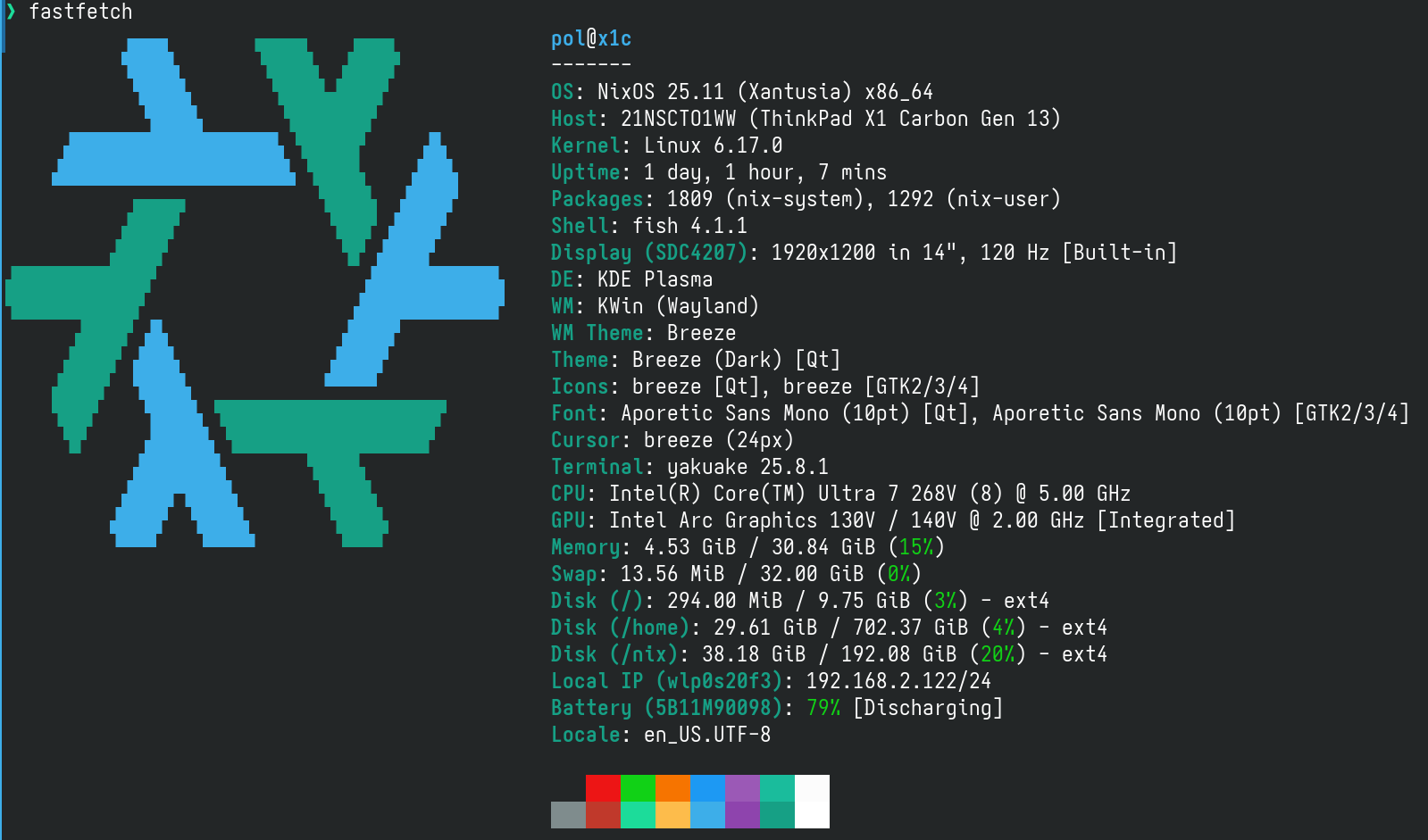
I can just confirm the problem: I just recently got mine (w/Lunar Lake), updated System BIOS to 1.19, made a clean NixOS 25.05 install with KDE plasma and linux 6.17.3. Then updated to 6.17.4 with the aforementioned hardware-profile.
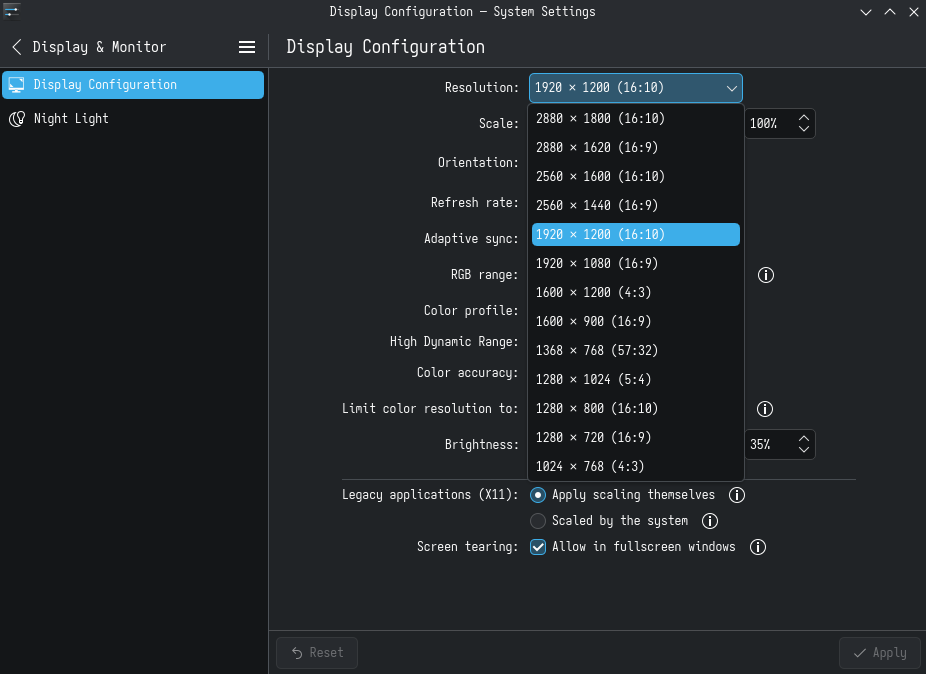
I have access to a long array of different resolutions, and 120hz refresh rate for the native one only; this screen is awesome; can confirm 200% scaling works fine, but apparently for native wayland applications only; legacy X11 and some tray icons, on the other hand, do not.
Enabling the “Scaled by the system” option makes then look very grainy.
Moving to 1920x1200 improves size overall, and a 125% scaling is mostly fine; however, refresh rate is only available on 60 hz on this setting. The loss of smoothness is very noticeable.