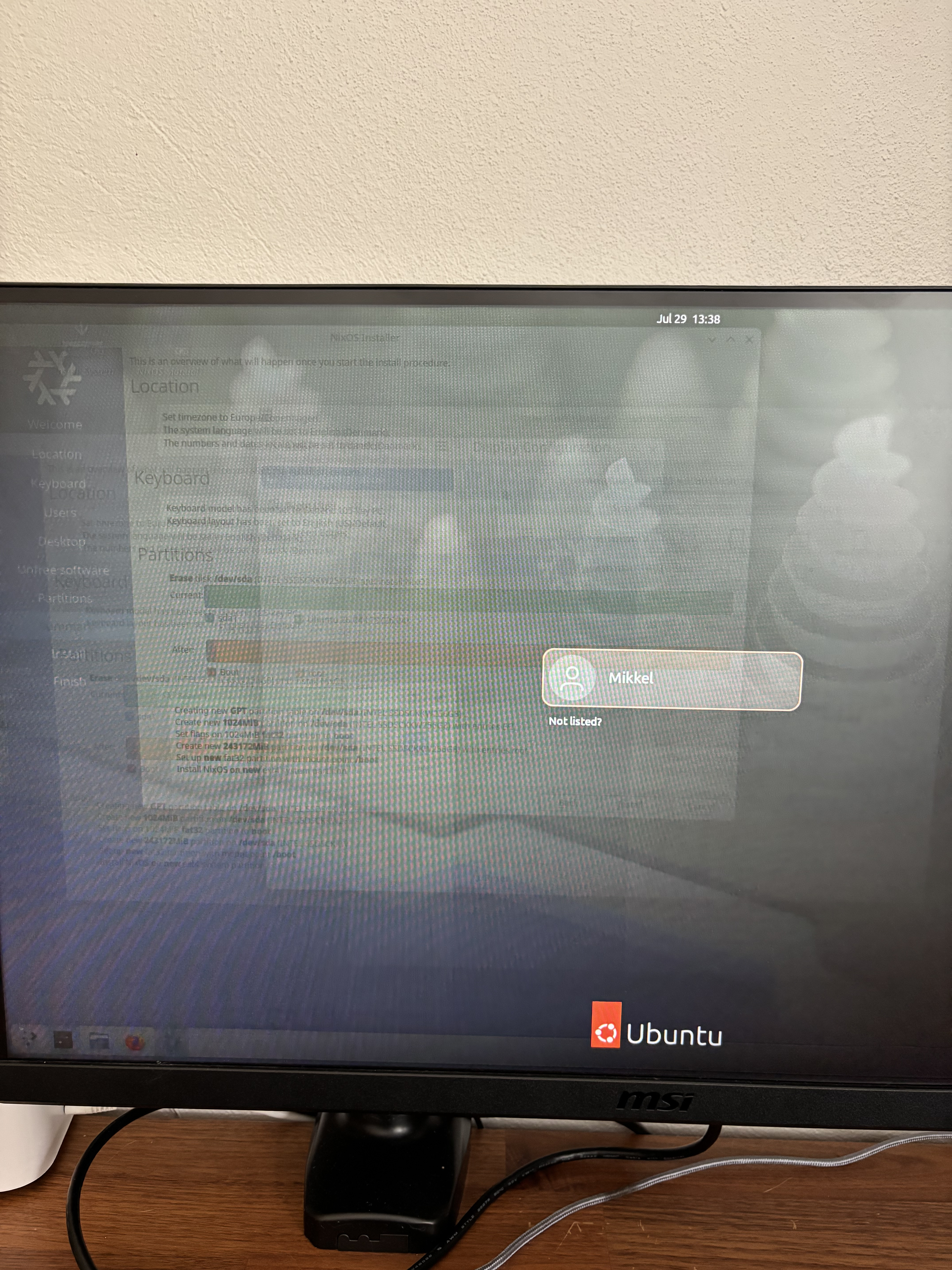
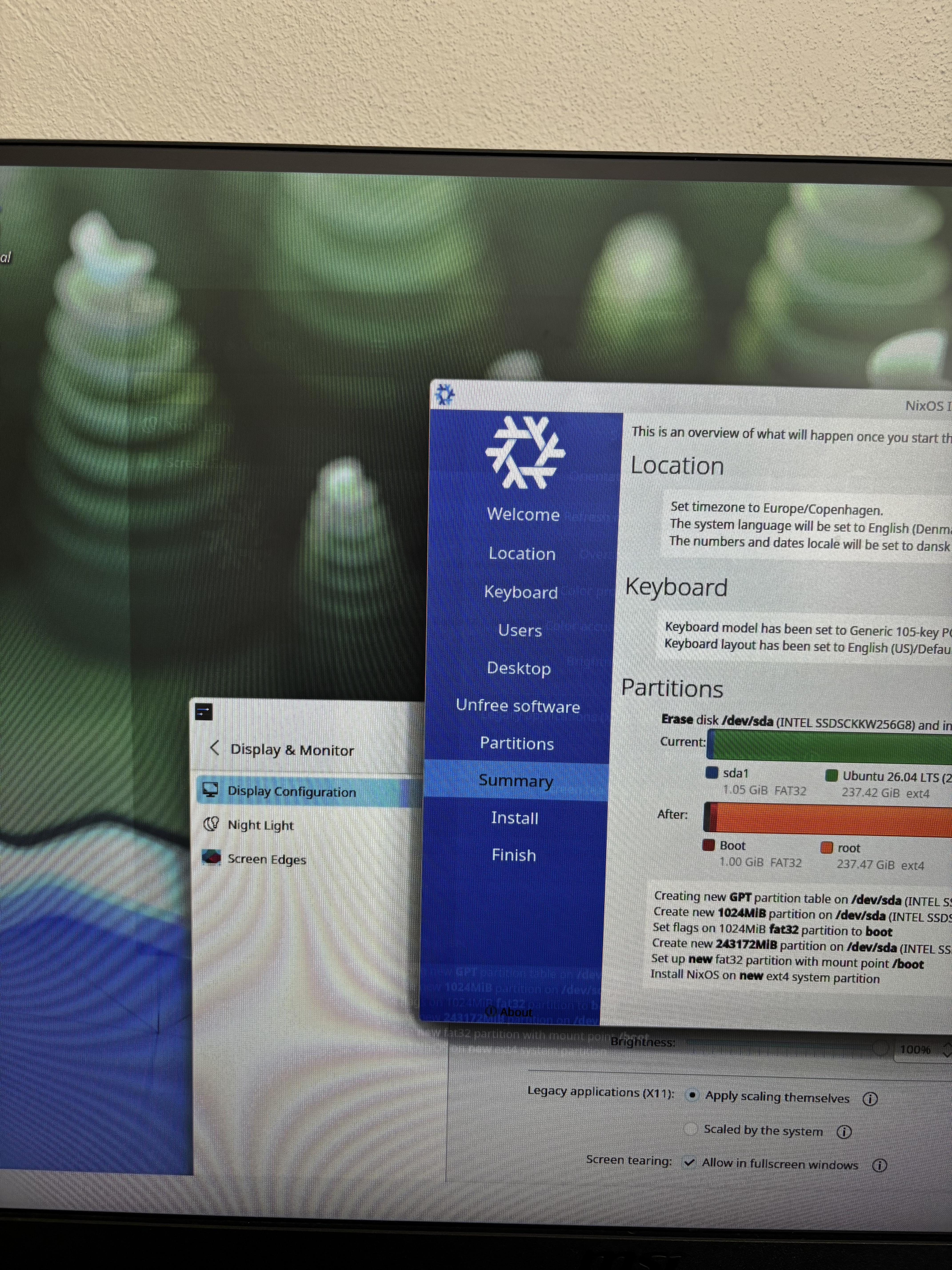
So earlier today I installed nixOs using the graphical installer and it booted fine. It came to choosing which DE I wanted to install (I chose Plasma), but then when i came into the DE my monitor started flickering and getting burnt in pixels. I troubleshooted and found that changing the port nor system had an effect on the monitor. Is this a hardware issue, was it cause by my graphics card and my monitor paid the price, or is it just my monitor. I run an older system, specs below
Is this the first time you’ve used KDE with HDR support on this (HDR?) monitor? Was it enabled? Was there no DPMS off signal from idle/screensaver timeout? I’m guessing the live ISO doesn’t.
Does the issue persist through reboot? Does it persist through a full powerdown, including unplugging the hardware from power?
Does the issue persist when loading a different system or a different version of an operating system, be it a livecd or windows or whatever?
Have you tried to run memtest86 to verify system RAM is still okay? Has this system ever exhibited any signs of issues with vRAM before, like display artifacts?
How long was the static image displayed?
My intuition says it’s most likely a software issue with the renderer or the driver, not the actual hardware. The less likely scenario is a graphics card issue, like the vRAM dying or such.
I’m betting against actual hardware damage because even the cheapo Plasma TVs of early 2000s that were notorious for burn-in could display a still image for hours without permanent damage, and every computer monitor I’ve used for the past 30 or so years (be it CRT or flatscreen) could display static images for days without a permanent burn-in. Leaving the installer on for a couple of hours shouldn’t have created any damage.
It probably won’t change the outcome, but you could also try displaying one of those “anti burn-in” animations that are just cycling through various colors/shapes fairly quickly.
edit: Forgot to add - permanent UI components like menu bars typically don’t cause a burn-in on computer monitors either.
Does the issue persist through reboot? Does it persist through a full powerdown, including
A: unplugging the hardware from power?
Yes unplugged the whole system, turned off power supply, changed video cables, rebooted out of the installer into ubuntu. Still persist
Does the issue persist when loading a different system or a different version of an operating system, be it a livecd or windows or whatever?
A: Yes loaded up a sepereate windows laptop, could still see the afterimage of the nix installer
Have you tried to run memtest86 to verify system RAM is still okay? Has this system ever exhibited any signs of issues with vRAM before, like display artifacts?
A: I never witnessed any problems, memtest also came back positive
How long was the static image displayed?
A: it was still here one night after, though the anti burn-in video have solved the problem.
To conclude, all the problems i faced are atleast gone, no more flickering and no more after image/burn in. So yeah it was never the hardware. Then what could’ve caused it in the first place, i will re-install NixOS using Gnome instead of plasma, see if that has any effect.
EDIT: i installed it again, using gnome instead, worked perfectly fine
Honestly that looks like an LCD inversion mismatch. This is complex but put simply, IPS panels have to invert polarity of each pixel frequenty (by swapping the voltage between negative and positive) to avoid damage to the liquid crystal material.
This damage is usually temporary if minor but can become permanent over enough time. All IPS screens do this to some degree as this is never quite perfect, but this is an extremely bad example – it looks like the monitor may have a controller issue and not have long left to live, but that’s speculation, it could have many years ahead.
If my theory is right, you’d see this with any static image – not just the NixOS installer.