Hi I am pretty new to Nixos and am enjoying it so far. But there is this one problem that I am having a hard time solving. When Nixos first boots onto the desktop it lags a lot then stabilizes, and when trying to enter edit mode (left click on the KDE plasma desktop) it lags a bit and then some more if I try to edit the panel. I think this is a compositing issue because I tried to install a gt 730 gpu (when I still used a different distro) and I figured out due to outdated drivers and age, that gpu couldn’t handle certain compositing effects like a floating panel or editing the desktop. However right now I’m just using the integrated graphics on my cpu and they never gave me a problem before. Even weirder is that when I was trying out gnome (on nixos) I had no problems there, so is it a problem with KDE? I did update Nixos to the latest version and even tried switching to the X11 window manager (cause my pc is pretty old) but nothing worked.
Going to be hard to track down. If your PC is sufficiently ancient maybe it’s disk writes rather than CPU/GPU performance? My experience with underpowered hardware is definitely that slow disks cause stuttering and hangs, while other components just make things take longer.
You may also have a bunch of services being activated on login. It’s worth having a loom through systemctl status --user and journalctl -e as well as journalctl -e --user for anything that looks suspiciously intensive.
The xanmod kernel also is a little less likely to stutter if you want to try that.
As for your GPU, it’s supported by the 470 driver, which is still relatively usable. It lacks support for explicit sync, so wayland may not play very nice, but that’s still worth trying out.
See my comment here that happens to explain exactly what you likely need: Help to solve CPU peaks (overheats) while using camera (possibly HW Acceleration I guess) - #15 by TLATER
… though there may be some additional tweaking necessary to get things to work. Your GPU doesn’t seem ancient enough to be unusable, in either case.
I don’t think this will help in any way, old software does not mean more performant. If you were using a driver with poor wayland support (such as the official nvidia driver, to be fair) that might get rid of graphics glitches, but it’s unlikely to affect performance much.
so my pc is a dell optiplex 7040sff and I have been using an nvme ssd. when looking through " systemctl status --user" one of the first things I noticed is that its status was degraded. here’s the first few lines: nixos
State: degraded
Units: 196 loaded (incl. loaded aliases)
this is confusing cause I installed Nix a few days ago (I did try it before tho) so why is it loading so many units? I also checked auto start for anything (on settings) and there weren’t any auto start apps.
for " journalctl -e" it gave me a few warnings and I noticed that it also said on one of the lines: Nov 14 20:49:08 nixos konsole[22008]: qt.multimedia.symbolsresolver: Couldn’t load pipewire-0.3 library
Nov 14 20:49:08 nixos konsole[22008]: qt.multimedia.symbolsresolver: Couldn’t resolve pipewire-0.3 symbols
On " journalctl -e --user" on one of the lines it just tells me strait up that my pc is to slow:
kwin_libinput: Libinput: event0 - SIGMACHIP Usb Mouse: client bug: event processing lagging behind by 47ms, your system is too slow
(This is probably just my cheap mouse tho)
If you need the outputs from those commands let me know. I don’t really know why my pc is running like this cause I installed it few days ago and it gave me problems right when I logged in.
Nothing unusual about it, that’s just the software you installed. Most of those processes will be idle; some will be handling stuff like notifications, network icons, etc. My user is currently running 242 and I’m running a far leaner desktop environment than KDE.
The more interesting question is what all those units are, whether they all try to start at the same time (overloading your system as a result, since when starting up they’ll do a bunch of busy work for a short time) and whether any are doing unnecessary work.
I’m also curious which unit failed - what does systemctl --user status --failed say?
That’s a bug in one of the nix packages, as long as you don’t notice any issues with sound not playing this is a red herring.
No, that’s your computer being slow, and the client therefore stuttering because it can’t keep up with your mouse.
× app-org.kde.discover.notifier@autostart.service - Discover
Loaded: loaded (/run/current-system/sw/etc/xdg/autostart/org.kde.discover.notifier.desktop; generated)
Active: failed (Result: core-dump) since Fri 2025-11-14 15:29:18 PST; 6h ago
Duration: 20.824s
Invocation: ce01b38cea0244eb97dd3799613710fb
Docs: man:systemd-xdg-autostart-generator(8)
Process: 1471 ExecCondition=/nix/store/2dqf465jfs9w73jihy4yk8yc47673i18-systemd-257.10/lib/systemd/systemd-xdg-autostart-condition KDE (code=exited, status=0/SUCCESS)
Process: 1490 ExecStart=/nix/store/5696y37im9vd05nwswb2yvxjqrmjaqqb-discover-6.3.6/libexec/DiscoverNotifier --check-delay 20 (code=dumped, signal=SEGV)
Main PID: 1490 (code=dumped, signal=SEGV)
Mem peak: 22.8M
CPU: 260ms
Nov 14 15:28:57 nixos systemd[1109]: Starting Discover…
Nov 14 15:28:57 nixos systemd[1109]: Started Discover.
Nov 14 15:29:17 nixos DiscoverNotifier[1490]: KCrash: appFilePath points to nullptr!
Nov 14 15:29:17 nixos DiscoverNotifier[1490]: KCrash: Application ‘’ crashing… crashRecursionCounter = 2
Nov 14 15:29:18 nixos systemd-coredump[1975]: [🡕] Process 1490 (.DiscoverNotifi) of user 1000 dumped core.
                                          Module libassuan.so.9 without build-id.
                                          Module libgpg-error.so.0 without build-id.
                                          Module libpolkit-gobject-1.so.0 without build-id.
                                          Module libmalcontent-0.so.0 without build-id.
                                          Module libseccomp.so.2 without build-id.
                                          Module libarchive.so.13 without build-id.
                                          Module libjson-glib-1.0.so.0 without build-id.
                                          Module libgpgme.so.11 without build-id.
                                          Module libdconf.so.1 without build-id.
                                          Module libostree-1.so.1 without build-id.
                                          Module libpciaccess.so.0 without build-id.
                                          Module libxml2.so.2 without build-id.
                                          Module libdrm_intel.so.1 without build-id.
                                          Module libdrm_amdgpu.so.1 without build-id.
                                          Module libxshmfence.so.1 without build-id.
                                          Module libxcb-sync.so.1 without build-id.
                                          Module libsensors.so.5 without build-id.
                                          Module libxcb-present.so.0 without build-id.
                                          Module libxcb-dri3.so.0 without build-id.
                                          Module libgbm.so.1 without build-id.
                                          Module libdrm.so.2 without build-id.
                                          Module libxcb-shm.so.0 without build-id.
                                          Module libxcb-xfixes.so.0 without build-id.
                                          Module libxcb-randr.so.0 without build-id.
                                          Module libX11-xcb.so.1 without build-id.
                                          Module liblzma.so.5 without build-id.
                                          Module libXrender.so.1 without build-id.
                                          Module libXcursor.so.1 without build-id.
                                          Module libunistring.so.5 without build-id.
                                          Module libselinux.so.1 without build-id.
                                          Module libpsl.so.5 without build-id.
                                          Module libssh2.so.1 without build-id.
                                          Module libidn2.so.0 without build-id.
                                          Module libnghttp2.so.14 without build-id.
                                          Module libduktape.so.207 without build-id.
                                          Module libogg.so.0 without build-id.
                                          Module libvorbis.so.0 without build-id.
                                          Module libimobiledevice-glue-1.0.so.0 without build-id.
                                          Module libusbmuxd-2.0.so.7 without build-id.
                                          Module libXdmcp.so.6 without build-id.
                                          Module libXau.so.6 without build-id.
                                          Module libgomp.so.1 without build-id.
                                          Module libgraphite2.so.3 without build-id.
                                          Module libexpat.so.1 without build-id.
                                          Module libbz2.so.1 without build-id.
that was the output of systemctl --user status --failed. I did install Kde discover just to help with Kde addons and it did tell me when running it that it was configured by default to not include apps and just addons.
As for this command " systemctl status --user" the output showed things like Firefox, console, calendar, the wayland video bridge and a few more things like power devil (which I did not install but it was probably preinstalled).
I was wondering do you think its just a bad install? Cause I used Nixos before (on the same pc too) and it didn’t give any problems back then.
I just ran Nix from a live USB and tested gnome and Kde. Kde lagged when I entered edit mode while gnome wasn’t lagging the slightest. I think its a problem with Kde and special effects, because when trying to edit the desktop Kde blurs the wallpaper and runs a few animations and that’s when it lags.
I ended up switching to gnome cause that seems to be the only fix right now.
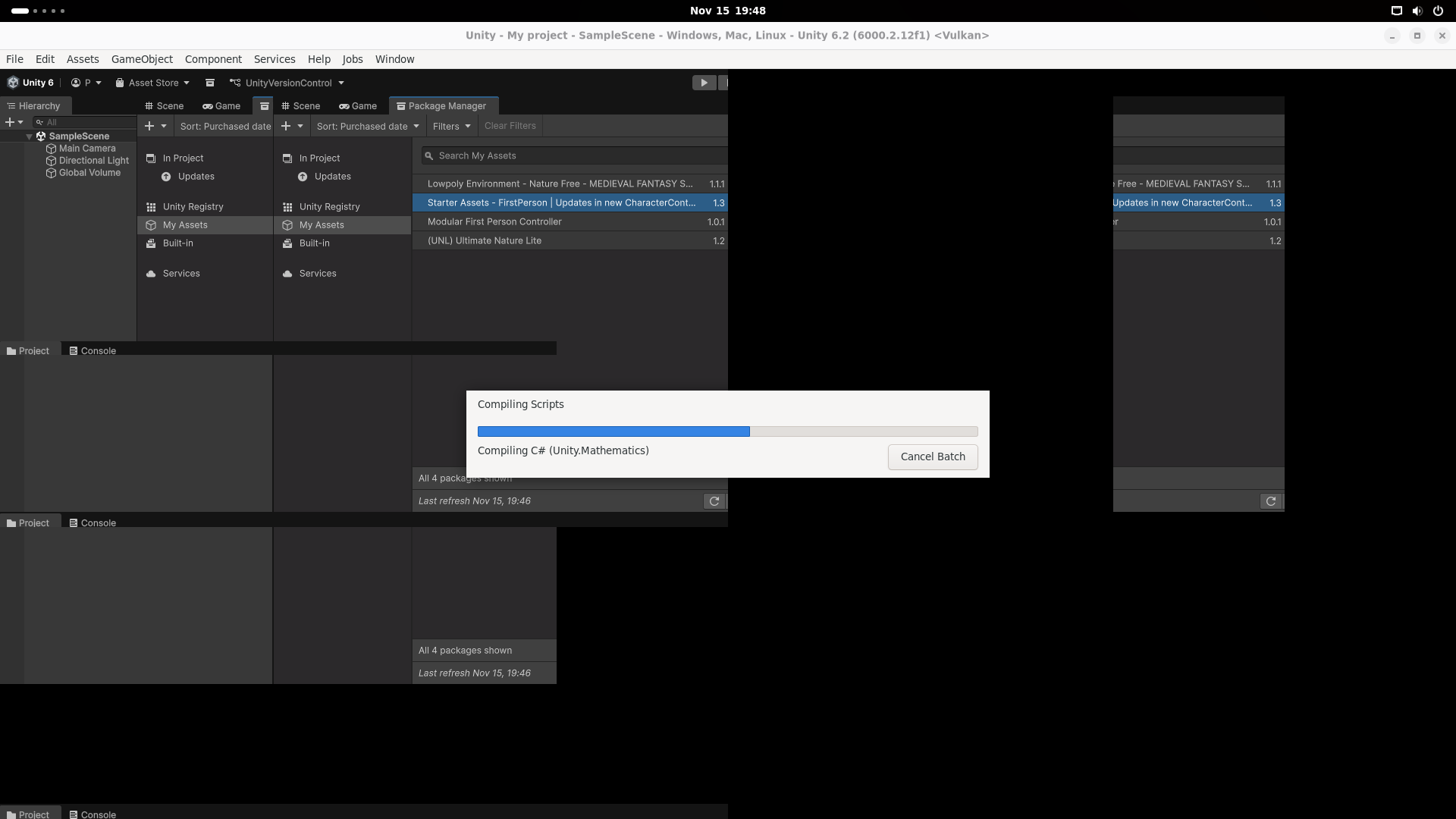
Update: it didn’t work. I have the Unity game engine installed and it did this for a moment. Also the lag is still present but slightly less noticeable.
Well, if you’re running into issues while you’re using the computer that might be easier to track down. Just keep a system monitor (e.g. btm, top) running while you use it and check what constrains your system, as well as which processes take up the most resources.
it also lags when it first boots into the desktop environment.
I just ran a live chachyos environment and ran into similar lag. do you think it could be a driver or bios issue?
Have a look at system usage stats before guessing at the cause.
UPDATE: I checked my ssd and found out it was failing, turns out I have a bad ssd. I did check my ram and CPU those are both fine.
The ssd I have (Samsung PM981) seems to have a problem with the controller degrading faster than the NAND does.