I am not sure if there’s something wrong in my configuration.nix or there’s another reason for it, but here’s the most relevant parts of my configuration.nix, which didn’t have any issues in 25.05.
For an example, Nautilus takes 14 seconds to start.
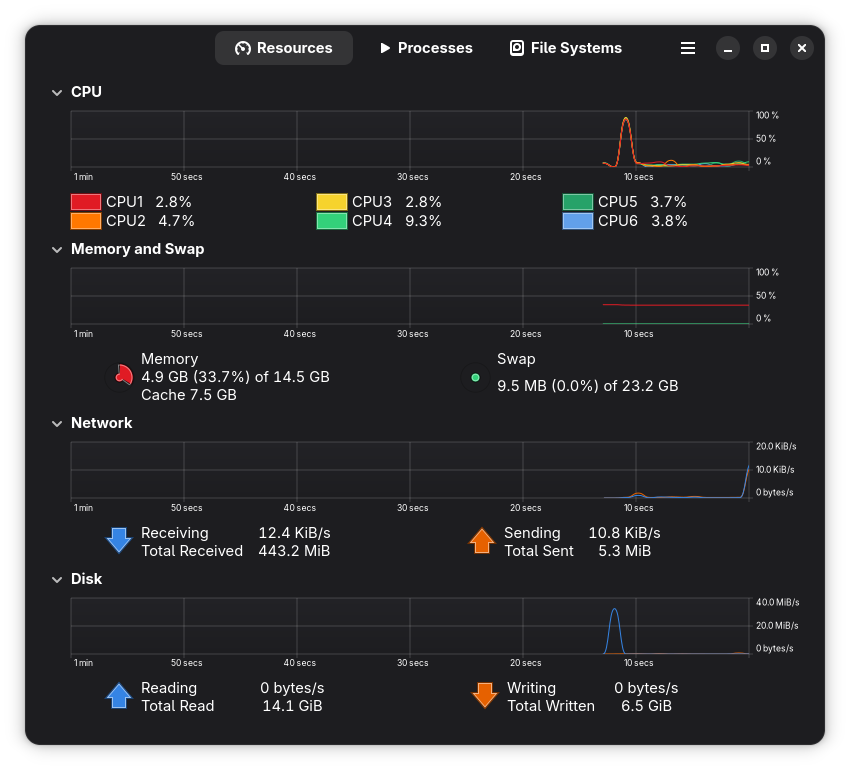
htop and System Monitor don’t show anything fishy:
Plus, I just noticed something strange. Once I wanted to install the Input font (in 25.05) and it tried to compile it and printed many error messages but didn’t break the build. Now I see these files in my ~/.local/share/fonts dir, and I am not sure how to delete them. sudo rm -fr result didn’t work:
[~/.local/.../Input]
$ pwd
/home/foo/.local/share/fonts/Input

[foo@Andromedanix]
[~/.local/.../Input]
$ tree result/
result/
├── activate
├── append-initrd-secrets -> /nix/store/sfddcynw32r5mx3ywbln16ip6k7if3d0-append-initrd-secrets/bin/append-initrd-secrets
├── bin
│   └── switch-to-configuration
├── boot.json
├── dry-activate
├── etc -> /nix/store/a9a5k3mbwxyf3108sqfpncbppkz0893s-etc/etc
├── extra-dependencies
├── firmware -> /nix/store/0n7zcy6ivi467ynak77jpdm3bzkkyhzm-firmware/lib/firmware
├── init
├── init-interface-version
├── initrd -> /nix/store/vl13a8fk7lfiifsksfn8xbnickiykfcj-initrd-linux-6.17.8/initrd
├── kernel -> /nix/store/xga8n3f6za3fdawq2kr265g8q1na2lq2-linux-6.17.8/bzImage
├── kernel-modules -> /nix/store/j47r2fbrgvgv0acw5s85qjd6gihjaac5-linux-6.17.8-modules
├── kernel-params
├── nixos-version
├── specialisation
├── sw -> /nix/store/24mviq8p7dkkr6h5lj7c21ayqnwnmcb6-system-path
├── system
└── systemd -> /nix/store/2dqf465jfs9w73jihy4yk8yc47673i18-systemd-257.10

8 directories, 13 files
And after a program starts, it runs snappy.
{
  config,
  pkgs,
  lib,
  ...
}:

let
  pkgsUnstable =
    import
      (builtins.fetchTarball {
        url = "https://github.com/NixOS/nixpkgs/archive/0d59e0290eefe0f12512043842d7096c4070f30e.tar.gz";
        sha256 = "sha256:04a03ffnjc2y22460n01djgvqgkrnmm02kqhrlzpd3wwjjbz3bb7";
      })
      {
        config = pkgs.config;
        overlays = pkgs.overlays or [ ];
        inherit (pkgs) system;
      };
in
{
  imports = [
    # Include the results of the hardware scan.
    ./hardware-configuration.nix
  ];

  # Enable the new Nix CLI (nix-command) and (optionally) flakes system-wide.
  nix.settings.experimental-features = [
    "nix-command"
    "flakes"
  ];

  # Use the scx_bpfland scheduler for snappy UI experience
  services.scx = {
    enable = true;
    scheduler = "scx_bpfland";
  };

  # Automatic GC on the 1st and 15th at 03:00; delete older than 42 days
  nix.gc = {
    automatic = true;
    dates = "*-*-09,18,27 03:00:00";
    options = "--delete-older-than 8d";
  };

  # Prevent system freezes from OOM
  services.earlyoom = {
    enable = true;
    freeMemThreshold = 5; # Act when <5% RAM free
  };

  # Effectively increase RAM through compression
  zramSwap = {
    enable = true;
    memoryPercent = 50; # Use up to 50% of RAM for compressed swap
  };

  # Optimize nix store
  nix.optimise.automatic = true;

  # Bootloader
  boot.loader.systemd-boot.enable = true;
  boot.loader.efi.canTouchEfiVariables = true;

  # Use latest kernel
  boot.kernelPackages = pkgs.linuxPackages_latest;

  # AMD-specific optimizations for Ryzen 5 4500U
  hardware.cpu.amd.updateMicrocode = true;
  hardware.enableRedistributableFirmware = true;
  boot.kernelModules = [ "kvm-amd" ];

  # System hostname (legend says ETs from Andromeda made NixOS)
  networking.hostName = "Andromeda";

  # Enables wireless support via wpa_supplicant
  # networking.wireless.enable = true;

  # Enable networking
  networking.networkmanager = {
    enable = true;
    settings = {
      connectivity = {
        enabled = true;
        uri = "http://nmcheck.gnome.org/check_network_status.txt";
        response = "NetworkManager is online";
        interval = 300;
      };
    };
  };

  # Network doesn't seem to provide working IPv6, causing checks to timeout
  networking.enableIPv6 = false;

  # Security hardening
  networking.firewall.enable = false;
  services.fail2ban.enable = false;
  security.polkit.enable = true;
  security.sudo.wheelNeedsPassword = true;
  security.audit.enable = true;

  # Enable CUPS
  services.printing.enable = true;

  # Enable HP printer support
  services.printing.drivers = [ pkgs.hplip ];

  # Enable autodiscovery of network printers
  services.avahi = {
    enable = true;
    nssmdns4 = true;
    openFirewall = true;
  };

  services.journald.audit = true;

  services.xserver.enable = true;

  # Enable the GNOME Desktop Environment
  services.xserver.displayManager.gdm.enable = true;
  services.xserver.desktopManager.gnome.enable = true;

  # Laptop power management for Lenovo
  # - thermald is for Intel CPUs
  # - powertop is made by Intel. Better to be disabled when using TLP
  # - tlp is short for ThinkPad Laptop Power Manager
  services.thermald.enable = false;
  powerManagement.powertop.enable = false;
  services.tlp = {
    enable = true;
    settings = {
      CPU_SCALING_GOVERNOR_ON_AC = "performance";
      CPU_SCALING_GOVERNOR_ON_BAT = "powersave";

      # EPP policy: recommend these for 4500U
      # (keeps AC snappy without max draw; saves more on battery)
      CPU_ENERGY_PERF_POLICY_ON_AC = "balance_performance";
      CPU_ENERGY_PERF_POLICY_ON_BAT = "balance_power";

      # Turbo/Boost: sensible
      CPU_BOOST_ON_AC = 1;
      CPU_BOOST_ON_BAT = 0;
    };
  };

  # Disable power-profiles-daemon (conflicts with TLP)
  services.power-profiles-daemon.enable = false;

  # Provide XWayland for Wayland-only applications
  # programs.xwayland.enable = true;

  # Enable icon caching for GTK and XDG
  gtk.iconCache.enable = true;
  xdg.icons.enable = true;

  # Enable sound with pipewire
  services.pulseaudio.enable = false;
  security.rtkit.enable = true;
  services.pipewire = {
    enable = true;
    alsa.enable = true;
    alsa.support32Bit = true;
    pulse.enable = true;
  };

  # Set fish as default shell for all users
  users.defaultUserShell = pkgs.fish;

  # Create a dedicated group for code collaboration
  users.groups.programmer = {
    gid = 2000;
  };

  # Define user accounts
  users.users = {
    # One user per DE/WM
    username = {
      isNormalUser = true;
      description = "...";
      hashedPassword = "...";
      uid = 1000;
      extraGroups = [
        "networkmanager"
        "wheel"
        "podman"
        "programmer"
      ];
      packages = with pkgs; [ ];
    };
  };

  # Set up shared Code directory with proper permissions
  system.activationScripts.setupSharedCode = lib.stringAfter [ "users" ] ''
    # ...
  '';

  # Ensure home directories are created with group write permissions
  security.pam.makeHomeDir.umask = "002";

  # Create a systemd tmpfile rule to maintain permissions
  # This is more efficient than activation scripts for existing directories
  systemd.tmpfiles.rules = [
    "..."
  ];

  services.borgbackup.jobs.home-backup = {
    paths = [ "..." ];
    repo = "...";
    encryption = {
      mode = "repokey-blake2";
      passphrase = "...";
    };
    compression = "auto,lzma";
    startAt = "daily";
    prune.keep = {
      daily = 7;
      weekly = 4;
      monthly = 6;
    };
  };

  programs.firefox.enable = true;

  # Video acceleration
  hardware.graphics.extraPackages = with pkgs; [
    libva-vdpau-driver
    libvdpau-va-gl
  ];

  fonts.packages = with pkgs; [
    jetbrains-mono
    # ...
  ];

  programs.nix-ld = {
    enable = true;
    libraries = with pkgs; [
      # Core libraries for Rust binaries (like biomejs)
      stdenv.cc.cc.lib  # Provides libstdc++.so.6 and libgcc_s.so.1
      glibc             # Provides libc.so.6, libm.so.6, libdl.so.2, librt.so.1, libpthread.so.0

      # Additional libraries commonly needed by Node.js binary packages
      zlib       # Common compression library
      libgcc     # GCC runtime library
      openssl    # For packages with HTTPS/crypto needs
      icu        # For packages with internationalization
      libuuid    # For packages generating UUIDs
    ];
  };

  programs.dconf.enable = true;

  programs.dconf.profiles.user.databases = [
    # My Gnome keybindings
  ];

  environment.systemPackages = with pkgs; [
    pkgsUnstable.calibre
    # ...

    # --- GNOME desktop and extensions
    gnome-shell
    gnome-tweaks
    gnomeExtensions.caffeine
    gnomeExtensions.dash-to-dock
    gnomeExtensions.gsconnect
    gnomeExtensions.gtile
    gnomeExtensions.just-perfection
    gnomeExtensions.night-theme-switcher
    gnomeExtensions.user-themes
    gnomeExtensions.vitals
    gnomeExtensions.workspace-matrix
    gnomeExtensions.proton-vpn-button

    # ...

    audit

    # ...
  ];

  # Some programs need SUID wrappers, can be configured further or are started in user sessions:
  # - mtr: combined ping and traceroute tool
  # - gnupg.agent: GPG agent with SSH support
  programs.mtr.enable = true;
  programs.gnupg.agent = {
    enable = true;
    enableSSHSupport = true;
  };

  # This value determines the NixOS release from which the default
  # settings for stateful data, like file locations and database versions
  # on your system were taken. It's perfectly fine and recommended to leave
  # this value at the release version of the first install of this system.
  # Before changing this value read the documentation for this option
  # (e.g. man configuration.nix or on https://nixos.org/nixos/options.html).
  system.stateVersion = "25.05"; # Did you read the comment?
}