I just configured samba with usershares (so that I can share a folder by right clicking > property > share in e.g. Dolphin), but the issue is that it is not discovered automatically in the network. From a different computer, I can go to smb://myhostname.local in Dolphin and it does find the samba folders, but if I just click on Network > Samba in Dolphin (smb://) then it shows nothing. Similarly, my printer (working with WSD) does not detect the WSD folder… Any idea what I’m doing wrong?
My config:
{ pkgs, config, ... }: {
  services.samba = {
    usershares.enable = true;
    enable = true;
    # securityType = "user";
    openFirewall = true;
    settings = {
      global = {
        "workgroup" = "WORKGROUP";
        "server string" = "smbnix";
        "netbios name" = "smbnix";
      };
      "public" = {
        "path" = "/mnt/public_samba";
        "writable" = "yes";
        "guest ok" = "yes";
        "guest only" = "yes";
        "create mode" = "0666";
        "directory mode" = "0777";
        "browseable" = "yes";
      };
    };
  };

  services.samba-wsdd = {
    enable = true;
    openFirewall = true;
  };

 ### Share to others in the network
  services.avahi = {
    enable = true;
    nssmdns4 = true;
    openFirewall = true;
    publish = {
      enable = true;
      userServices = true;
    };
  };
}
I made the discovery work by adding in my file the following code (recommended by ChatGPT… really weird code but it works!):
 ### Share to others in the network
  services.avahi = {
    # same as above
    # Required to say that this computer has a samba device… Weird (recommended by ChatGPT…) but only
    # solution that works!
    extraServiceFiles."smb.service" = ''
      <?xml version="1.0" standalone='no'?><!--*-nxml-*-->
      <!DOCTYPE service-group SYSTEM "avahi-service.dtd">
      <service-group>
        <name replace-wildcards="yes">%h</name>
        <service>
          <type>_smb._tcp</type>
          <port>445</port>
        </service>
      </service-group>
    '';
  };
How come I need to add this dirty config myself? Is this really the official way to do it, or am I missing something obvious? So for now the file is:
{ pkgs, config, ... }: {
  services.samba = {
    usershares.enable = true;
    enable = true;
    # securityType = "user";
    openFirewall = true;
    settings = {
      global = {
        "workgroup" = "WORKGROUP";
        "server string" = "smbnix";
        "netbios name" = "smbnix";
    #     "security" = "user";
    #     #"use sendfile" = "yes";
    #     #"max protocol" = "smb2";
    #     # note: localhost is the ipv6 localhost ::1
    #     "hosts allow" = "0.0.0.0/0";
    #     # "hosts allow" = "192.168.1. 127.0.0.1 localhost";
    #     # "hosts deny" = "0.0.0.0/0";
    #     "guest account" = "nobody";
    #     "map to guest" = "bad user";
      };
      "public" = {
        "path" = "/mnt/public_samba";
        "writable" = "yes";
        "guest ok" = "yes";
        "guest only" = "yes";
        "create mode" = "0666";
        "directory mode" = "0777";
        "browseable" = "yes";
      };
    };
  };

  services.samba-wsdd = {
    enable = true;
    discovery = true;
    openFirewall = true;
  };

 ### Share to others in the network
  services.avahi = {
    enable = true;
    nssmdns4 = true;
    openFirewall = true;
    publish = {
      enable = true;
      userServices = true;
    };
    # Required to say that this computer has a samba device… Weird (recommended by ChatGPT…) but only
    # solution that works!
    extraServiceFiles."smb.service" = ''
      <?xml version="1.0" standalone='no'?><!--*-nxml-*-->
      <!DOCTYPE service-group SYSTEM "avahi-service.dtd">
      <service-group>
        <name replace-wildcards="yes">%h</name>
        <service>
          <type>_smb._tcp</type>
          <port>445</port>
        </service>
      </service-group>
    '';
  };

}
1 Like
that config gpt gave you is part of avahi service file which nixos basically redirects from system configuration to /etc/avahi/services/samba.service. you asked me if i’ve ever played with avahi in another topic, and sure i have. the mDNS discovery works properly on lan, so i can see my printer and debian server by their hostnames but the moment i switch to wifi they instantly lose connection… i suspect the problem lies in my wifi router because you know i’ve got my main router+switch and then a laptop connected to another router configured as wifi access point right so yeah my home network is very cooked and because of that hostname translation between devices breaks down ok this is when separate DNS server comes in handy and fixes those annoying issues on its side. for it you can use basically whatever pc you have even raspberyy pi doesn’t matter (as long as it’s NOT dumb router. mine has one but is really useless - only translates internet names from isp) then you set up dns server on something like debian and put your hosts ip + expected names in there (assuming you don’t mind static ip). this IS the recommended way btw without all the wifi-lan shenanigans i for ex. had 
aight does this make sense to you? tl;dr mdns aka avahi is super unreliable and works poorly in messed up environments unlike the usual dns server  it hardly depends on the “tiniest bits” in your local net
1 Like
Thanks for your answer.
I mean, why do I need this? Shouldn’t samba already provide this? Or at least NixOS? Actually, I tried to rg nixpkgs, and I realized what chatGPT gave me is exactly the example given under the extraServiceFiles example… But then why don’t samba install this file automatically?
Wait, I’m very confused here. How come providing a DNS server helps with discoverability? For me there are two parts here: 1) is how to link an URL (local or global) to an IP 2) how to tell to computers in the network that a samba service is available at URL foo.local/myhomednsname. DNS may help with 1) but what is supposed to help with 2)? And in my case since the above config fixes my issue, I don’t think it is a network issue, right?
Also, the issue I see with DNS (beside the non-trivial config) is that it will work only on my network, while I may want to share my samba also when visiting family/friends…
1 Like
ok so this is where my “lil investigations” end, I got stuck here as well. but lemme try to answer your qestions judging on experience:
- Linking URL to IP is only possible on DNS server, so you don’t have to modify
/etc/hosts on each and every machine that needs to connect to your server. the moment you tell the OS to redirect name lookup to your own DNS is when the OS learns there is a device behind a name by redirecting the query to local DNS . i hope it’s clear enough: ping amogus.home.net → name translation on DNS from /etc/hosts there → 64 bytes reply from amogus [10.10.10.1]
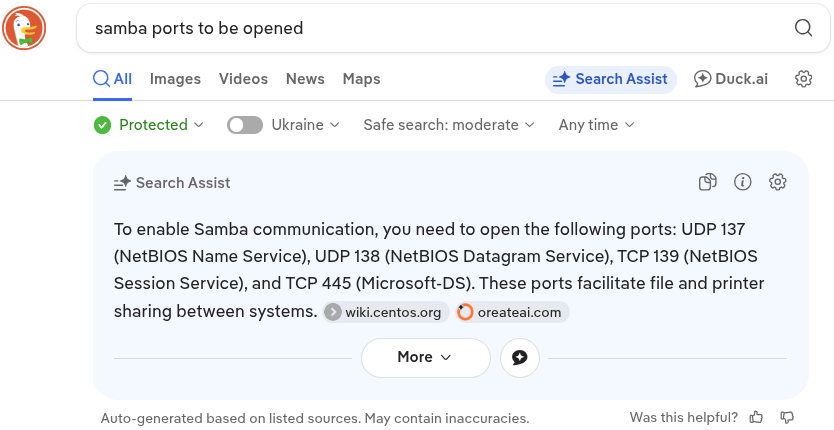
- i can’t remember RN but there is a setting in samba config that enable netbios name resolution and local master browser - 2 mandatory options I believe are turned on by default in NAS operating systems like XigmaNAS and OpenMediaVault to provide net discovey. I remember I could see those Unix/Linux servers easily from Windows and Fedora WS. So it’s not Avahi-related - SAMBA name resolution utilizes different protocols and requires several ports to be opened in the server’s firewall (have you done that?)
in your cae, you have to specify a few more options to services.samba.settings but as i said i’m sorry i don’t remember which ones. i hope to get access to that machine tomorrow but i hope i don’t guarantee 
oh, and if you’re a laptop user, then DNS is not an option for you. that’s fine though )
regarding samba not enabling the extra service file, you see it’s called extra, so I assume it needs to be turned on separately. mb try to look through https://search.nixos.org/options? and see if there’s anything related to that