Scanning with HP Scanner

Hello everyone! This is my first NixOS post. Decided to make the jump. I got printing working, but scanning is not as lucky.

I have these configs for scanning:

  hardware.sane = {
    enable = true;
    extraBackends = [ pkgs.hplipWithPlugin ];
  };

I have this networking enabled (which I needed to find the printer):

  services.avahi.enable = true;
  services.avahi.nssmdns = true;

When I search for a scanner, I think it’s found:

[josh@stanton:~]$ scanimage -L
device `v4l:/dev/video2' is a Noname Integrated Camera: Integrated I virtual device
device `v4l:/dev/video0' is a Noname Integrated Camera: Integrated C virtual device
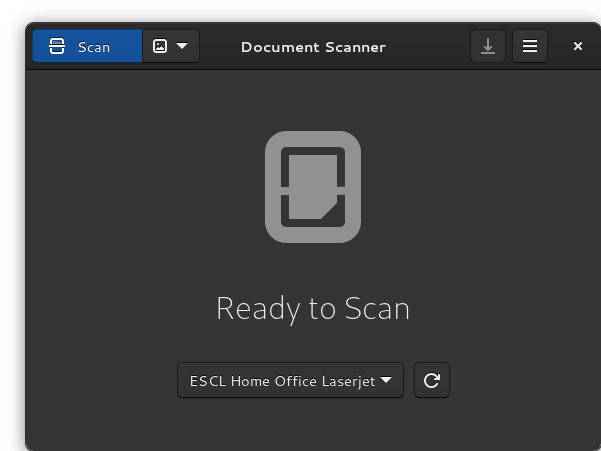
device `escl:https://10.0.0.11:443' is a ESCL Home Office Laserjet platen,adf scanner

I’m not sure if the “ESCL” portion is an issue. I can’t remember if that was displayed in Fedora.

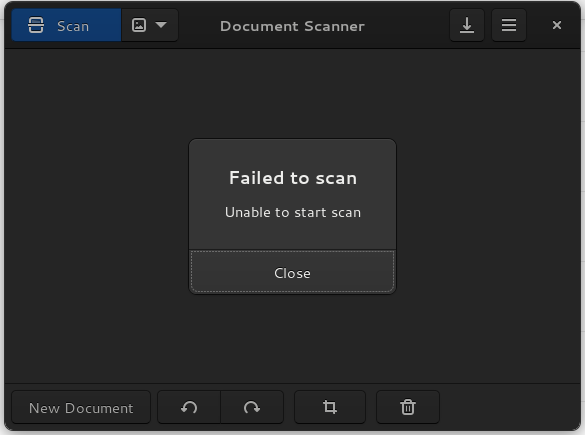
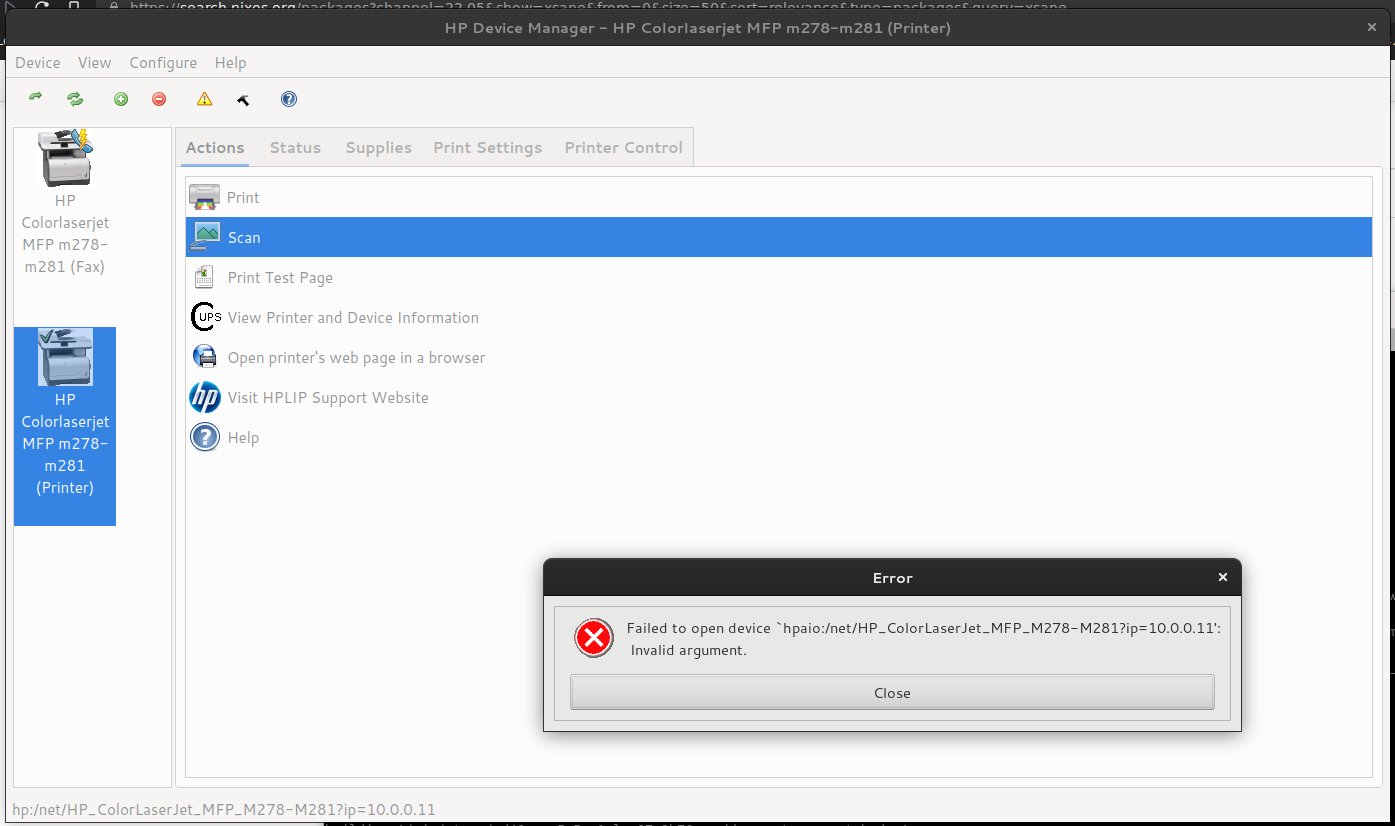
But, anytime I try and actually do a scan, that scanner cannot be opened:


Screenshot from 2022-11-22 15-29-45
Screenshot from 2022-11-22 15-30-20

Also, I tried the sane-extra-config.nix from the Wiki, but I can’t get it right. I just get this on rebuild:

[root@stanton:/etc/nixos]# nixos-rebuild switch
building Nix...
building the system configuration...
error: store path 'dzjbsdmbn1nix36hzm3nrwg8z6vvmhaq-' has an empty name
(use '--show-trace' to show detailed location information)

So, what’s next? I’m still pretty new to the nix config, but not to Linux in general.

that seems to generate a mkDerivation with an empty name. I am surprised that it fails that late.

Can’t help you with the other devils work aka printer.

I got it working last night. Randomly found a Youtube video where a guy showed his config and mentioned that he added this stuff to the avahi service to get scanning to work:

    avahi = {
      enable = true;
      nssmdns = true;
      publish = {
        enable = true;
        addresses = true;
        userServices = true;
      };
    };

The publish section is what I did not have before. Now when I search for scanners:

$ scanimage -L
device `hpaio:/net/HP_ColorLaserJet_MFP_M278-M281?ip=10.0.0.11' is a Hewlett-Packard HP_ColorLaserJet_MFP_M278-M281 all-in-one
device `v4l:/dev/video2' is a Noname Integrated Camera: Integrated I virtual device
device `v4l:/dev/video0' is a Noname Integrated Camera: Integrated C virtual device
device `escl:https://10.0.0.11:443' is a ESCL Home Office Laserjet platen,adf scanner

The first device hpaio appears that did not before. And scanning works.
2 Likes
# PRINTER - HP-TANK ############################
  
  # Print support - HP Ink Tank Wireless 410
  services.printing = {
    enable = true;
    drivers = with pkgs; [
      cups-filters
      cups-browsed
      pkgs.hplip
    ];
  };

  # Scanner support - HP Ink Tank Wireless 410
  services.udev.packages = [ pkgs.hplipWithPlugin ];
  hardware.sane = {
    enable = true;
    extraBackends = [ pkgs.hplipWithPlugin ];
  };

  # System WIDE HPLIP library path for SANE (scanning) - needed for simple-scan and other scanning applications
  # Disabled in favor of overlay below, which is a cleaner solution
  # environment.sessionVariables = {
  #   LD_LIBRARY_PATH = lib.mkForce [
  #     "/etc/sane-libs"
  #     "${pkgs.hplipWithPlugin}/lib/sane"
  #   ];
  # };

  # Override simple-scan to include HPLIP SANE backend library path
  nixpkgs.overlays = [
    (final: prev: {
      simple-scan = prev.simple-scan.overrideAttrs (old: {
        nativeBuildInputs = (old.nativeBuildInputs or [ ]) ++ [ prev.makeWrapper ];
        postInstall = (old.postInstall or "") + ''
          wrapProgram $out/bin/simple-scan \
            --prefix LD_LIBRARY_PATH : "${prev.hplipWithPlugin}/lib/sane"
        '';
      });
    })
  ];