configuration.nix here. The displays are shown in the display settings dialog, and they can be moved around and re-arranged, but they are not driven. One shows the monitor-generated no input message. Judging from the number of unanswered questions in this forum about Thinkpad docking stations, I wonder if NixOS support for them is broken.
You don’t seem to have thunderbolt enabled https://search.nixos.org/options?channel=unstable&query=services.hardware.bolt.enable
Thanks; I added services.hardware.bolt.enable = true; but no difference.
What is dmesg telling you? Did you find generall issues with that docking station and linux online?
I can’t report dmesg because I installed another distro. It behaves the same, so it seems to be a more general problem. The other distro (Fedora 43) will drive an external screen if it’s plugged into the connector on the laptop. I would like to re-install Windows 11 just to see if that fixes it, when I get the chance.
There are various reports of problems with Thinkpad docking stations but nothing unambiguously the same as my problem.
Yes you can, all distros have access to dmesg, it just gives you the kernel messages. On some distros it’s hidden behind sbin. Try sudo dmesg.
Of course doing so and showing us those logs might just send people chasing red herrings, since the software doesn’t match exactly.
Back on NixOS. Here’s the dmesg output. Here is the GNOME display settings dialog:
If I plug a display directly into the laptop HDMI, it is detected and used. But with the above configuration, with the displays plugged into the docking station, they are detected but not used. One of the displays shows its own No input message and the other displays nothing and is on standby. From experience, I know that it comes off standby when it detects and input.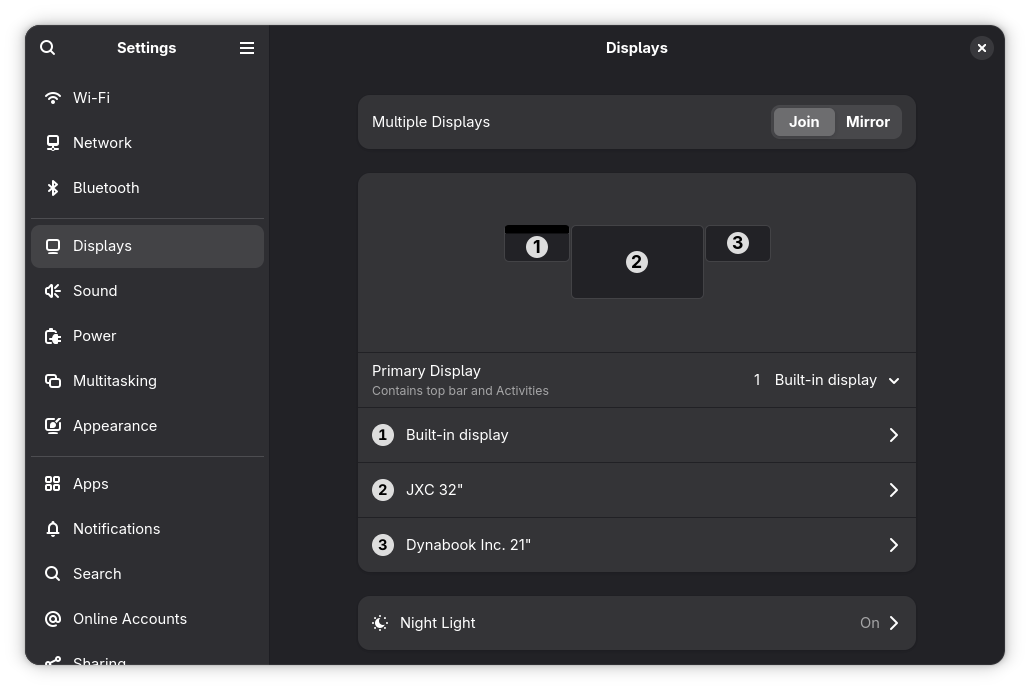
You seem to be using nouveau to render stuff, and it’s complaining:
[    5.320057] nouveau 0000:01:00.0: [drm] Cannot find any crtc or sizes
[    5.338345] nouveau 0000:01:00.0: [drm] Cannot find any crtc or sizes
AIUI that means monitor metadata isn’t read correctly, which means the driver probably can’t figure out how to render anything. No idea why, I don’t know anything about the docking stations, but that looks like your problem.
I’d personally try to force gnome to use the intel card (though using the nvidia card may be intentional for multi-monitor setups), and use the official nvidia driver instead of nouveau.
1 Like
Thanks Sandro and TLATER but after a nixos-rebuild --upgrade it’s all started working.
[Later] I wrote too soon; the screens are accessible through the USB-C docking station, but the ethernet (network) port has disappeared. I mean that ip a does not show it. I can work around that, but it’s annoying.
Anecdotal, but consistently reproduced. I have only ThinkPads and a ThinkPad dock. Linux and FreeBSD behave exactly the same: Sound only works with Thunderbolt enabled and only DVI. Or, no TB and only HDMI video, regardless of where I plug in the speakers - 1/8 audio plug/USB/Bluetooth.
Nixos 25.11 and FreeBSD 15.
T480/T14/X280
So, I don’t bother enabling thunderbolt, use hdmi, and everything just works.
Everything is working now.
The software started to degrade in weird ways; e.g., mouse pointer would move but mouse-clicks and keypresses were ignored. I had used f2fs for the root filesystem, so I reinstalled with ext4 and it’s all working now.