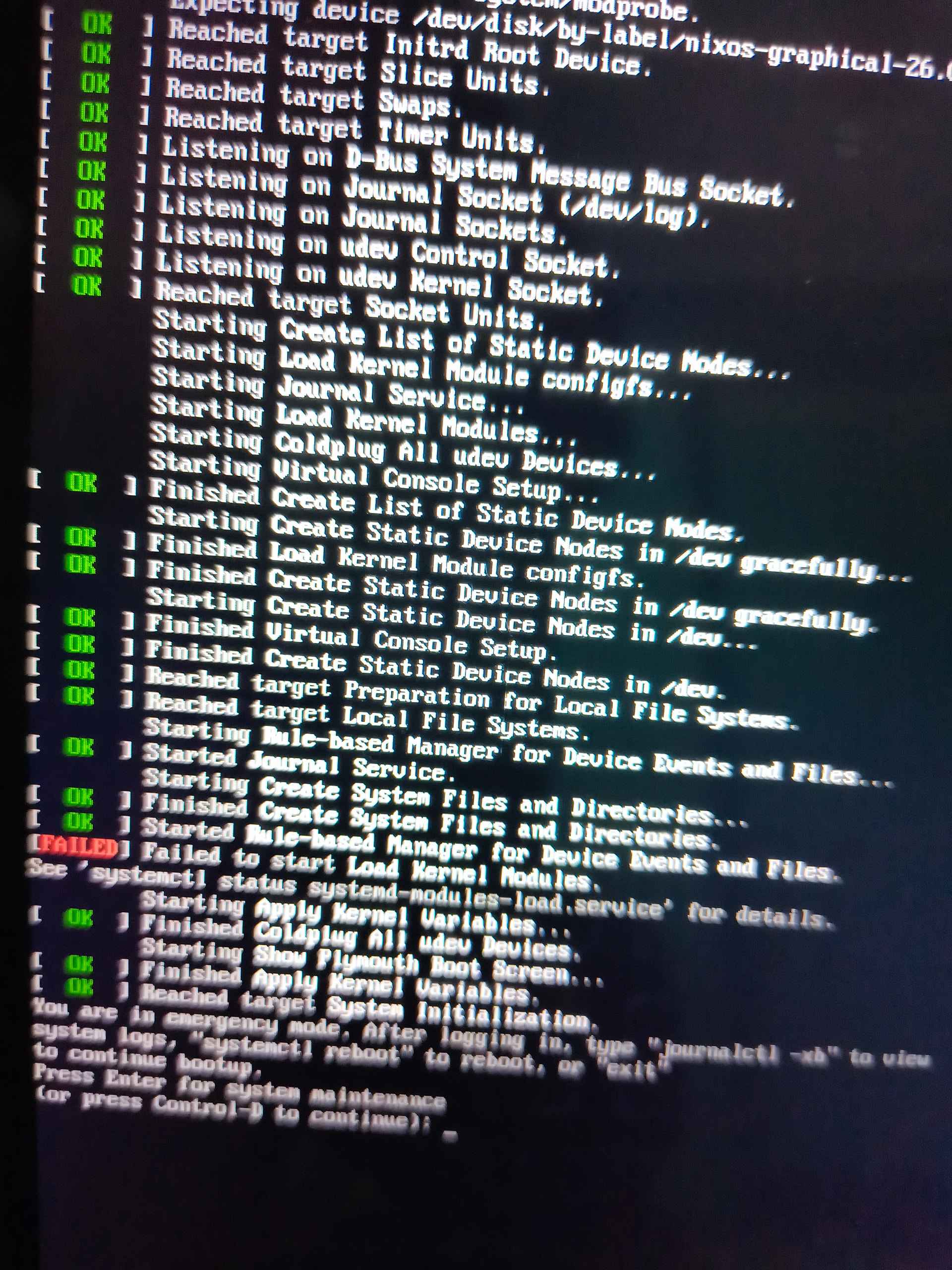
I’ve been trying to install NixOS on my laptop for almost a full day now. I can’t seem to fix this issue or even get the system to boot.
Hey!
Sorry to hear that. Have you inspected what the exact error is with the instructions below the error? Also, check GitHub - NixOS/nixos-hardware: A collection of NixOS modules covering hardware quirks. · GitHub, someone might have already solved that problem, whatever it may be.
welcome!
the error tells you systemd hangs at injecting initial boot kernel modules (or drivers). run what it advices you, journalctl -xb, scroll to the bottom, find the error lines, and post them here (as @chemonke says). if it’s a laptop, the error might be realted to loading pci, usb, sata drivers, etc.
it would also be easier to debug if you sent us your pc specs
The loading of kernel modules is usually a red herring. The problem is probably further up, a not appearing root drive.
It is an intel i5 11th gen, Intel iris xe graphics, 8gb ram
The graphical ISO has plymouth enabled, which tends to hide a lot of critical boot error messages. As @NobbZ says, the kernel modules message is a red herring. It’s fixed by this PR, but it’s not the cause of the boot failure; plymouth is hiding that. So you need to enter that shell and use systemctl or journalctl to see what failed. You can also use the boot option from the ISO’s menu that disables the display manager, because that also disables plymouth. Anyway, my guess is that you’re using Ventoy, or Rufus in non-dd-mode, which are quite likely to fail.
I am having the same issue. I am using Ventoy. is their no way to get this to work with Ventoy? what should I do instead. I’ll look for another usb drive to use for something other than ventoy. what should I use if not ventoy?