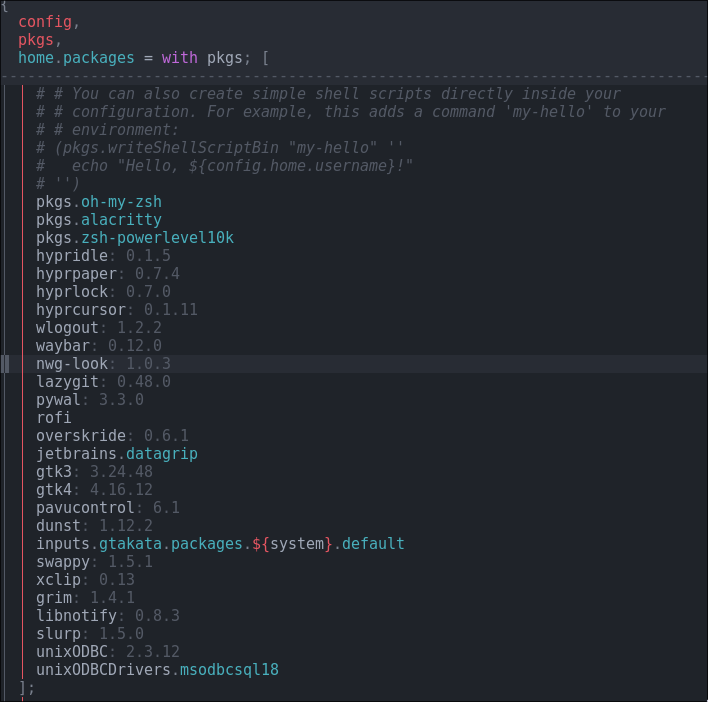
Need to connect to a SQL server database from a python application, installed the client and the drivers but still running into issues when running the application. The application raises the following exception:
('01000', "[01000] [unixODBC][Driver Manager] Can't open lib 'ODBC Driver 18 for SQL Server': file not found (0) (SQLDriverConnect)")
Here’s my home manager configuration where I installed the driver
Do I need to create a file link somewhere or something? I’m supposing this is maybe a problem with relying on binaries on nix os. I’m using pyodbc to connect to the database.
1 Like
Until someone has a better solution, here’s what I use with iodbc. Maybe it could be similar with odbc.
pkgs.mkShell {
  LD_LIBRARY_PATH = "/run/opengl-driver/lib:${my_driver}:${pkgs.libiodbc}/lib";
}
Might be a bit late to the party here but if anyone is struggling a bit to make this work still, I was able to resolve it using a shell.nix file in the repository. I am using uv to manage the project.
My configuration.nix looks like this:
  nixpkgs.config.allowUnfree = true;
  environment.systemPackages = with pkgs; [
    unixODBC
    unixODBCDrivers.msodbcsql18
    sqlcmd
  ];
  environment.unixODBCDrivers = with pkgs.unixODBCDrivers; [ msodbcsql18 ];
  programs.nix-ld.enable = true;
I then have the following shell.nix in the top folder of my python project:
with import <nixpkgs> { };
pkgs.mkShell {
  name = "loc-engine";

  # Here is where you will add all the libraries required by your native modules
  # You can use the following one-liner to find out which ones you need.
  # Just make sure you have `gcc` installed.
  # `find .venv/ -type f -name "*.so" | xargs ldd | grep "not found" | sort | uniq`
  NIX_LD_LIBRARY_PATH = lib.makeLibraryPath [
    stdenv.cc.cc # libstdc++
    stdenv.cc.cc.lib
    zlib # libz (for numpy)
    #libstdc++.so.6
    #libz.so.1
  ];

  NIX_LD = lib.fileContents "${stdenv.cc}/nix-support/dynamic-linker";
  LD_LIBRARY_PATH = "${stdenv.cc.cc.lib}/lib";

  packages = with pkgs; [
    uv
  ];

}
(I got this from crescentrose, which was the only way I could get things working)
Once in the root folder (and after a nix-os rebuild), run nix-shell (I use nix-shell –run zsh to preserve my zsh terminal) and you should then be able to do your usual uv sync functions from here).
A useful tip in this case where your collaborators may not be using nix is to put shell.nix in .git/info/exclude, which is like .gitignore but will not appear to the other collaborators in the repo