I just got a Raspberry Pi and was looking forward to flashing my SD with NixOS via nix-community/raspberry-pi-nix, but apparently it just got archived last week?
I couldn’t see any information on the repository on why it’s archived; is it no longer recommended, and is there any alternative?
Hmm, I also ran into this after not finding issues or PRs related to the archiving of raspberry-pi-nix. It’s unfortunate there is no information on why it was archived, nor whether there is a good alternative. @tstat seems to be the main contributor. Maybe he has more info?
I used it to build sdcard image in addition to setting up rpi’s config.txt, like enabling BOOT_UART and disable-wifi. It’s not really clear from nixos-hardware how to set things up the same way. It seems both of these features aren’t supported out of the box.
btw I have this at least building with newer stuff here, but I haven’t even gotten around to trying it yet so good luck
More patches are still needed. Some have been posted here (mailing list), but they were based on some other fork of u-boot and I haven’t been able to rebase them to something recent myself.
Unless i’m missing something nixos-hardware does not provide even half the things raspberry-pi-nix does? E.g. config.txt management is a big one.
The reason i started using it was because i could not get a patched mcp251xfd overlay (among a few others, but that was the big one) to work with nixos/nixos-hardware’s device tree support. While the same overlays once compiled worked nicely with the vanilla raspbian approach which also happens to be raspberry-pi-nix’s approach. We use a custom CM4 board at work so some overlays needed to be patched from the upstream ones to add support for more busses than the original overlay was written for (though I do plan to upstream these changes once i have some free minutes).
I don’t take the work of foss devs for granted, if the sole maintainer doesn’t want to work on it anymore i respect that fully and i thank them for their work.
I would wish though that when it’s part of the nix-community umbrella adding an explanation to the readme why it was archived instead of just silently doing so could be a nice habit in the future, because now it just leaves users guessing and looking for alternatives - as is evidenced by this thread.
I just discovered this and I’m rather concerned, as I have a raspberry pi that has been using this project for a while now, and I’m not sure what to do going forward if the project is archived as there’s no migration path to anything else.
I am holding back on updating the flake lock just because of this: I tried but the project (raspberry-pi-nix) has been archived before nixos-hardware could even implement half of the things that the main project was doing.
The result so far is that I get a very frustrating experience I am not that happy, but I wish I could help. I don’t know what happened but I smell drama, otherwise I don’t understand why it was done so quickly and without any announcement or even a change on the README guiding users to migrate to nixos-hardware
I hope that nixos-hardware really is going to implement support and features for all the rpis (an rpi5 in my case) ! Right now it is not looking good.
I’m using the following skeleton to generate the SD image for my rpi3
{ lib, pkgs, config, modulesPath, ... }:

{
  nixpkgs.hostPlatform = "aarch64-linux";
  nixpkgs.overlays = [
    # fix the following error :
    # modprobe: FATAL: Module ahci not found in directory
    # https://github.com/NixOS/nixpkgs/issues/126755#issuecomment-869149243
    (_final: super: {
      makeModulesClosure = x:
        super.makeModulesClosure (x // { allowMissing = true; });
    })
  ];
  imports = [
    (modulesPath + "/installer/sd-card/sd-image-aarch64.nix")
  ];

  # compressing image when using binfmt is very time consuming
  # disable it. Not sure why we want to compress anyways?
  sdImage.compressImage = false;

  boot = {
    loader = {
      # https://github.com/NixOS/nixpkgs/blob/b72bde7c4a1f9c9bf1a161f0c267186ce3c6483c/nixos/modules/installer/sd-card/sd-image-aarch64.nix#L12
      # Use the extlinux boot loader. (NixOS wants to enable GRUB by default)
      grub.enable = false;
      # Enables the generation of /boot/extlinux/extlinux.conf
      generic-extlinux-compatible.enable = lib.mkDefault true;
    };
    kernelPackages = pkgs.linuxKernel.packages.linux_rpi3;
    kernelParams = [ "cma=256M" ];
    initrd.availableKernelModules = [
      # Allows early (earlier) modesetting for the Raspberry Pi
      "vc4" "bcm2835_dma" "i2c_bcm2835"
    ];
    consoleLogLevel = lib.mkDefault 7;
  };

  environment.systemPackages = with pkgs; [
  ];

  # Enable the OpenSSH daemon.
  services.openssh.enable = true;

  networking = {
    hostName = "rpi3";
    interfaces.eth0 = {
      useDHCP = true;
    };
  };

  services.xserver.enable = false;

  users = {
    mutableUsers = false;
    # to be filled
  };

  # Preserve space by sacrificing documentation and history
  documentation.enable = false;
  documentation.doc.enable = false;
  documentation.info.enable = false;
  documentation.man.enable = false;
  documentation.nixos.enable = false;

  # This value determines the NixOS release with which your system is to be
  # compatible, in order to avoid breaking some software such as database
  # servers. You should change this only after NixOS release notes say you
  # should.
  system.stateVersion = "23.11";
}
and I am using the following command:
nix-build "<nixpkgs/nixos>" -A config.system.build.sdImage -I nixos-config=rpi3.nix -I nixpkgs=https://github.com/NixOS/nixpkgs/archive/refs/tags/24.05.tar.gz
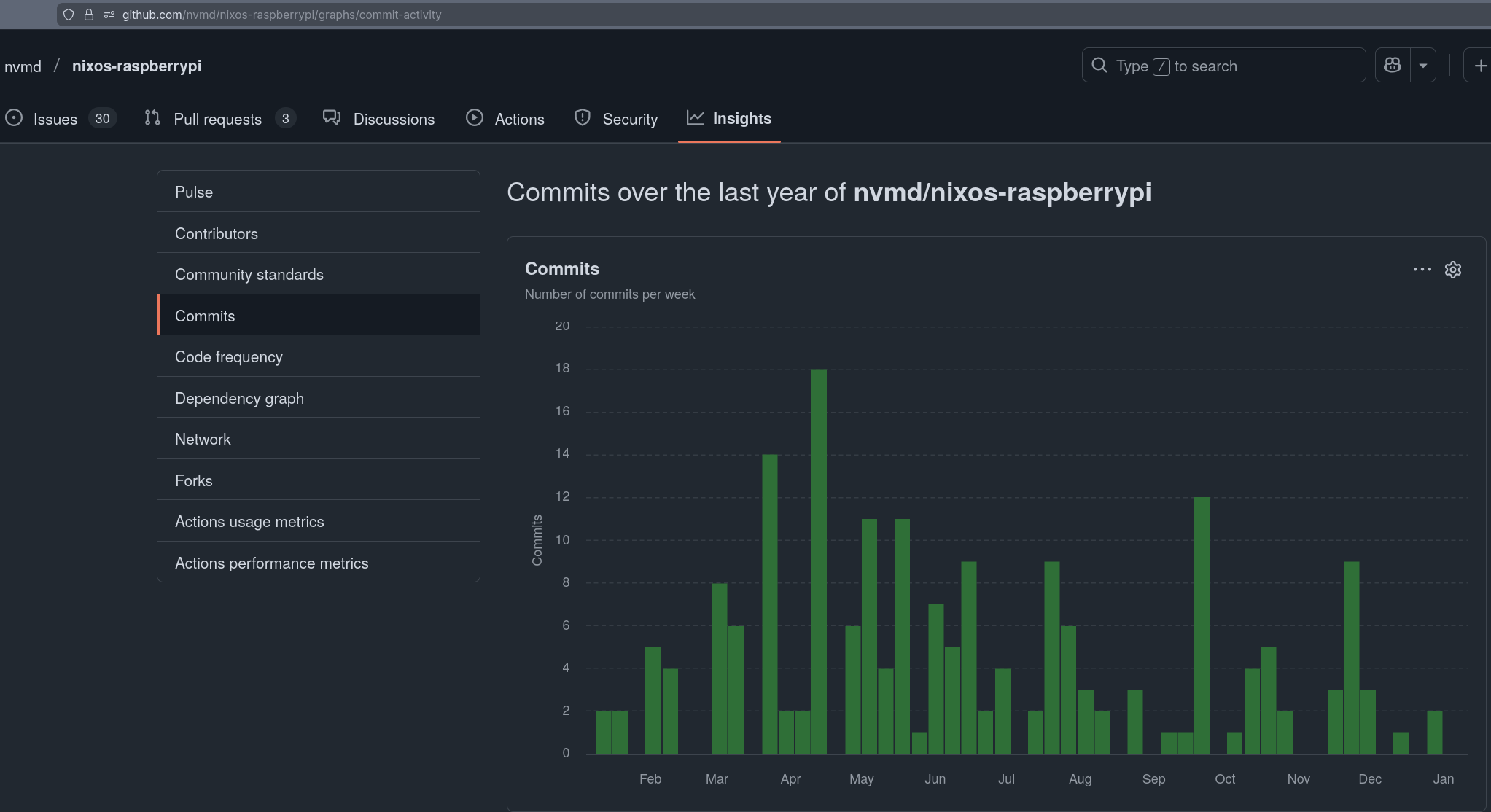
So this project looks active, which is great! Does it work for most people? Would love to hear some success stories. I’m not sure if nvmd ( Sergey Kazenyuk ) is on this discourse
If this is the new NixOS solution, that works, and isn’t archived, then I’ll give this a try.
Getting it installed was a bit difficult because I needed to combine stuff from different examples but it was nothing compared to the setup described in the wiki/the linked GitHub issue which didn’t run an up-to-date kernel or something.
Especially the config.txt integration is really amazing as I am running an SSD and a DAC.


 Right now it is not looking good.
 )
)