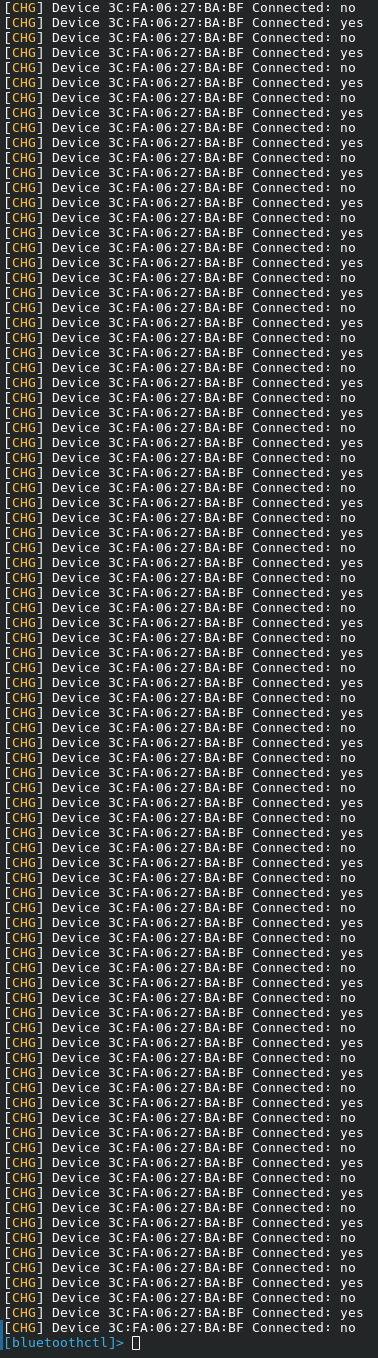
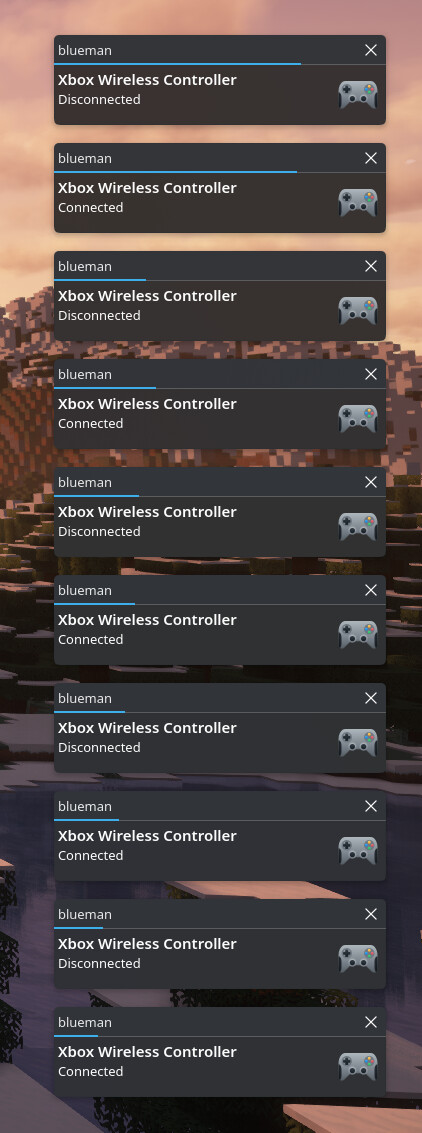
I am trying to connect my Bluetooth Xbox controller to my PC running NixOS 25.05, but whenever I try to connect it after a successful pairing, it does this:
1 Like
I am running KDE Plasma 6 on the following hardware:
Ryzen 5 7600
AMD RX 9070 16GB
32GB (2x16) DDR5 6000MHZ CL30
Asrock X670E Steel Legend
so far I’ve tried to add:hardware.xpadneo.enable = true;
Any ideas?
MacAoi
August 10, 2025, 2:43pm
3
What is your controller , did your try remove <mac> and pairing it freshly and did you rebulild after hardware.xpadneo.enable = true; then see these
opened 06:30PM - 02 Jun 21 UTC
closed 08:55PM - 17 Sep 22 UTC
help wanted
0 | type: third party bug
1 | state: information gathering
1 | state: funded
0 | type: hardware support
Using bluetoothctl the Xbox one X controller either enters a connect/disconnect … loop or connects and even shows in jstest but disconnects when the controller leaves pairing move from a timeout. When the second of those two happens it vibrates when it says it is cconnected but the light does not stop fast blinking until it times out and disconnects. In jstest the controller shows on /dev/input/js0 but does not actually send any button presses. The controller works on android and is the most recent version, updated on Win 10.
I have already set disable_ertm to Y and have ControllerMode set to dual and tried with Privacy set to device in /etc/bluetooth/main.conf.
The output of `btmgmt info` showing that I have le and br/edr set:
```
Index list with 1 item
hci0: Primary controller
addr F8:E4:E3:23:8D:6C version 11 manufacturer 2 class 0x3c010c
supported settings: powered connectable fast-connectable discoverable bondable link-security ssp br/edr le advertising secure-conn debug-keys privacy configuration static-addr phy-configuration wide-band-speech
current settings: powered bondable ssp br/edr le secure-conn
name carter-g14
short name
hci0: Configuration options
supported options: public-address
missing options:
```
When I run `sudo dmesg | grep Bluetooth | grep Firmware` I get
`Bluetooth: hci0: Firmware revision 0.0 build 118 week 15 2021` which I have confirmed with another person to be working for connecting the controller on the same model laptop (asus g14).
Dmesg immedeatly after connecting:
```
[ 2907.604776] xpadneo 0005:045E:0B13.0034: pretending XB1S Windows wireless mode (changed PID from 0x0B13 to 0x02E0)
[ 2907.604785] xpadneo 0005:045E:0B13.0034: working around wrong SDL2 mappings (changed version from 0x00000505 to 0x00000903)
[ 2907.604789] xpadneo 0005:045E:0B13.0034: report descriptor size: 283 bytes
[ 2907.604792] xpadneo 0005:045E:0B13.0034: fixing up Rx axis
[ 2907.604794] xpadneo 0005:045E:0B13.0034: fixing up Ry axis
[ 2907.604796] xpadneo 0005:045E:0B13.0034: fixing up Z axis
[ 2907.604797] xpadneo 0005:045E:0B13.0034: fixing up Rz axis
[ 2907.604799] xpadneo 0005:045E:0B13.0034: fixing up button mapping
[ 2907.605043] xpadneo 0005:045E:0B13.0034: enabling compliance with Linux Gamepad Specification
[ 2907.605596] xpadneo 0005:045E:0B13.0034: input,hidraw8: BLUETOOTH HID v9.03 Gamepad [Xbox Wireless Controller] on f8:e4:e3:23:8d:6c
[ 2907.605607] xpadneo 0005:045E:0B13.0034: controller quirks: 0x00000050
[ 2908.597030] xpadneo 0005:045E:0B13.0034: Xbox Wireless Controller [44:16:22:cb:bc:28] connected
```
Bluetoothctl once connected and once controllertimes out:
```
[Xbox Wireless Controller]# connect $XBOXC_MAC
Attempting to connect to 44:16:22:CB:BC:28
Connection successful
[CHG] Device 44:16:22:CB:BC:28 ServicesResolved: no
[CHG] Device 44:16:22:CB:BC:28 Connected: no
```
opened 04:16PM - 16 Jun 21 UTC
stale
Hi there,
i'm encountering issues with the newest family of xbox controllers … when trying to use them wirelessly (via xpadneo driver).
The first pairing seems to go normal, the controller vibrates - but doesn't leave pairing mode and doesn't detect inputs.
When switiching the controller of and on after that, it won't connect. If you then enter pairing mode again, it will connect and disconnect rapidly until you leave pairing mode again.
I've tried it with two different bluetooth-devices (x570 Taichi Intel Corp. Wireless-AC 3168 and Realtek rtl8761b dongle, both BT-LE capable), `privacy` is set to `device` in `/etc/bluetooth/main.conf`, i tried disabling ERTM (both on 5.10 and 5.12) - all with the same result. Only thing i haven't tried is updating firmware, will do that once i get my hand on a windows pc (but while https://github.com/bluez/bluez/issues/66 suggests it's a firmware issue, the linked reddit thread only mentiones that it "works" with the wrong firmware, but has massive lags then, so i'm not sure if thats really the case?)
I'm on Manjaro testing, currently on 5.13rc6, Bluez 5.59
This issue is already discussed in https://github.com/atar-axis/xpadneo/issues/295 , where the dev believes its maybe something in bluez
here's a log pairing the controller and then entering pairing mode (with the connect/disconnect loop) again. Let me know if any other info might be helpful.
https://github.com/atar-axis/xpadneo/files/6602450/btmon_from_start.log
Aaaaaand BINGO!
We’ve got a solid indicator light!
  hardware.bluetooth = {
    enable = true; # enables support for Bluetooth
    powerOnBoot = true; # powers up the default Bluetooth controller on boot
    settings = {
      General = {
        Privacy = "device";
        JustWorksRepairing = "always";
        Class = "0x000100";
        FastConnectable = "true";
      };
    };
  };
to my config!
2 Likes
MacAoi
August 11, 2025, 4:26am
6
from the fellow nix user guy right , gladly it worked.